Telegram file size limit in 2026: 2 GB, 4 GB with Premium, and how to send bigger files
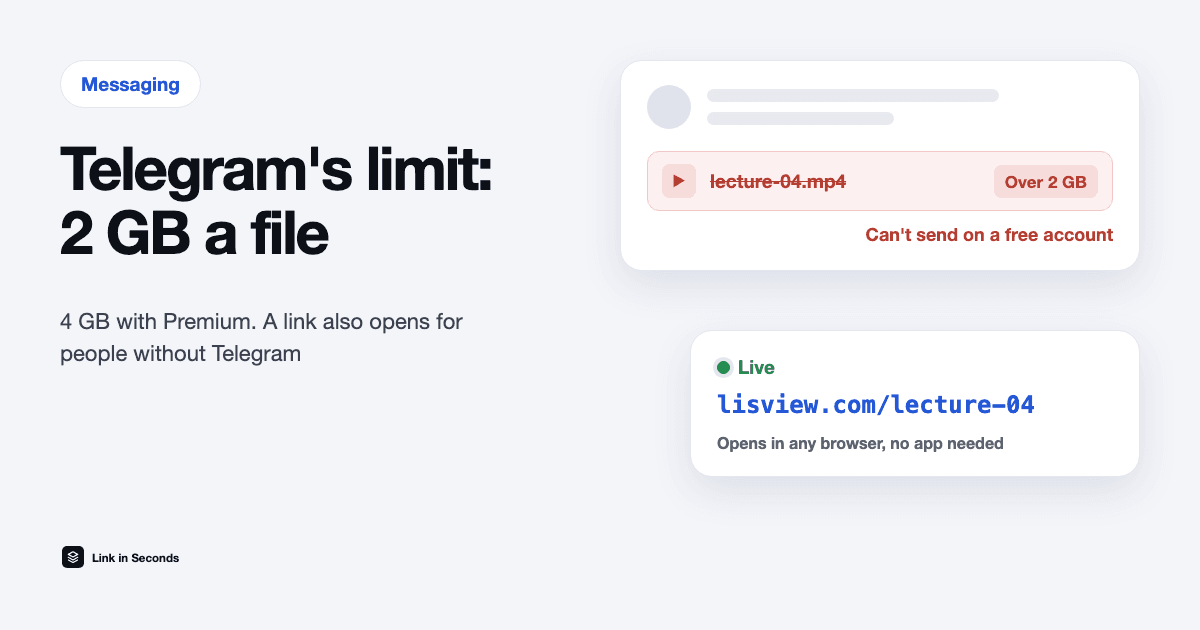
Telegram's file size limit is 2 GB per file on a free account and 4 GB per file with Telegram Premium. It applies to every file type in chats, groups and channels. For a bigger file, or for people without Telegram, post a link to the file instead.
Below: what the limit covers, why a photo or video can arrive smaller than you sent it, how Telegram compares with WhatsApp, email and a file link, and what to do above 4 GB. Telegram's numbers were checked on its own FAQ and Premium announcement on 28 November 2026.
Telegram limits, checked 28 November 2026
- Free account
- 2 GB per file
- Telegram Premium
- 4 GB per file, plus faster downloads
- Groups and channels
- Same per-file limit as private chats
- Receiving a 4 GB file
- Works without Premium
- Photos and videos sent as media
- May be compressed; send as a file to keep the original
- A Link in Seconds link
- 5 MB free, 10 GB per file on the trial and Pro. Opens without Telegram.
What is the maximum file size on Telegram?
2 GB per file, or 4 GB with Premium. Telegram's FAQ states both numbers, and the same cap holds for a document, a video, an archive or an app installer. It is per file, not per message, so you can send several 2 GB files one after another.
The limit is the same on the phone apps, Telegram Desktop and Telegram Web. What changes between them is how practical a big upload is: a 2 GB file from a phone on mobile data takes a long time and stops if the app is closed for long, so big files are easier from a computer on Wi-Fi.
What does Telegram Premium change?
Premium doubles the per-file limit to 4 GB and removes Telegram's cap on download speed for the subscriber. The person receiving the file does not need Premium: Telegram's announcement says anyone can download a file a Premium user sent. So if one person in a team sends most of the big files, only that person needs it.
Check before you pay
Why does Telegram make my photos and videos smaller?
Because you sent them as media. Telegram compresses photos, and can compress videos, when they go through the gallery picker, so they load fast on a slow connection. The original stays on your phone; the chat gets a lighter copy.
- On a phone: tap the paperclip, then File, and pick the photo or video from the gallery or Files. It arrives as the original file, up to the same 2 GB (4 GB) limit.
- On desktop: drag the file in and untick the option to compress images, or use the send menu's Send without compression.
The trade-off: a file sent as a file shows as a download, not an inline player, so people tap to open it.
How does Telegram compare with WhatsApp, email and a link?
Per-file limits, checked 28 November 2026. Email limits are Gmail's and Outlook.com's published ones.
| Tool | Per file | Who can open it | Quality |
|---|---|---|---|
| TelegramFree account | 2 GB | People with Telegram | Original if sent as a file |
| Telegram PremiumPaid subscription | 4 GB | People with Telegram | Original if sent as a file |
| WhatsAppAs a document | 2 GB (video via gallery: 100 MB) | People with WhatsApp | Original as a document |
| Email attachmentGmail, Outlook.com | 25 MB | Anyone with email | Original |
| Link in SecondsA link you paste anywhere | 5 MB free, 10 GB per file on the trial and Pro | Anyone with a browser | Original |
Telegram
Free account
- Per file
- 2 GB
- Who can open it
- People with Telegram
- Quality
- Original if sent as a file
Telegram Premium
Paid subscription
- Per file
- 4 GB
- Who can open it
- People with Telegram
- Quality
- Original if sent as a file
As a document
- Per file
- 2 GB (video via gallery: 100 MB)
- Who can open it
- People with WhatsApp
- Quality
- Original as a document
Email attachment
Gmail, Outlook.com
- Per file
- 25 MB
- Who can open it
- Anyone with email
- Quality
- Original
Link in Seconds
A link you paste anywhere
- Per file
- 5 MB free, 10 GB per file on the trial and Pro
- Who can open it
- Anyone with a browser
- Quality
- Original
If you are sending a video on WhatsApp too, the guide to sending a large video on WhatsApp covers the gallery and Document routes step by step.
How do I send a file bigger than 2 GB or 4 GB?
Three ways, depending on who needs the file and how long it has to stay available.
- Split it. A ZIP tool such as 7-Zip can cut an archive into 1.9 GB parts. Everyone has to download every part and join them again, so this suits one technical recipient, not a group.
- Get Premium. Takes you to 4 GB per file, and nobody else has to pay.
- Post a link. Upload the file once and paste the link into the chat, group or channel. It opens in a browser, so it also works for people who don't have Telegram, and you can update the file without posting again. The page on sharing files on Telegram as a link shows how it looks in a chat.
How do I share a file on Telegram as a link?
Upload the file
Open the Telegram link page on your phone or computer, pick the file and sign in once with Google.Copy the link
You get a short link and a QR code as soon as the upload finishes.Paste it into Telegram
Telegram shows a preview card. Tapping it opens the file in the browser: video and audio play, PDFs and images show on the page.Lock it if the group is large
Add a password, an expiry date or a view limit, or turn downloads off, in the link settings.
When is a link better than sending the file in Telegram?
A file under 2 GB for Telegram users
Send it in Telegram as a file
Nothing to set up, and the original arrives.
A file between 2 and 4 GB, sent often
Telegram Premium
4 GB per file, and receivers don't need Premium.
People outside Telegram, or a file you update
A file linkRecommended
Opens in any browser, and the same link shows the new version.
One huge file for one person, once
Split it, or a transfer service
Fine when the file only has to arrive once.
A link also tells you who opened the file, which a channel post can't: you see views, devices and countries for each link. Links have no expiry date unless you set one. If a plan ends and your files are over the free 5 MB, links pause until you subscribe or delete files; nothing is deleted.
Quick answers
What is the Telegram file size limit?
2 GB per file on a free account and 4 GB per file with Telegram Premium. The limit is the same in private chats, groups and channels, and on phone, desktop and web.
Can someone without Premium download a 4 GB file?
Yes. The 4 GB limit is for sending. Telegram's Premium announcement says anyone can download a file a Premium user sent, so the receiver does not need Premium.
Does Telegram reduce photo and video quality?
Photos and videos sent as media can be compressed to save data. Send them as a file instead (the File option in the attach menu, or Send without compression) and Telegram delivers the original.
Is Telegram's limit bigger than WhatsApp's?
Both take 2 GB per file when you send it as a file or document. Telegram goes to 4 GB with Premium. WhatsApp caps video sent through the gallery at 100 MB and 720p by default.
How do I send a file bigger than 4 GB on Telegram?
Split it into parts with a ZIP tool, or upload it somewhere else and post the link in the chat. A link also opens for people who don't use Telegram.
Telegram limits checked 28 November 2026 on telegram.org/faq and Telegram's Premium announcement. WhatsApp limits checked 26 November 2026 on WhatsApp's help center. Limits change, so check the vendor's page before you rely on a number.
Related guides
Turn any file into a link in seconds
Upload a PDF, image, video, or ZIP and get a clean, trackable link with a QR code. Free up to 5 MB, no card. 7-day free trial, then $9/mo + tax. $0 today, cancel anytime.
Start free trial →