Share files on Telegram as a link
Post one link that opens for everyone, even people without Telegram.
Drop your file here
Drop several at once and they become one album link
or paste an image Ctrl+V
Free up to 5 MB, no card. Bigger files: 7 days free, then from $3/mo. Cancel anytime. See plans
“My students all said it was easy to use and worked perfectly.”
How do I share a file on Telegram as a link?
Upload the file here, copy the link and paste it into any Telegram chat, group or channel. Telegram can send files up to 2 GB, or 4 GB with Premium, but only people with the app can open them. A link opens in any browser, so it also works for people who don't use Telegram.
- people sharing files
- 5,500+
- links shared
- 11,400+
- times opened
- 39,900+
Share a file on Telegram as a link in 3 steps
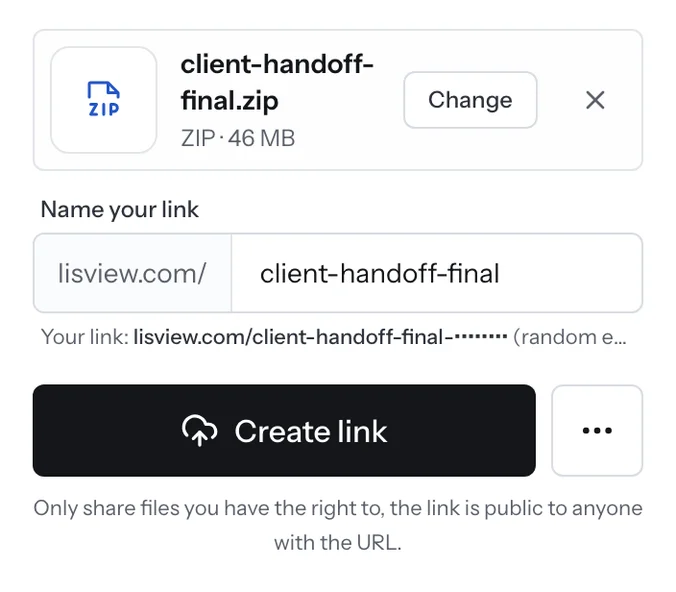
Upload the file
Drop the file into the box above, or pick several files to make one album link.
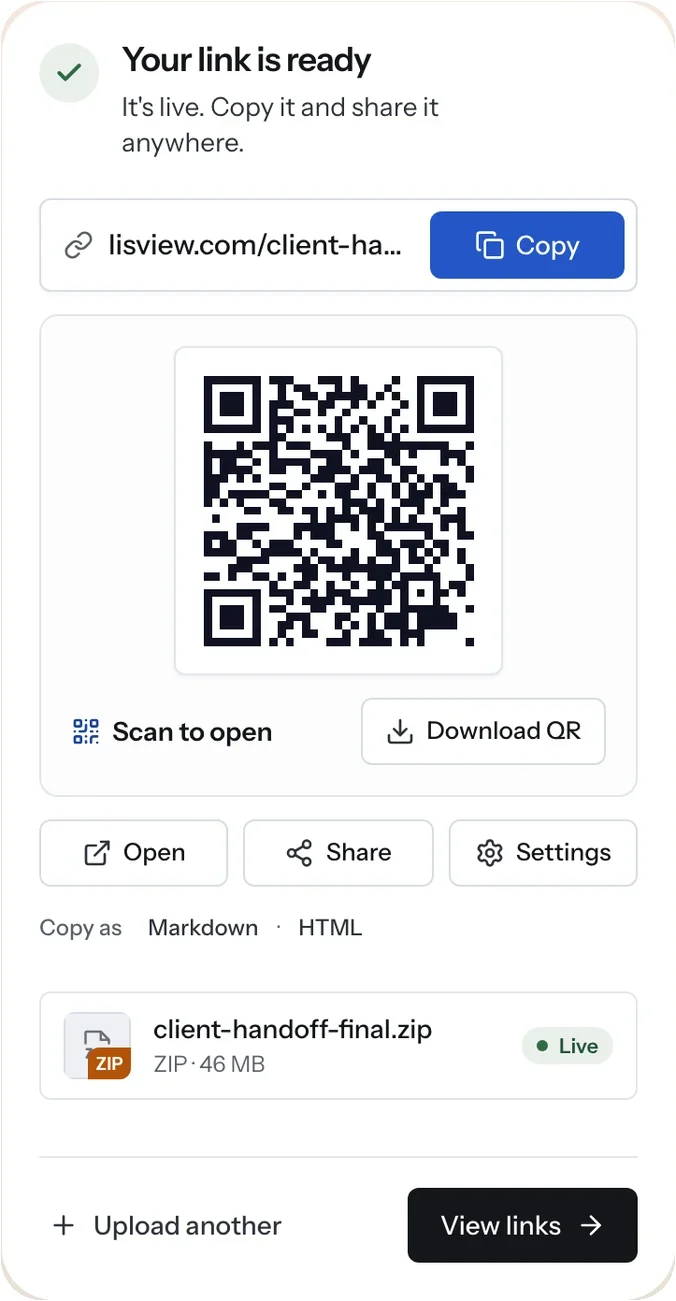
Copy the link
You get a short link and a QR code. Add a password if the group is large.
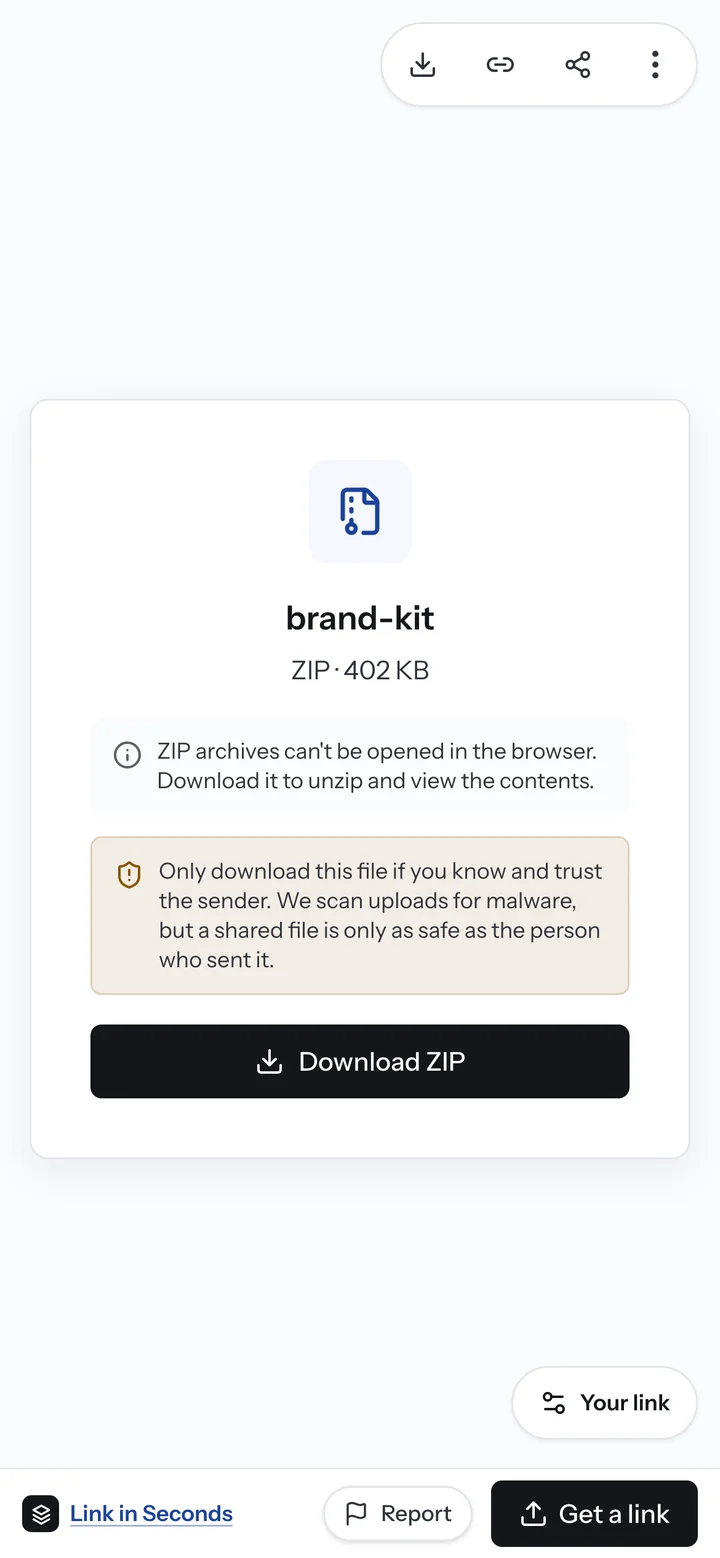
Paste it in Telegram
Paste it into a chat, group or channel post, and it opens in any browser.
What it looks like
Why share a link instead of the file?
Anyone can open it
The link works in Telegram, in an email, in a text message or on a website. People open it in their browser without the app or an account.
Change the file, keep the link
Upload a new version to the same link. Every chat where you posted it now opens the new file.
See how often it's opened
Count how many times the link was opened, by day, device and country, even after people forward it to others.
Stop it if it spreads too far
Forwarded to the wrong people? Add a password, set an end date or turn the link off. It stops working everywhere at once.
A link compared with sending the file in Telegram
Link in Seconds link
- Largest file
- 10 GB
- Opens without the Telegram app
- Yes
- Works in email, websites and other apps
- Yes
- Password, end date or view limit
- Yes
- Price
- From $3/mo after the 7-day trial
Telegram
- Largest file
- 2 GB
- Opens without the Telegram app
- No
- Works in email, websites and other apps
- No
- Password, end date or view limit
- No
- Price
- Free
Telegram Premium
- Largest file
- 4 GB
- Opens without the Telegram app
- No
- Works in email, websites and other apps
- No
- Password, end date or view limit
- No
- Price
- Paid, varies by country
What people say
“The admin interface is incredibly intuitive and set up exactly how a user actually thinks. My students all said it was easy to use and worked perfectly.”
“The app is genuinely nice and easy to handle. I keep all my different app links in one place, my App Store and Play Store screenshots, and I organise my images and PDFs into albums with tags. The big storage means everything just lives here.”
“I handle contracts, invoices and legal files for several different organisations, so almost everything I send is password protected. Link in Seconds makes that simple, and I run my portfolio on a custom domain. It is easy to use and genuinely affordable.”
Every link feature on every plan
Plans differ in room: links, storage and file size, plus HTML pages and website hosting.
Pro Monthly
$9/mo
billed every month, cancel anytime
- Unlimited links
- 100 GB of storage
- 10 GB per file
- Every link feature included
- HTML pages and website hosting
Lifetime
$149$99once
one payment, no renewals
- Unlimited links
- 200 GB of storage
- 10 GB per file
- Every link feature included
- HTML pages and website hosting
Pro Yearly
$4.08/mo
billed $49 a year
- Save 55% vs paying monthly
- Unlimited links
- 100 GB of storage
- 10 GB per file
- Every link feature included
7-day free trial, then $9/mo + tax. $0 today, cancel anytime.Or share files up to 5 MB free, no card.
Coming from WeTransfer, DocSend or tiiny.host? See the comparisons
Questions about sharing files on Telegram as a link
The details
What are the limits?
- Telegram allows 2 GB per file, or 4 GB with Telegram Premium. Anyone can download a file sent by a Premium user.
- Here you can upload files up to 10 GB each. Files up to 5 MB are free with no card. Small takes files up to 3 GB ($3/month) and Pro up to 10 GB ($9/month), both after a 7-day free trial.
- PDFs, images, videos, music and Office files open in the browser. Other kinds of files can go inside a ZIP.
Why share a link when Telegram takes 2 GB files?
Because size isn't the only problem. A file sent in Telegram only opens inside Telegram. Once someone forwards it, you can't take it back, and you can't see how far it went. A link solves all three problems.
Can someone without Telegram open a file I shared?
Not if you sent the file itself in a chat, because they need the app and an account. If you send a link instead, they can open it in any browser on a phone or a computer, without signing up for anything.
How do I post a file in a Telegram channel?
Upload the file, copy the link and paste it into your post with a short message. Telegram shows a preview with the file's name and a small picture. Subscribers tap it and the file opens in their browser.
- Pin the post so new members can find the link.
- If you update the file later, the pinned post still opens the right version.
Does a link save space on people's phones?
Yes. Telegram saves files to the phone when people open them, and big videos fill up storage fast. With a link, videos play in the browser and documents open there too. Nothing is saved unless someone chooses to download it.
What kinds of files can I share this way?
PDFs, images, MP4, MOV and WebM videos, MP3, M4A and WAV audio, and Word, Excel and PowerPoint files. Other formats, such as Photoshop or CAD files, can go inside a ZIP, which opens as a download page.
Share a folder as one ZIP linkWho shares files on Telegram this way?
- Channel owners. Post course files, price lists or reports once, update them in place, and see how often they are opened.
- Teachers. Share lesson recordings with a class group, and with parents who don't use Telegram.
- Photographers. Send a full shoot as one album link that opens on any phone, with or without Telegram.
- Designers. Hand over source files as one ZIP link with a password, and update it for the next round.
Everything a link can do
- Custom link name: A link people actually remember. Name the link yourself instead of a random code. lisview.com/your-name reads clean in an email, on a slide, or under a QR code. Reserved words blocked, so it always resolves. Keep the name, swap the file behind it later.
- Password protect: Lock it to the right people. Add a password and the file stays sealed until someone types it. The link can be forwarded anywhere and still only opens for people who have the word. Hashed, never stored in plain text. Enforced on the file itself, not just the page.
- Expiry & view limit: Links that close themselves. Set an end date or a view cap and the link stops on its own. Send a quote that expires Friday, or a preview that closes after five opens, without remembering to delete it. By date, or after N views, or both. Reopen it any time by turning the limit off.
- QR code: A print-ready code for every link. Every link gets a crisp QR code, included on every plan. Put it on a menu, a flyer, a wall label or a product box, and it opens the same link a tap would. Download it as SVG or PNG, any size. Swap the file later, the printed code still works.
- View tracking: Know the moment it opens. See how many people opened the link and when, plus the full picture: referrers, devices, countries, and QR-vs-direct opens. Included on every plan. A live count on every link, no setup. Get an email the moment it's first opened.
Turn your file into a Telegram link
Upload the file, copy the link and post it in any chat or channel.
Free up to 5 MB, no card. Bigger files: 7 days free, then from $3/mo. Cancel anytime. See plans