How to send a file that's too big for WhatsApp
Send a file too big for WhatsApp
WhatsApp is where the file was supposed to go, and WhatsApp is where it stopped: the video is too long, the folder of photos is too big, or the one that stings most. It sent, and arrived looking like it was filmed through a window.
Both problems come from the same design decision, and once you know it the fixes are obvious. WhatsApp has two size ceilings, not one, and which one you hit depends entirely on which button you tapped to attach the file.
≈16 MB
Sent as media
Re-encoded on the way out, this is the blur
2 GB
Sent as a document
Original bytes, but they download all of it
No limit
Sent as a link
Opens in their browser, stores nothing
Limits vary by client version and region, some older builds cap documents at 100 MB. Checked September 2026.
The short answer
- WhatsApp has two size limits, not one. Media (the photo and video picker) is recompressed and capped around 16 MB. The same file sent as a Document skips compression and goes up to 2 GB on current versions.
- Blurry video is not a bug. It is the media path re-encoding your file. Send as Document and it stops.
- Over 2 GB, or you want it to just open? Send a link instead of the bytes. It plays or displays in their browser, keeps full quality, and takes up no space on their phone.
WhatsApp's real limits
| Tool | Size ceiling | Quality | What the recipient does |
|---|---|---|---|
| Photo / video pickerThe paperclip → Photos & videos | ≈16 MB, after compression | Re-encoded, softer video, smaller photos | Plays inline in the chat |
| DocumentThe paperclip → Document | Up to 2 GB (100 MB on older builds) | Original file, untouched | Downloads the whole file before opening |
| A link in the chat RecommendedPaste a URL | No WhatsApp limit at all | Whatever the original was | Taps it, opens in the browser, stores nothing |
Photo / video picker
The paperclip → Photos & videos
- Size ceiling
- ≈16 MB, after compression
- Quality
- Re-encoded, softer video, smaller photos
- What the recipient does
- Plays inline in the chat
Document
The paperclip → Document
- Size ceiling
- Up to 2 GB (100 MB on older builds)
- Quality
- Original file, untouched
- What the recipient does
- Downloads the whole file before opening
A link in the chat Recommended
Paste a URL
- Size ceiling
- No WhatsApp limit at all
- Quality
- Whatever the original was
- What the recipient does
- Taps it, opens in the browser, stores nothing
WhatsApp's limits vary a little by client version and region. Older builds and some markets cap documents at 100 MB rather than 2 GB. Checked September 2026.
Fix 1: send it as a Document
The fastest fix, and the one most people never find. Tap the paperclip and choose Document instead of Photos & videos, then pick the same file from your storage or Files app.
- ✅ No re-encoding, so the video is exactly the file you shot
- ✅ Raises the ceiling from about 16 MB to 2 GB on current versions
- ⚠️ No inline preview: they see a file card and have to download it
- ⚠️ A 2 GB upload on mobile data is slow, and it lands in their phone's storage
Good enough for one big file to one person who genuinely needs the original. It scales badly: five recipients means five full downloads.
Fix 2: trim or compress before sending
If the file is only a bit over, cut it down. Trim the dead air at the start and end of a video (every phone's photo app does this), or export at 1080p instead of 4K. For something watched on a phone, the difference is largely invisible and the file is a fraction of the size.
The catch is that you are choosing to lose quality, and you have to redo it every time the source file changes. Fine for a clip; wrong for anything a client, a printer or an editor will actually use.
Fix 3: split it up
Ten photos become two messages of five; a long video becomes two clips. It works, it needs no tools, and it is miserable at both ends: the recipient reassembles the story themselves, and the ordering breaks the moment anyone replies mid-thread. A stopgap.
Fix 4: a cloud drive link
Upload to Google Drive or iCloud and paste the share link. Storage is free and the size limit goes away. The friction moves instead of disappearing: your recipient hits a Drive UI, is asked to sign in, and often lands on the "request access" screen. Over WhatsApp, that is where the conversation dies.
Fix 5: a transfer service
WeTransfer and its alternatives take genuinely huge files and email a download link. Two things to know before you paste one into a chat: the link expires in a few days, and the recipient has to download the whole file before seeing anything. Fine for a one-off handoff of a 20 GB export; wrong for anything you will send more than once. We compared eight of them in WeTransfer alternatives.
Fix 6: send a link that opens in their browser Recommended
This is the one built for the way WhatsApp is actually used: someone is on a phone, on mobile data, and wants to look at the thing, not manage a download. Upload the file once and paste the URL into the chat.
- 1
Drop the file on Link in Seconds
Any file: a video, a photo set, a PDF, a design. Up to 250 MB on the free plan. - 2
Name the link
So the address reads like the thing it opens, not like a random string. - 3
Tap the WhatsApp button
Straight from the published link, or copy the URL into any chat, group or broadcast.
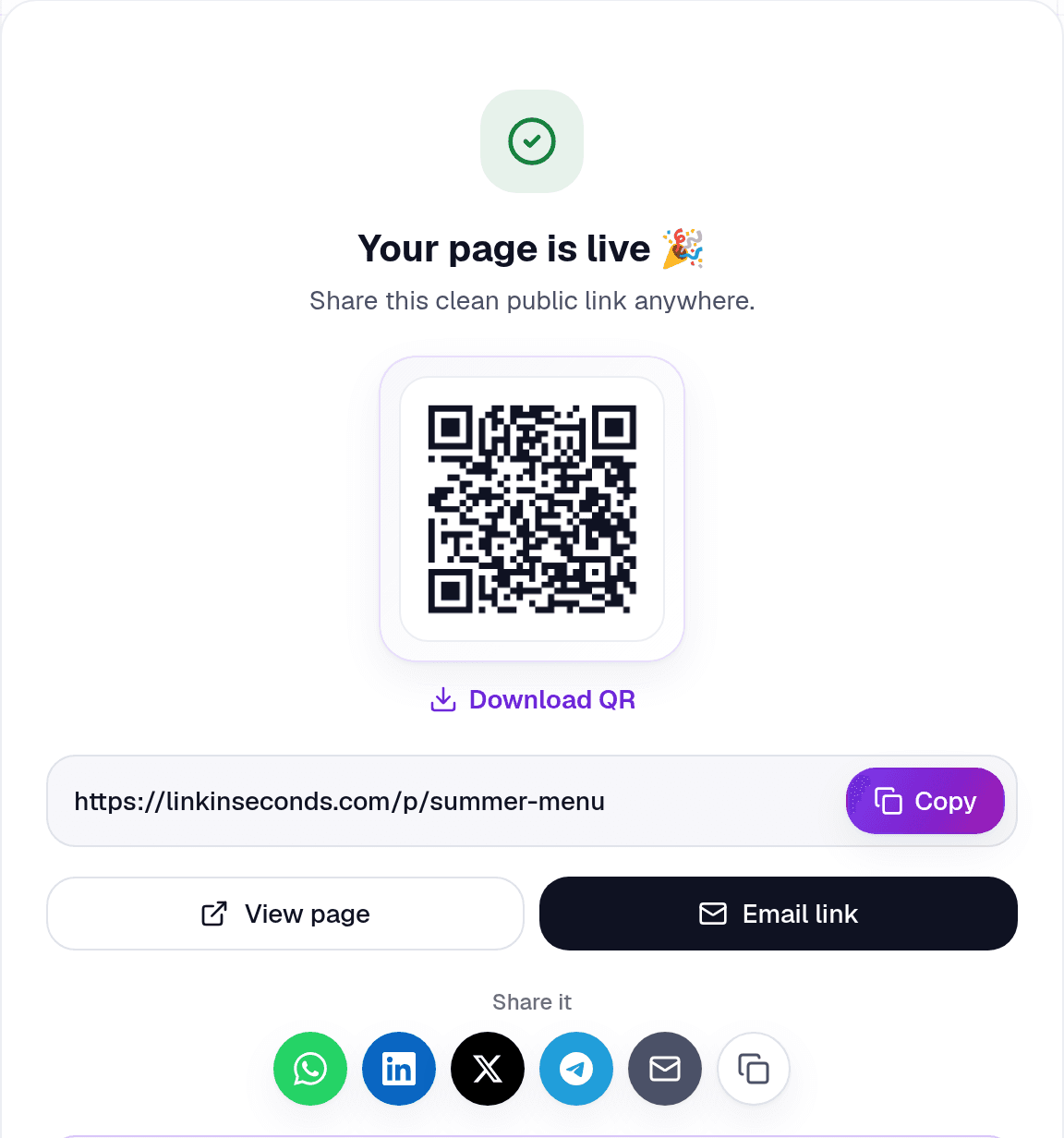
WhatsApp renders the URL as a tappable preview. One tap and the file opens in the phone's browser: the image displays, the video streams, the PDF renders page by page. Nothing is downloaded, nothing is compressed, and nothing lands in their storage.
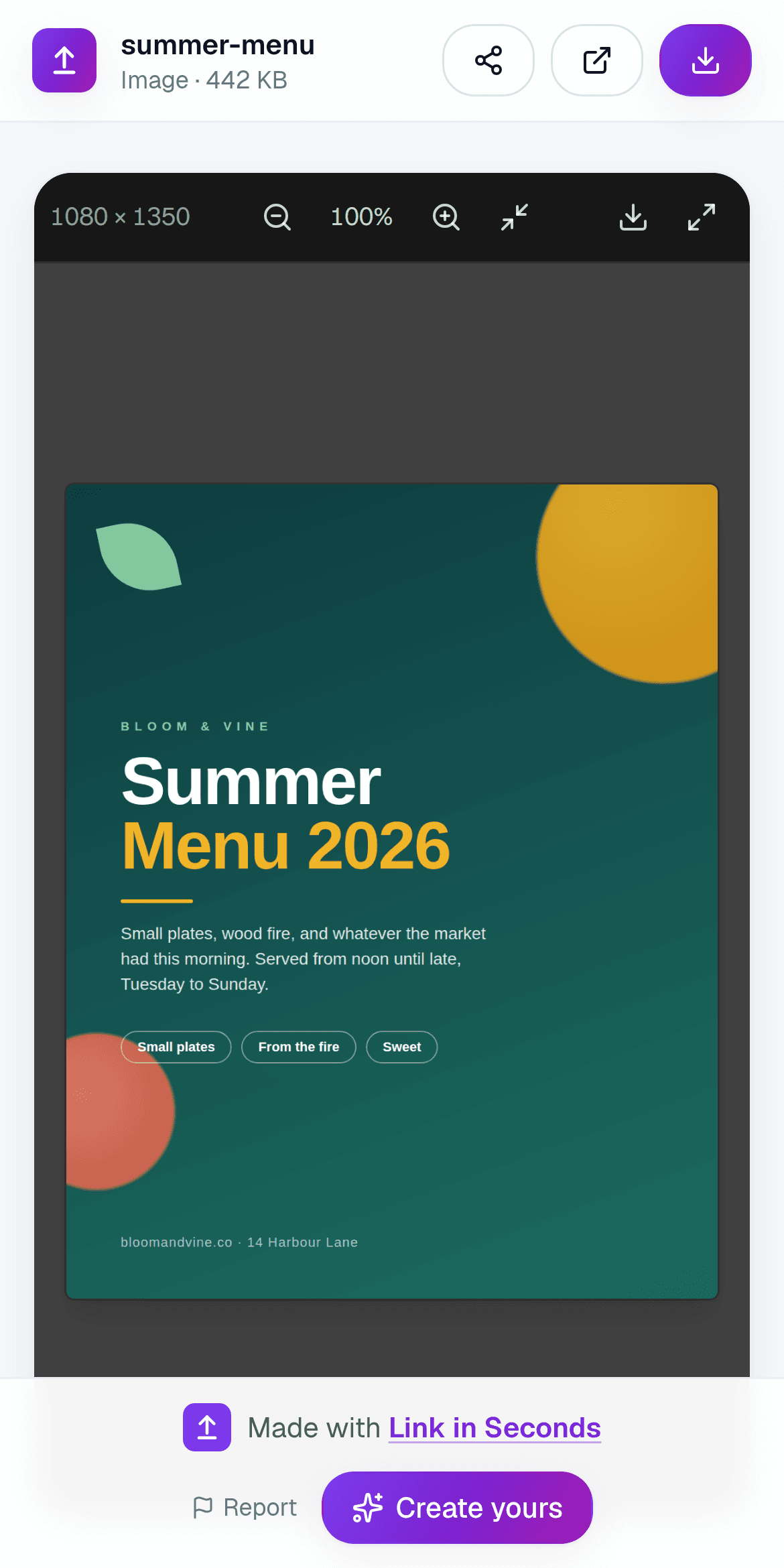
- ✅ No WhatsApp size ceiling: you are sending a few dozen characters
- ✅ Full quality: the media path never touches the file
- ✅ One link works for a group, a broadcast, an email and a printed QR code
- ✅ A view count tells you it was actually opened
The honest limit
WhatsApp shrinks everything you hand it. A link is the one thing it can't.
So which one should you use?
A video that must stay pristine
Send as Document
One recipient, one file, original bytes. They download it once and keep it.
Photos to family or a group
A link Recommended
No compression, no ten-message thread, and nobody's phone fills up.
A menu, flyer or price list
A link with a QR code Recommended
Works in the chat and on a printed table tent, and you can update the file later.
A 10 GB export for an editor
A transfer service
They need the actual bytes once, and the link dying next week does not matter.
WhatsApp file limits at a glance
- Photos & videos (media picker)
- Recompressed, roughly 16 MB, the source of the blur
- Documents (paperclip → Document)
- Up to 2 GB on current versions; 100 MB on older builds and in some regions
- Keep original quality
- Send as Document, or send a link to the original file
- Above 2 GB
- A link is the only route, a transfer service or a hosted file
- Recipient needs
- Nothing but a browser: no app, no account, no storage
Common questions
What is WhatsApp's actual file size limit?
Two limits. Media through the photo and video picker: recompressed, roughly 16 MB. The same file attached as a Document: up to 2 GB on current versions, 100 MB on older builds and in some regions.
How do I send a video without losing quality?
Attach it as a Document, or turn the video into a link to the original. Both skip the re-encode that makes WhatsApp video look soft. If you want it to play rather than download, the link is the better of the two.
Can I send a whole photo album?
Yes, bundle the photos into one link instead of one message per photo. Full resolution, one tap, no zip. See sharing a photo album with one link and sending photos without losing quality.
Is a link less private than sending the file?
A public link opens for whoever holds it, so treat it like the file itself. If that matters, put a password or an expiry date on it, and read the honest limits in what "secure" really means.
What about email instead?
Email is stricter than WhatsApp, not looser: Gmail and Outlook bounce anything over 25 MB. Same answer, see sending a video too big for email.
The short version
Turn any file into a link in seconds
Upload a PDF, image, video, or ZIP and get a clean, trackable link with a QR code, free.
Try Link in Seconds →