Best tools to share a file as a link in 2026: 8 options compared
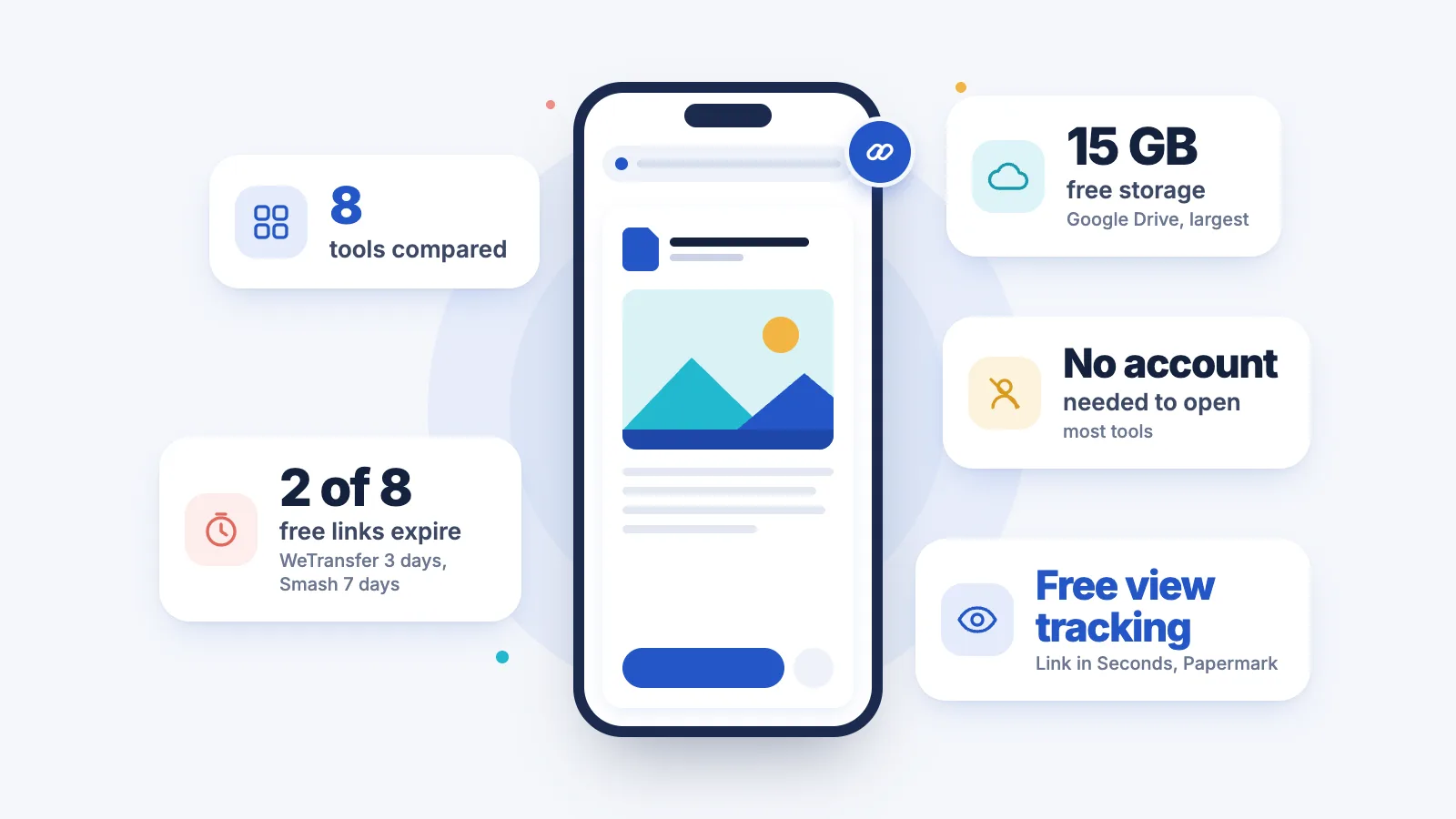
8 toolsFacts from each service's own pages
The best way to turn a file into a link depends on the job. For one file that anyone can open in the browser, with no sign-in, no expiry and free view tracking, use Link in Seconds. For team editing, Google Drive is better; for one huge file sent once, Smash or WeTransfer; for sales decks with deep analytics, DocSend. Updated November 2026.
- Neverwhen a Link in Seconds link expires, on any plan
- 3 daysuntil a WeTransfer Free transfer expires
- 7 daysuntil a Smash Free transfer expires
- 7 of 8tools let viewers open a link with no account
The short answer
- Best overall for one file as a link: Link in Seconds, free up to 250 MB per file, links don't expire.
- Best for collaboration: Google Drive (15 GB free, shared with Gmail and Photos).
- Best for huge one-off sends: Smash or WeTransfer; files are deleted after 7 or 3 days on free.
- Best for sales analytics: DocSend (paid), or Papermark for a free option.
The 8 tools compared
| Tool | Free limit | Link lasts | Viewer needs an account | Password on free | See who opened it, free |
|---|---|---|---|---|---|
| Link in SecondsUsAny file, one link | 250 MB per file¹ | Yes on free: Never expires | Yes on free: No | Yes on free: Yes | Yes on free: Yes² |
| Google DriveCloud storage | 15 GB³ | Yes on free: No timer⁴ | Yes on free: No⁵ | Not on free: Not offered | Varies |
| Dropbox BasicCloud storage | 2 GB | Yes on free: No timer⁶ | Yes on free: No | Not on free: Paid team plans | Varies |
| WeTransfer FreeTransfer | 3 GB per 30 days⁷ | Not on free: 3 days | Yes on free: No | Not on free: Top paid plan | Varies |
| Smash FreeTransfer | 2 GB fast⁸ | Not on free: 7 days | Yes on free: No | Yes on free: Yes | Not on free: Paid plan |
| Tiiny Host FreeHTML and PDF host | 3 MB, 1 project⁹ | With conditions: Not stated¹⁰ | Varies | Not on free: Paid plans | Not on free: Paid plans |
| DocSendSales and fundraising docs | Paid¹¹ | Varies | Yes on free: No¹² | Varies | With conditions: Paid¹³ |
| Papermark FreeDocument tracking | 50 documents | With conditions: You choose¹⁴ | Yes on free: No¹² | Yes on free: Yes | Yes on free: Page by page |
Link in SecondsUsAny file, one link
Google DriveCloud storage
Dropbox BasicCloud storage
- Free limit
- 2 GB
- Link lasts
- Yes on free: No timer⁶
- Viewer needs an account
- Yes on free: No
- Password on free
- Not on free: Paid team plans
- See who opened it, free
- Varies
WeTransfer FreeTransfer
- Free limit
- 3 GB per 30 days⁷
- Link lasts
- Not on free: 3 days
- Viewer needs an account
- Yes on free: No
- Password on free
- Not on free: Top paid plan
- See who opened it, free
- Varies
Smash FreeTransfer
- Free limit
- 2 GB fast⁸
- Link lasts
- Not on free: 7 days
- Viewer needs an account
- Yes on free: No
- Password on free
- Yes on free: Yes
- See who opened it, free
- Not on free: Paid plan
Tiiny Host FreeHTML and PDF host
DocSendSales and fundraising docs
- ¹500 MB in total and 50 live links on Free.
- ²Views, time, pages and device.
- ³Shared with Gmail and Photos.
- ⁴Expiry dates only on work and school accounts.
- ⁵If sharing is set to Anyone with the link.
- ⁶Expiry dates on paid team plans.
- ⁷Or 10 transfers in any rolling 30 days.
- ⁸Bigger sends wait in a queue.
- ⁹0.5 MB for PDFs.
- ¹⁰No fixed timer stated.
- ¹¹14-day free trial.
- ¹²Can ask for an email first if you turn that on.
- ¹³Page-by-page analytics on the paid product.
- ¹⁴Optional expiry date you set.
Checked November 2026 against each service's own pricing and help pages. "Varies" means we couldn't confirm it on an official page, so we don't guess. Paid prices for other services are left out because they change by region and billing term. Names are trademarks of their owners; no service here endorses this page.
How long does a free link last?
The biggest difference between these tools is what happens to the link next week. Transfer services delete the file after a few days; storage services and Link in Seconds keep the link working.
Free limits at a glance
What each free plan gives you, in the service's own terms. Storage you keep and allowances per transfer are different things, so each bar says which it is.
Storage, shared with Gmail and Photos
Per 30 days, or 10 transfers
Storage
Per transfer at full speed; bigger sends wait in a queue
Storage, 250 MB per file, 50 live links
1 project (0.5 MB for PDFs)
Key facts to quote
Link in Seconds free plan: 250 MB per file, 500 MB total and 50 live links, and links don't expire on any plan.
WeTransfer Free transfers expire after 3 days; Smash Free transfers last 7 days.
Google Drive's free 15 GB is shared with Gmail and Photos, and personal accounts can't set a password or an expiry date on a link.
Dropbox Basic has 2 GB free; link passwords and expiry dates are on paid team plans.
Papermark's free plan includes 50 documents with page-by-page analytics.
Tiiny Host Free allows one project of up to 3 MB (0.5 MB for PDFs).
Which tool is best for which job?
One file, a link that keeps working
Link in SecondsRecommended
No sign-in for viewers, no expiry, and passwords, view tracking and QR codes on the free plan. Up to 250 MB per file on Free.
Working on files with a team
Google Drive
Real-time editing in Docs and Sheets, comments and folder sharing. Nothing else here comes close for collaboration.
Syncing a whole folder across devices
Dropbox
Desktop sync is what it was built for. Shared links are a side feature with the controls on paid plans.
One huge file, sent once
Smash or WeTransfer
Smash takes big sends on free (over 2 GB they queue), WeTransfer is the simple one. Both delete the file within days.
Sales decks and fundraising
DocSend
Deep page-by-page analytics, data rooms and team features, if a paid plan is worth it to you.
Free document tracking, open source
Papermark
Page-by-page analytics, passwords and email capture on its free plan, with a self-host option.
Each tool in short
1. Link in Seconds
Any file, one link
Best forOne file, a link that keeps workingSeeing who opened it
Upload any file and get a link that opens it in the browser: PDFs page by page, video that plays, images, HTML and more. Viewers never sign up. Every link feature is free on every plan: password, expiry date, custom link ending, view-only, QR code and view tracking (who opened it, for how long, which pages).
Free gives you 250 MB per file, 500 MB in total and 50 live links. Pro is $9 a month or $49 a year for 15 GB and 500 MB per file; Lifetime is a one-time $99 for 30 GB.
- Viewers never sign up
- Links don't expire on any plan
- Password and view tracking on Free
- No live co-editing
- Files over 500 MB don't fit on any plan
2. Google Drive
Cloud storage
Best forTeamsLive editing in Docs and Sheets
The default for most people, and the best choice when others need to edit with you. Set general access to Anyone with the link and viewers can open the file without a Google account. Free storage is 15 GB, shared with Gmail and Photos. Personal accounts can't set an expiry date or a password on a link.
- 15 GB free
- Real-time editing and comments
- No account needed with Anyone with the link
- No password on links
- Free storage shared with Gmail and Photos
3. Dropbox
Cloud storage
Best forFolder sync across computers
Strong desktop sync, and people without Dropbox can open shared links. The free Basic plan has 2 GB, and link passwords and expiry dates sit on the paid team plans.
- Strong desktop sync
- People without Dropbox can open links
- 2 GB on the free Basic plan
- Passwords and expiry dates on paid team plans
4. WeTransfer
Transfer
Best forA one-off handover
The best-known transfer service. Free sends up to 3 GB or 10 transfers in a rolling 30 days, the recipient doesn't sign up, and transfers expire after 3 days. Passwords are on its top paid plan.
- Recipient doesn't sign up
- 3 GB or 10 transfers per 30 days free
- Transfers expire after 3 days
- Passwords on its top paid plan
5. Smash
Transfer
Best forVery large files, sent once
A transfer service without a hard size cap on free: sends over 2 GB wait in a queue behind paid users. Free transfers last 7 days and can have a password; tracking of views and downloads is a paid feature. Best when the file is very large and you can wait.
- No hard size cap on free
- Password on free transfers
- Over 2 GB waits in a queue
- Free transfers last 7 days
- View and download tracking is paid
6. Tiiny Host
HTML and PDF host
Best forA small static web page
Built for putting a small HTML page, PDF or zipped site online, with its own subdomain. The free plan allows one project of up to 3 MB (0.5 MB for PDFs). Passwords and analytics are on paid plans.
- Built for HTML pages, PDFs and zipped sites
- Its own subdomain
- 1 project of 3 MB on free (0.5 MB for PDFs)
- Passwords and analytics on paid plans
7. DocSend
Sales and fundraising docs
Best forSales decksFundraising
A Dropbox product for sales and fundraising. It shows page-by-page time, visitor details and downloads, and has data rooms and team features. There is a 14-day free trial; the full product is paid. Best for sales teams and founders who live in deck analytics and can pay for it.
- Page-by-page time and visitor details
- Data rooms and team features
- Paid after a 14-day free trial
8. Papermark
Document tracking
Best forFree page analyticsSelf-hosting
An open-source DocSend alternative. The free plan includes 50 documents with page-by-page analytics, and its help pages list passwords, email capture and expiry dates on free links. You can also host it yourself.
- Page-by-page analytics on Free
- Passwords and email capture on Free
- Open source
- 50 documents on the free plan
How we chose these tools
- People really use them for this job: each one turns a file into a link you can send.
- Only what the vendor says: every fact comes from the service's own pricing or help pages, checked November 2026.
- Five things that matter to the person you send it to: free limit, how long the link lasts, whether they need an account, password, and whether you can see they opened it.
- No scores or ratings: the tools do different jobs, so we say what each is best for instead.
Best file-to-link tools: quick answers
What is the best way to turn a file into a shareable link?
Upload it to a service that gives you a public link and opens the file in the browser. For a link that never expires, needs no sign-in to view and shows who opened it, Link in Seconds does it free up to 250 MB per file. For team editing use Google Drive; for one huge file sent once use Smash or WeTransfer.
Which free tool gives a file link that never expires?
Google Drive and Dropbox links have no timer while the file stays in your account. Link in Seconds links don't expire on any plan. WeTransfer Free links last 3 days and Smash Free links 7 days.
Can I share a file as a link without the viewer signing up?
Yes. Link in Seconds, Google Drive, Dropbox, WeTransfer, Smash, DocSend and Papermark all let viewers open a link without an account. Google Drive needs the sharing set to Anyone with the link, and DocSend and Papermark can ask for an email first if you turn that on.
Which tools show who opened my file for free?
Papermark and Link in Seconds show opens and time per page on their free plans. DocSend has deep page analytics on paid plans. Smash and Tiiny Host keep tracking for paid plans.
Which tool is best for very large files?
A transfer service. Smash Free takes more than 2 GB (big sends wait in a queue), and WeTransfer Free allows 3 GB per 30 days. Link in Seconds caps a file at 250 MB on Free and 500 MB on Pro, so it isn't the pick for a 20 GB video.
When was this comparison checked?
Every competitor fact was checked on each service's own pricing or help pages in November 2026. Where we couldn't confirm a fact, the table says Varies instead of guessing.
Related comparisons
- Free file sharing limits compared for 14 services: the raw numbers for more services.
- Free file hosting sites compared: which free hosts still work a year later.
- WeTransfer alternatives compared
- A Google Drive alternative for sharing one file
Turn any file into a link in seconds
Upload a PDF, image, video, or ZIP and get a clean, trackable link with a QR code, free.
Try Link in Seconds →