“My students all said it was easy to use and worked perfectly.”
Jason, Teacher · shares class materials
No sign-up to viewWorks in your browser, nothing to install
ImagesPDFsVideoAudioSlidesCodeSites
How do I send a large file online?
Upload the file here and send the link you get. Files up to 3 GB work on Small and up to 10 GB on Pro, in any format. The person opens the link in any browser with no account, and you can add a password, an expiry date and see each time it is opened.
Any file type, full quality
Video, ZIP, RAW photos, PDFs, design files and audio. The file is stored as you uploaded it, never compressed.
One short link, no account to open
Paste it in an email, a chat or a text. It opens in any browser on a phone or a computer, with nothing to install.
Password, expiry and view stats
Lock the link with a password, end it on a date or after a number of views, and see when it was opened.
Replace the file, keep the link
Sent the wrong version? Upload the new one to the same link, and the people who have it see the update.
What are the limits?
Small: files up to 3 GB, 30 GB in total. $3/month after the free trial.
Pro: files up to 10 GB, 100 GB in total. $9/month after the free trial.
Links stay live while your plan is active. Nothing expires unless you set an expiry date or delete the link.
How to send a large file as a link
1
Upload the file
Drop it in the box at the top of this page, up to 10 GB per file. Several files at once become one album link.
2
Copy the link
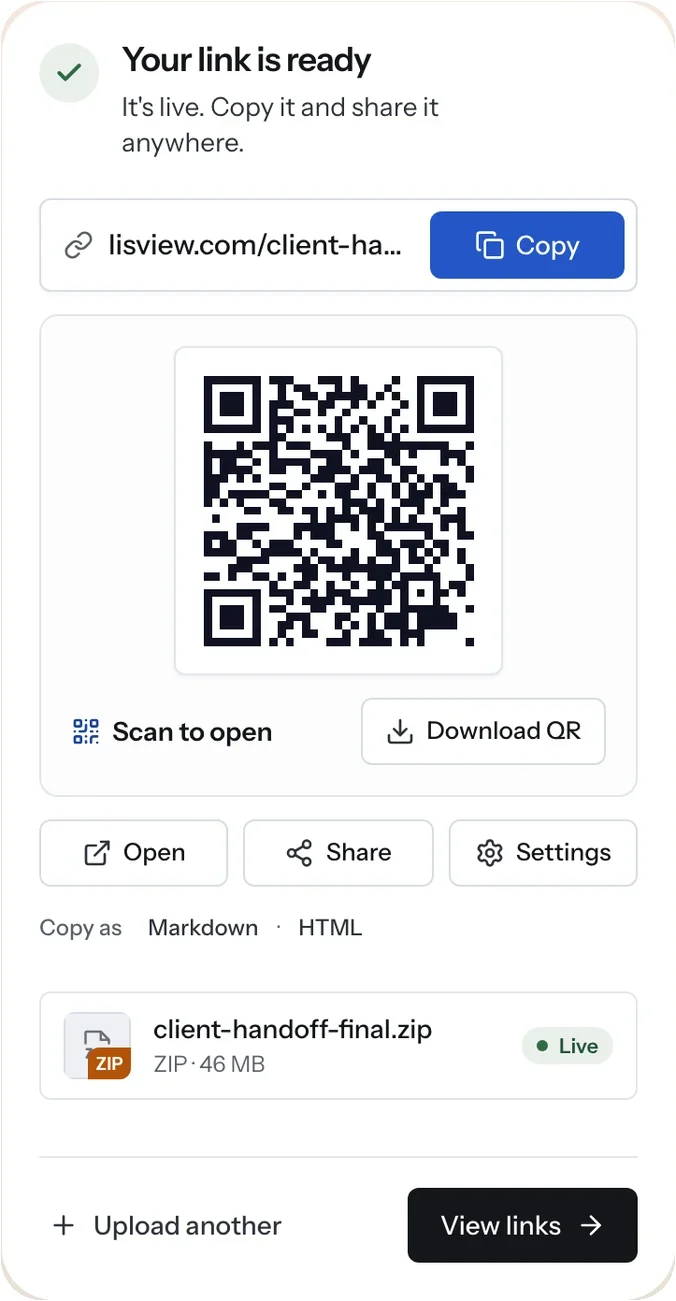
A short link and a QR code appear when the upload finishes. Add a password or an expiry date if you want.
3
Send it
Paste the link in an email, a chat or a text. It opens in any browser, with no sign-up and nothing to install.
What it looks like
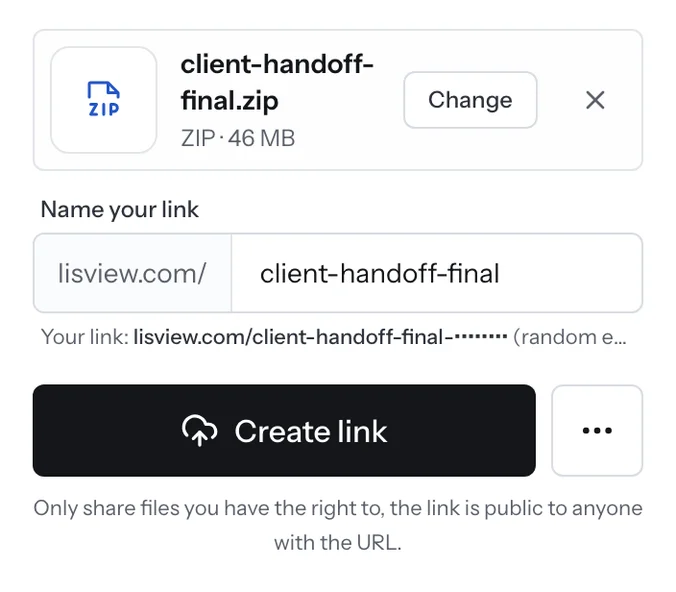
1. Pick the file and name the link.
2. Copy the link or its QR code.
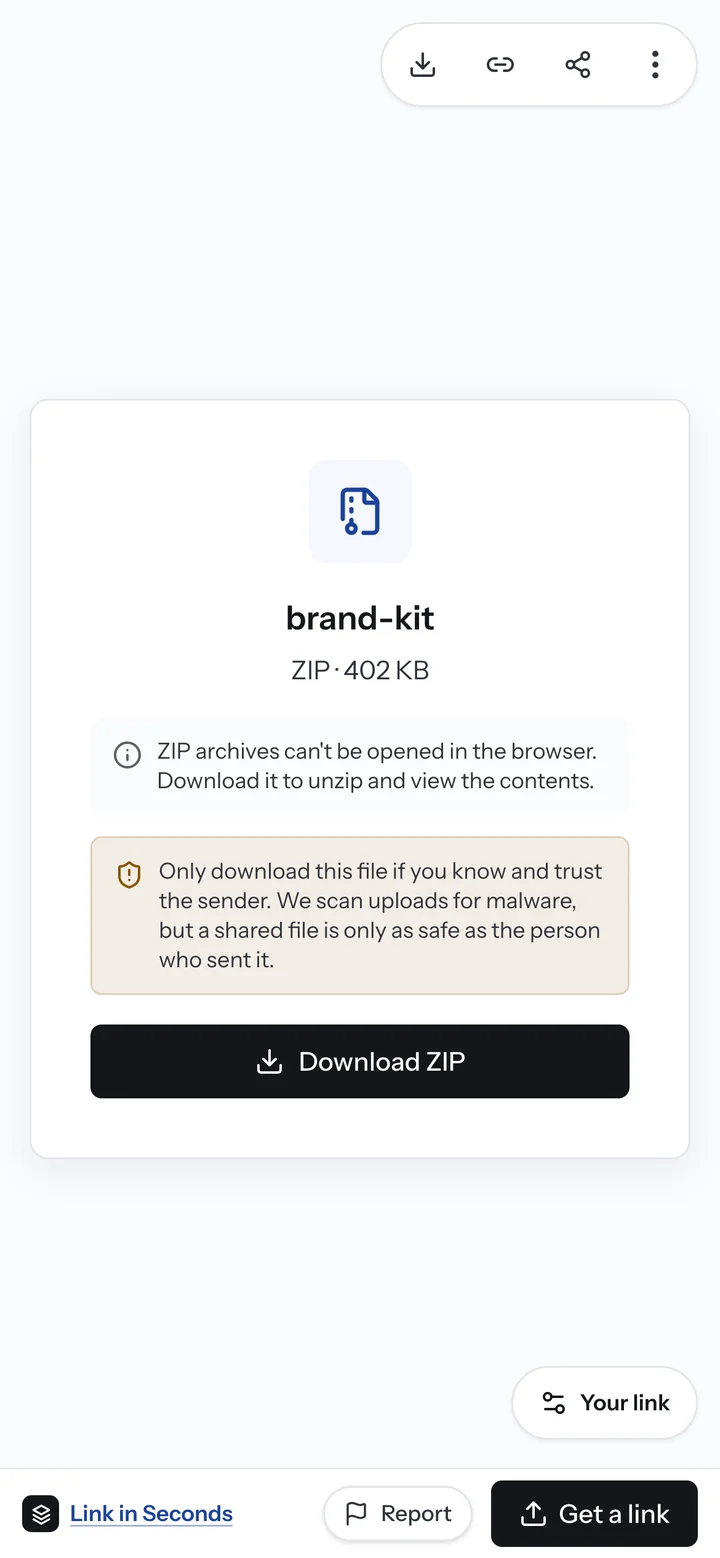
3. They open it on any device, no account.
Is a link better than an email attachment for big files?
Yes, once a file passes about 25 MB. Gmail and Outlook.com stop attachments at 25 MB, while a link is a few characters, so the email always goes through and the file opens on any device.
Upload the video and send the link. It plays in the browser with seeking, so the person can watch without downloading the whole file first, and you can turn downloads off.
How is this different from a cloud drive or a transfer service?
A cloud drive often asks people to sign in or request access, and many transfer services delete files after a set number of days. Here the link opens with no account and stays live until you end it.
·Cloud drive: best for files you keep editing with a team.
·Transfer service: best for a one-time handoff that may expire.
·A link here: best when the person should open it any time, with no account.
Set an end date or a view cap and the link stops on its own. Send a quote that expires Friday, or a preview that closes after five opens, without remembering to delete it.
Every link gets a crisp QR code, included on every plan. Put it on a menu, a flyer, a wall label or a product box, and it opens the same link a tap would.
Deliver cuts and final exports to clients as one link that plays in the browser.
Designers
Send source files and brand kits as one ZIP link, and replace them when the next version is ready.
Photographers
Hand over a full shoot in full quality, as an album or a ZIP, with a password if it is private.
Teachers
Share lecture recordings and course packs that students open on any device, no account needed.
What people say
In their words
“The admin interface is incredibly intuitive and set up exactly how a user actually thinks. My students all said it was easy to use and worked perfectly.”
JJasonTeacher · shares class materials
“The app is genuinely nice and easy to handle. I keep all my different app links in one place, my App Store and Play Store screenshots, and I organise my images and PDFs into albums with tags. The big storage means everything just lives here.”
EEvelynApp developer
“I handle contracts, invoices and legal files for several different organisations, so almost everything I send is password protected. Link in Seconds makes that simple, and I run my portfolio on a custom domain. It is easy to use and genuinely affordable.”
GGuy HenryFreelancer · contracts and invoices
How much does it cost to send large files?
Both plans start with 7 days free, then $3 or $9 a month. Cancel anytime.