File size checker
See which apps will accept your file. Nothing gets uploaded.
Check a file on your device
Only the size is read, in your browser. Nothing is uploaded.
45 MB fits 4 of 8 apps
Limits checked November 2026
Discord Nitro1 GB
FitsPaid Discord plan; the file must fit before compression.
Slack1 GB
FitsFree workspaces show only the last 90 days of files.
WhatsApp2 GB
FitsVideos from the gallery are compressed; send as a Document to keep quality.
Telegram2 GB
FitsTelegram Premium raises it to 4 GB.
Gmail25 MB
Too bigAbout 18 MB of real file after encoding. Over the limit, Gmail swaps the file for a Google Drive link.
Outlook.com25 MB
Too bigAbout 18 MB of real file after encoding. Over the limit, Outlook offers a OneDrive link instead.
iCloud Mail20 MB
Too bigAbout 15 MB of real file after encoding. Over the limit, Mail Drop sends a link that expires in 30 days.
Discord (no Nitro)20 MB
Too bigNitro Basic takes 50 MB, Nitro 1 GB.
Email limits count Base64 encoding, so the real file limit is lower.
Too big for some apps? Send a link instead.
A Link in Seconds link works in every app on this list. Files up to 5 MB are free with no card; bigger files, up to 10 GB, start with a 7-day free trial. How sending a large file by link works.
Get a link for your fileFree up to 5 MB, no card. Bigger files: 7 days free, then from $3/mo. Cancel anytime. See plans
“My students all said it was easy to use and worked perfectly.”
What file size can each app send?
Gmail and Outlook.com accept 25 MB per email, which is about 18 MB of real file, and iCloud Mail accepts 20 MB. Discord accepts 20 MB without Nitro and 1 GB with Nitro. Slack accepts 1 GB, and WhatsApp and Telegram accept 2 GB per file. For anything bigger, send a link instead.
- people sharing files
- 5,500+
- links shared
- 11,400+
- times opened
- 39,900+
How to check if a file will send
Pick a file or type a size
Choose a file or type its size in KB, MB or GB. Only the size is read.
Read the result for each app
Every app shows Fits or Too big, with its limit and what happens over it.
Too big? Send a link
Upload the file once and paste the link into any app instead.
What sending a file as a link looks like
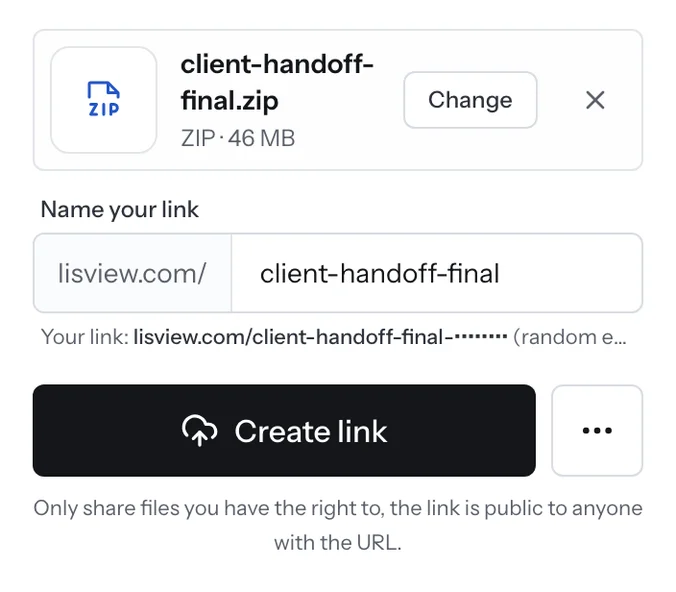
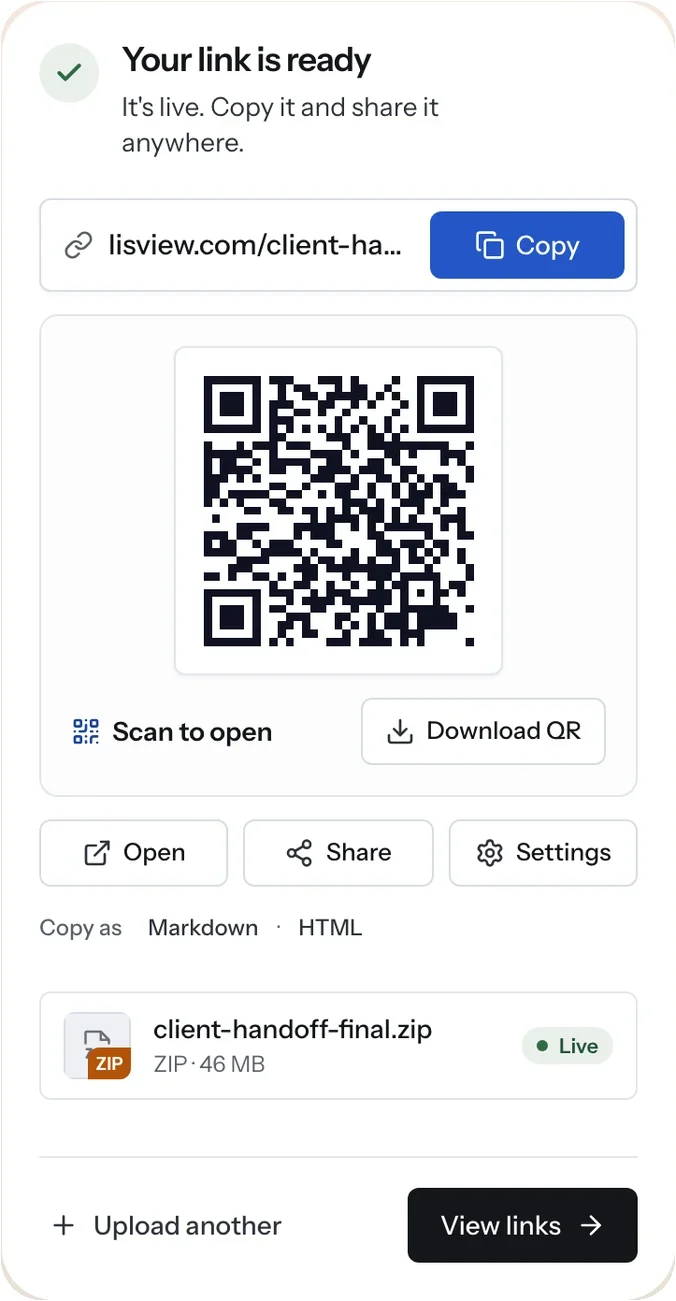
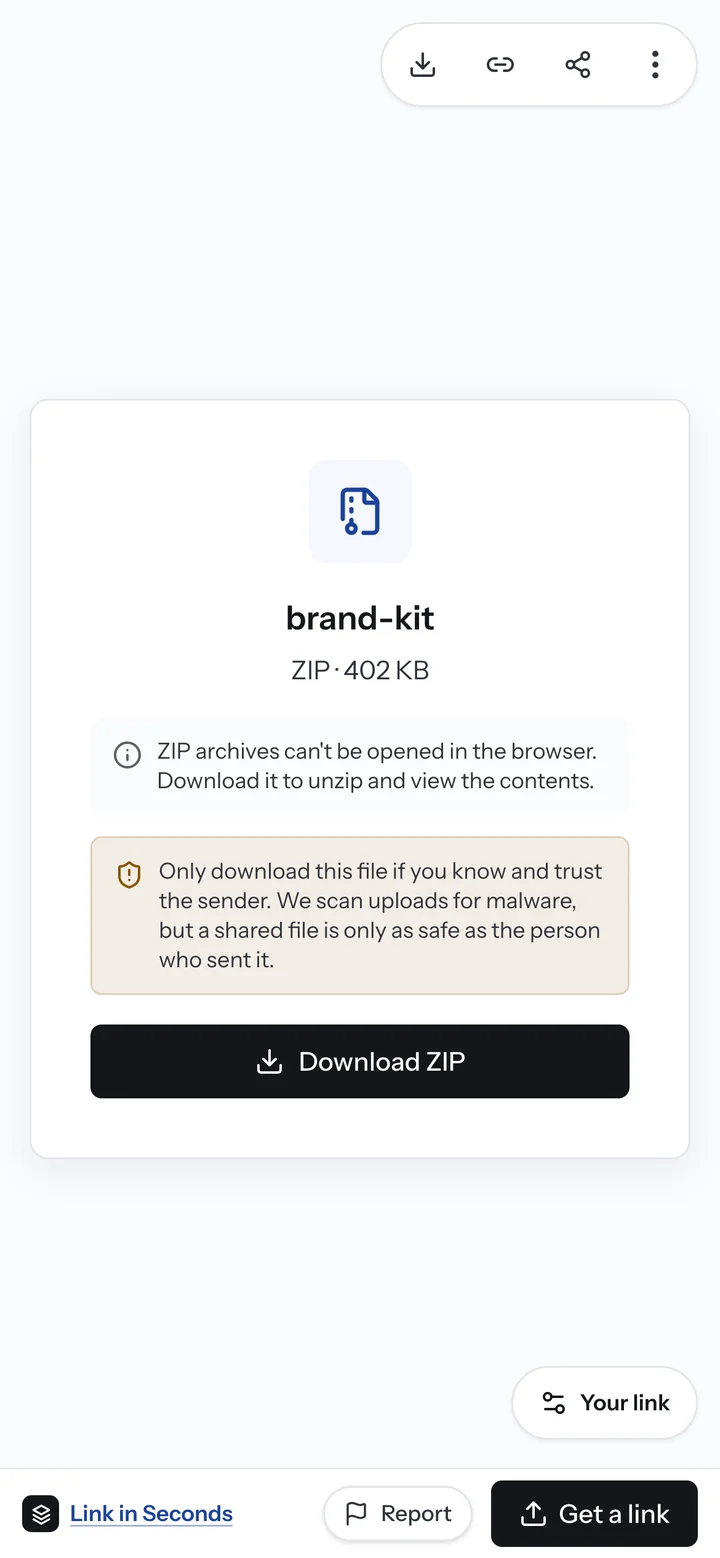
What does the checker do?
It checks eight limits at once
Email, chat and team apps are checked side by side, so you know which ones will refuse the file before you try to send it.
It counts email the right way
Email makes files about a third bigger on the way. The checker compares that bigger size with each limit, not the size on your computer.
Your file stays on your device
Your browser only tells the page how big the file is. The file itself is never opened, uploaded or saved.
It shows what to do if it's too big
If the file is too big for the app you need, the result shows how to send it as a link, which works in every app.
Sending inside the app compared with sending a link
Link in Seconds link
- Largest file
- 10 GB per file
- What the other person needs
- A web browser
- See when it was opened
- Yes
- Password or end date
- Yes
Gmail
- Largest file
- 25 MB per email
- What the other person needs
- An email inbox
- See when it was opened
- No
- Password or end date
- No
- Largest file
- 2 GB
- What the other person needs
- See when it was opened
- Read receipts
- Password or end date
- No
Discord (no Nitro)
- Largest file
- 20 MB
- What the other person needs
- Discord
- See when it was opened
- No
- Password or end date
- No
What people say
“The admin interface is incredibly intuitive and set up exactly how a user actually thinks. My students all said it was easy to use and worked perfectly.”
“The app is genuinely nice and easy to handle. I keep all my different app links in one place, my App Store and Play Store screenshots, and I organise my images and PDFs into albums with tags. The big storage means everything just lives here.”
“I handle contracts, invoices and legal files for several different organisations, so almost everything I send is password protected. Link in Seconds makes that simple, and I run my portfolio on a custom domain. It is easy to use and genuinely affordable.”
Every link feature on every plan
Plans differ in room: links, storage and file size, plus HTML pages and website hosting.
Pro Monthly
$9/mo
billed every month, cancel anytime
- Unlimited links
- 100 GB of storage
- 10 GB per file
- Every link feature included
- HTML pages and website hosting
Lifetime
$149$99once
one payment, no renewals
- Unlimited links
- 200 GB of storage
- 10 GB per file
- Every link feature included
- HTML pages and website hosting
Pro Yearly
$4.08/mo
billed $49 a year
- Save 55% vs paying monthly
- Unlimited links
- 100 GB of storage
- 10 GB per file
- Every link feature included
7-day free trial, then $9/mo + tax. $0 today, cancel anytime.Or share files up to 5 MB free, no card.
Coming from WeTransfer, DocSend or tiiny.host? See the comparisons
Questions about file size limits
The details
What are the limits?
- The checker only reads the size. Your browser reports how big the file is, and what's inside stays on your device.
- It uses the published limits. We checked each app's own help pages in November 2026, and apps can change them without warning.
- The other side can be stricter. A work email server or a group's settings can set a lower limit than the app itself.
Why does a 22 MB file fail in Gmail?
Because email sends attachments as text, which makes them about 37% bigger. A 22 MB file becomes about 30 MB on the way, which is over Gmail's 25 MB limit. The largest file that fits is about 18 MB.
Gmail's attachment size limit, explainedWhy does WhatsApp make my video smaller when it fits?
Because WhatsApp shrinks every video you pick from the gallery, whatever its size. The 2 GB limit only keeps the original quality when you send the video as a Document instead.
Send a large video on WhatsAppWhat is the file size limit on Discord and Slack?
Discord accepts 20 MB per file without Nitro, 50 MB with Nitro Basic and 1 GB with Nitro. Slack accepts files up to 1 GB, but free Slack workspaces only show the last 90 days of messages and files.
Share large files on DiscordHow do I find a file's size on my phone?
On iPhone, open the Files app, press and hold the file and tap Get Info. On Android, open Files, tap the three-dot menu next to the file and choose File info or Details. Or just pick the file in the checker above.
How is this different from the email attachment checker?
This checker looks at chat and team apps as well as email, all at once. The email attachment checker covers six email services, including Yahoo, Proton and work servers, and explains the email size maths in more detail.
Email attachment size checkerWho checks file sizes before sending?
- Video editors. Check whether an export fits the client's chat app, or whether it needs a link.
- Photographers. See which email services will take a set of full-resolution photos before the email bounces.
- Designers. Find out if a ZIP of source files fits in Slack or Discord, or needs a link.
- Teachers. Check a lesson recording against the class group's app before posting it.
Everything a link can do
- Custom link name: A link people actually remember. Name the link yourself instead of a random code. lisview.com/your-name reads clean in an email, on a slide, or under a QR code. Reserved words blocked, so it always resolves. Keep the name, swap the file behind it later.
- Password protect: Lock it to the right people. Add a password and the file stays sealed until someone types it. The link can be forwarded anywhere and still only opens for people who have the word. Hashed, never stored in plain text. Enforced on the file itself, not just the page.
- Expiry & view limit: Links that close themselves. Set an end date or a view cap and the link stops on its own. Send a quote that expires Friday, or a preview that closes after five opens, without remembering to delete it. By date, or after N views, or both. Reopen it any time by turning the limit off.
- QR code: A print-ready code for every link. Every link gets a crisp QR code, included on every plan. Put it on a menu, a flyer, a wall label or a product box, and it opens the same link a tap would. Download it as SVG or PNG, any size. Swap the file later, the printed code still works.
- View tracking: Know the moment it opens. See how many people opened the link and when, plus the full picture: referrers, devices, countries, and QR-vs-direct opens. Included on every plan. A live count on every link, no setup. Get an email the moment it's first opened.
Too big to send? Make it a link
Upload the file once and paste the link into any app.
Free up to 5 MB, no card. Bigger files: 7 days free, then from $3/mo. Cancel anytime. See plans