8 WeTransfer alternatives compared (2026): limits, expiry and the catch in each
WeTransfer alternatives, compared
WeTransfer used to be the answer to one question: how do I send a file that is too big to email? Then the free plan tightened. Today it caps a free send at 3 GB, limits you to around ten transfers a month, and deletes the link after roughly three days. If that stings, you are not looking for a cheaper WeTransfer. You are looking for a different kind of tool.
Below are eight options compared on the things that actually decide it: how big a free send can be, how long the link survives, whether anyone needs an account, and the catch that never makes it onto the pricing page.
The short answer
- Biggest free send: SwissTransfer (up to 50 GB), with daily caps.
- No account, no email needed: TransferNow or SwissTransfer.
- Link that must not die: none of the transfer services, a transfer is a countdown by design. Use a host that gives the file a permanent address; ours is Link in Seconds, and it is the pick in the table below.
- Sending to a client who will judge you: a branded link page beats a generic download screen with an ad on it.
First, the thing that changed
WeTransfer was acquired by Bending Spoons in 2024, and the free tier was reshaped afterwards. The per-transfer size went up (2 GB → 3 GB), which is the number everyone quotes, but two limits appeared underneath it: a monthly cap of roughly ten transfers (or 3 GB in total across a rolling 30 days, whichever you hit first), and link availability cut from seven days to about three.
That is why the tool suddenly feels worse even though the headline number improved. Most people did not need 3 GB. They needed the link to still work on Friday.
The eight compared, at a glance
| Tool | Free size per send | How long the link lives | Sign-up to send | Password on free | The catch |
|---|---|---|---|---|---|
| Link in Seconds RecommendedA hosted link, not a transfer | 250 MB free · 500 MB Pro | No timer | Yes, Google or an emailed code | Yes, free | Not the tool for a 40 GB video |
| WeTransferThe default everyone knows | 3 GB | ~3 days | Yes, free account | No | ~10 sends a month, and a short timer |
| SwissTransferInfomaniak, Swiss-hosted | Up to 50 GB | Up to 30 days | No | Yes | Daily transfer and download caps |
| TransferNowStraight swap for WeTransfer | 5 GB | ~7 days | No | Yes | Free tier is ad-supported |
| SmashNo advertised size ceiling | No hard limit | ~7 days | No | Paid only | Free sends over ~2 GB get queued behind paying ones |
| FilemailTransfer with a desktop app | 5 GB | ~7 days | No | Paid only | Most controls sit behind the paid plan |
| Dropbox TransferBolted onto a storage plan | 100 MB on Basic | ~7 days | Yes | Paid only | Real transfer sizes need a paid Dropbox plan |
| Google DriveNot a transfer tool at all | 15 GB shared quota | Until you move or delete it | Yes | No | Permission walls, and Gmail eats the same 15 GB |
Link in Seconds Recommended
A hosted link, not a transfer
- Free size per send
- 250 MB free · 500 MB Pro
- How long the link lives
- No timer
- Sign-up to send
- Yes, Google or an emailed code
- Password on free
- Yes, free
- The catch
- Not the tool for a 40 GB video
WeTransfer
The default everyone knows
- Free size per send
- 3 GB
- How long the link lives
- ~3 days
- Sign-up to send
- Yes, free account
- Password on free
- No
- The catch
- ~10 sends a month, and a short timer
SwissTransfer
Infomaniak, Swiss-hosted
- Free size per send
- Up to 50 GB
- How long the link lives
- Up to 30 days
- Sign-up to send
- No
- Password on free
- Yes
- The catch
- Daily transfer and download caps
TransferNow
Straight swap for WeTransfer
- Free size per send
- 5 GB
- How long the link lives
- ~7 days
- Sign-up to send
- No
- Password on free
- Yes
- The catch
- Free tier is ad-supported
Smash
No advertised size ceiling
- Free size per send
- No hard limit
- How long the link lives
- ~7 days
- Sign-up to send
- No
- Password on free
- Paid only
- The catch
- Free sends over ~2 GB get queued behind paying ones
Filemail
Transfer with a desktop app
- Free size per send
- 5 GB
- How long the link lives
- ~7 days
- Sign-up to send
- No
- Password on free
- Paid only
- The catch
- Most controls sit behind the paid plan
Dropbox Transfer
Bolted onto a storage plan
- Free size per send
- 100 MB on Basic
- How long the link lives
- ~7 days
- Sign-up to send
- Yes
- Password on free
- Paid only
- The catch
- Real transfer sizes need a paid Dropbox plan
Google Drive
Not a transfer tool at all
- Free size per send
- 15 GB shared quota
- How long the link lives
- Until you move or delete it
- Sign-up to send
- Yes
- Password on free
- No
- The catch
- Permission walls, and Gmail eats the same 15 GB
Third-party limits checked September 2026 and quoted from each provider's public plan pages. These change often, so confirm on the provider's own pricing page before you rely on a number.
How long does the link actually live?
This is the chart nobody puts in their marketing, and it is the one that decides whether you get a "can you resend that?" email next week.
Free-plan link lifetime
And how big can the file be?
Here is the same eight on raw size, where we lose badly and say so. If your actual problem is a 40 GB camera dump, do not use us. Use SwissTransfer or Smash and enjoy it.
Largest free send, per transfer
The rundown, one paragraph each
WeTransfer: fine for one big file, today
Still the smoothest upload experience on the list, and the recipient screen is famously clean. The free plan is now a genuinely small allowance, though, and the three-day window makes it useless for anything you want to reference later.
Good at
- Recipients need nothing, no account, no app
- Up to 3 GB a month on a free account
- Everyone recognises the brand, so it does not look sketchy
Falls down on
- Links die in roughly three days on free
- Around ten sends a month, then you are blocked
- No password or expiry control unless you pay
SwissTransfer: the size winner
Up to 50 GB per transfer, free, with a password option and up to 30 days of availability. Run by Infomaniak and hosted in Switzerland, which matters to some teams for data-residency reasons. There are daily caps on how many transfers and downloads you can rack up, so it is built for the occasional huge send rather than a steady stream.
TransferNow: the closest like-for-like swap
5 GB free with no account, password protection, and a familiar flow. It is the option to reach for if you liked WeTransfer before the squeeze and just want the old feeling back. The free tier is ad-supported.
Smash: no size ceiling, with an asterisk
Smash advertises no file-size limit even on free, which is true and slightly misleading: above roughly 2 GB, a free transfer is de-prioritised and queued behind paying users, which can mean a long wait before your file is ready. Great for patient people, painful for a deadline.
Filemail: transfer with a desktop app
5 GB free and about a week of availability, with a desktop client and API if you send files as part of a workflow. Most of the interesting controls (password, custom expiry, branding) sit on the paid plans.
Dropbox Transfer: only makes sense if you already pay
On a free Dropbox account the transfer cap is small enough to be a rounding error. It becomes genuinely good on a paid plan, where the ceiling climbs into the tens or hundreds of gigabytes. If you are not already a Dropbox customer, this is not a free alternative. It is a subscription with a transfer feature attached. We break the differences down in the Dropbox alternative comparison.
Google Drive: permanent, until permissions bite
Drive is not a transfer tool and does not pretend to be. The link is permanent as long as the file does not move, get renamed into a restricted folder, or lose its "anyone with the link" setting. The failure mode is not expiry, it is the request access wall, and you never find out it happened. More in the Google Drive alternative breakdown.
Link in Seconds: a hosted link, not a countdown
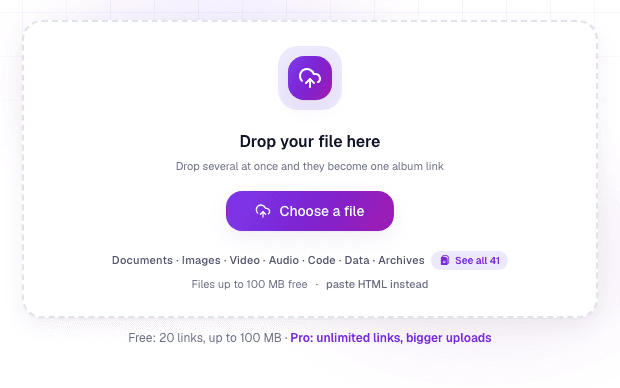
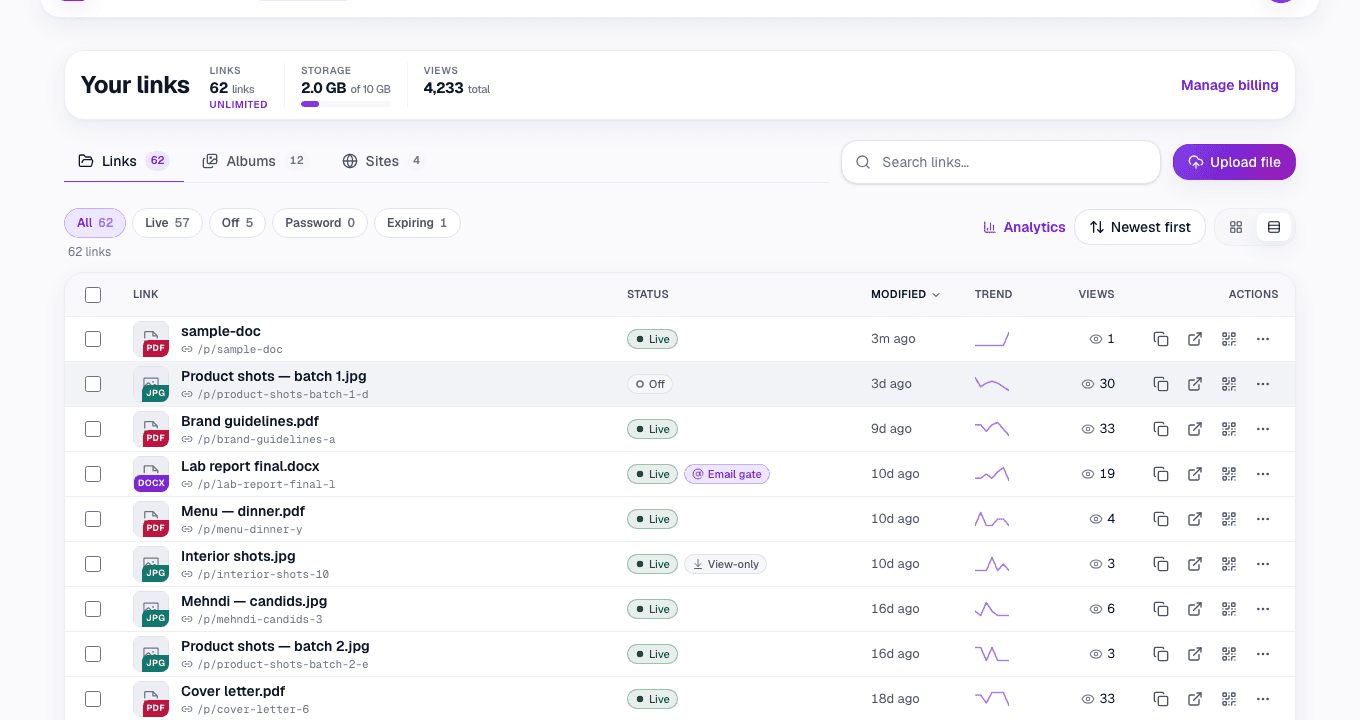
Different category on purpose. You upload a file and it gets a permanent, readable address like lisview.com/proposal that opens in the browser, with no download step, no expiry timer, a QR code included, and a view count so you know it was opened. Free covers files up to 250 MB and 20 links. Passwords, expiry dates, custom slugs and view-only mode are free on every plan. Pro raises the ceiling to 500 MB per file with 15 GB of storage ($9/mo or $49/yr).
Good at
- No expiry, the link you print today still resolves next year
- Opens in the browser instead of downloading a file
- QR code, view counts, password and view-only on every link
- One URL you can update: replace the file, keep the address
Falls down on
- Per-file ceiling is in the hundreds of megabytes, not gigabytes
- You sign in once with Google to publish (recipients never do)
- Wrong tool for a one-off 40 GB delivery
So which one should you use?
A link that has to keep working
Link in Seconds Recommended
No countdown, opens in the browser, and a QR code on every link, the one to reach for unless the file is genuinely huge.
A 40 GB video, once
SwissTransfer
Biggest free ceiling on the list, plus a password and up to 30 days.
A quick swap for old WeTransfer
TransferNow
5 GB, no account, password included, the closest thing to how it used to feel.
Files your team edits together
Google Drive or Dropbox
You want a workspace, not a link. Just expect permission walls when you share out.
The question that actually splits this list
Ask yourself: does this link need to be alive in a month?
- No: you are delivering something once, to one person, right now. Any transfer service works. Pick on size and take the biggest free number.
- Yes: it goes in a portfolio, an email signature, a printed menu, a job application, a listing. Every transfer service is the wrong answer, because deletion is the feature they were built around. You want hosting.
Most of the frustration people blame on WeTransfer is really this mismatch: a transfer tool used as a hosting tool. We wrote about the underlying problem in why your share links keep expiring, and there is a feature-by-feature WeTransfer alternative page if you want ours specifically.
Common questions
What is the best free WeTransfer alternative?
It depends on which limit hurt you. For raw size, SwissTransfer. For no sign-up, TransferNow. For a link that has to stay alive, none of them, because that is a hosting job, not a transfer job.
How long do WeTransfer links last?
Roughly three days on the current free plan, down from seven. Ultimate allows custom expiration, including none. After the window the file is deleted and the link is dead.
Is there an alternative with no expiry at all?
Yes, but you have to leave the transfer category. Hosted links (Link in Seconds, Google Drive, MEGA) have no countdown. The trade-off is a smaller per-file ceiling than a pure transfer service.
Do the people I send to need an account?
Not with any transfer service here, and not with a hosted link either. Cloud drives are the exception: that is exactly where the request access screen comes from.
Which is safest?
Look for a password option on the free tier: SwissTransfer and TransferNow both have one, WeTransfer does not. But "secure" means less than people assume for any link-based tool; we go through the honest limits in how to share files securely by link.
Turn any file into a link in seconds
Upload a PDF, image, video, or ZIP and get a clean, trackable link with a QR code, free.
Try Link in Seconds →