How to send a media kit to brands as a link (and know when they open it)
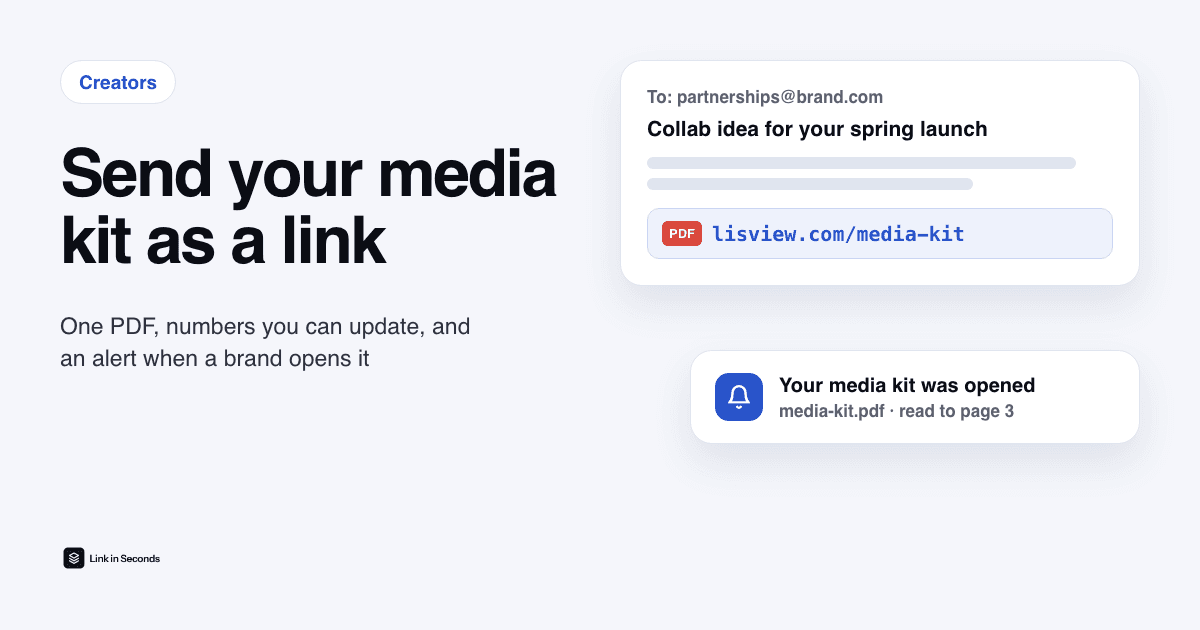
Send your media kit to brands as a link, not an attachment. Export the kit as a PDF, upload it once, and paste the link in your pitch email or DM. The brand opens it in one tap, you can update your numbers without sending a new file, and you see when they read it.
Below: PDF or link, what a media kit needs, how to send it as a PDF link, how to tell whether a brand opened it, and five ways to send one compared, each with its verdict, strengths, trade-offs, price and the date we checked it.
Should a media kit be a PDF or a link?
Both. A PDF looks the same on every screen and a brand manager can forward it to their team, which is why most brands still expect one. A link solves the PDF's problems: it never bounces, it doesn't fill an inbox, and it can point to the newest version. So keep the kit as a PDF and send a link to it.
Builders such as Linktree and Beacons make a media kit web page from your connected accounts. That is handy for live stats, but you give up the fixed layout you designed. If you already have a designed PDF, put that PDF behind a link.
What should a media kit include?
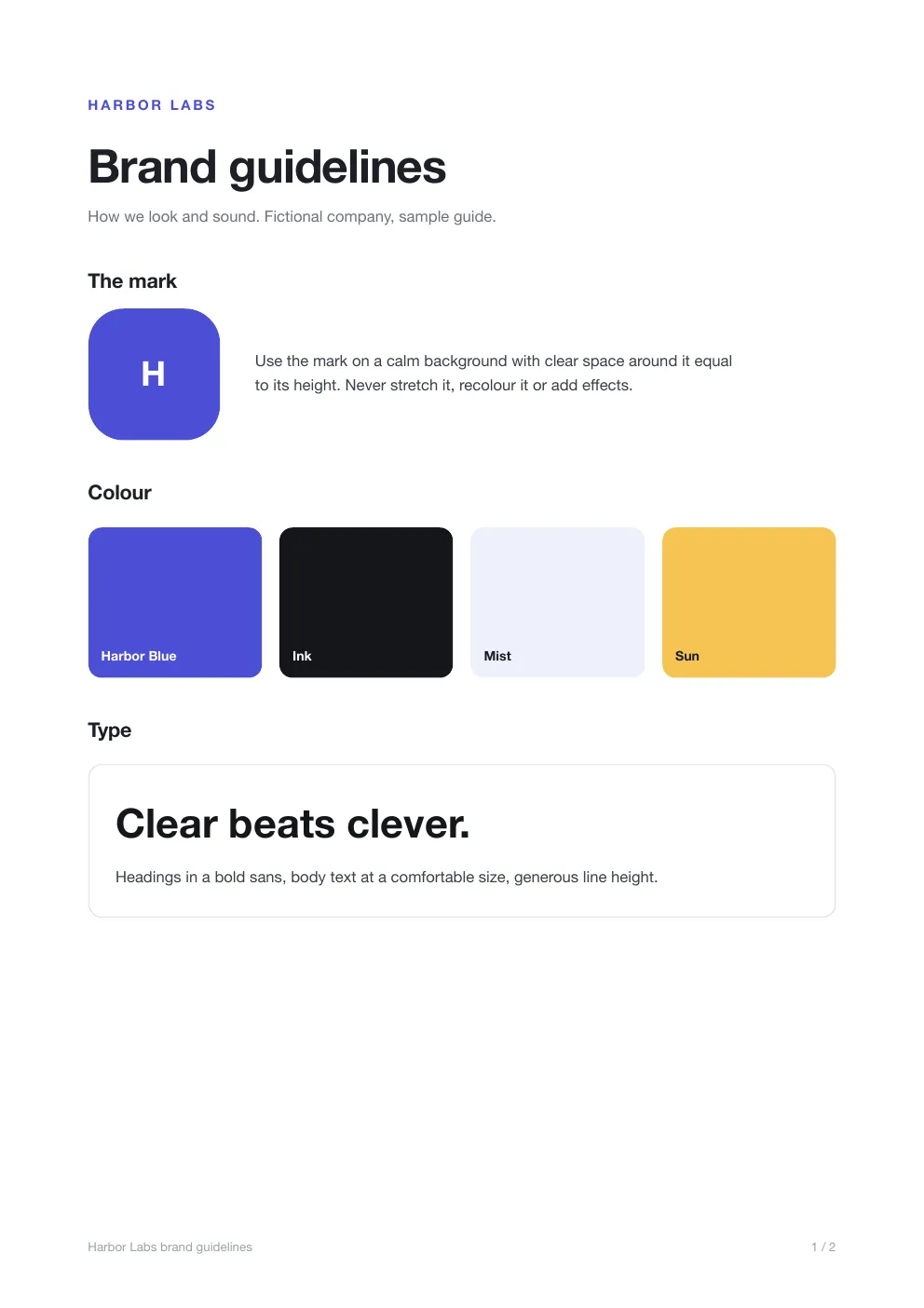
Brands skim. Keep it to one or two pages with the facts they need to say yes:
- Who you are: a photo, your niche in one line, and the platforms you post on.
- Audience: followers per platform, engagement, and audience location, age and gender from your platform analytics. Date the numbers (“as of November 2026”).
- Proof: past brand partners and one or two results you can show.
- What you offer: the formats you make (a Reel, a TikTok, a YouTube integration, a story set). Rates are optional; many creators share them on request.
- Contact: an email address and how fast you reply.
How do I send my media kit as a link?
- 1
Export the kit as a PDF
From Canva, Figma, Keynote or Google Slides. Name the file clearly, for example yourname-media-kit-2026.pdf. - 2
Upload it and name the link
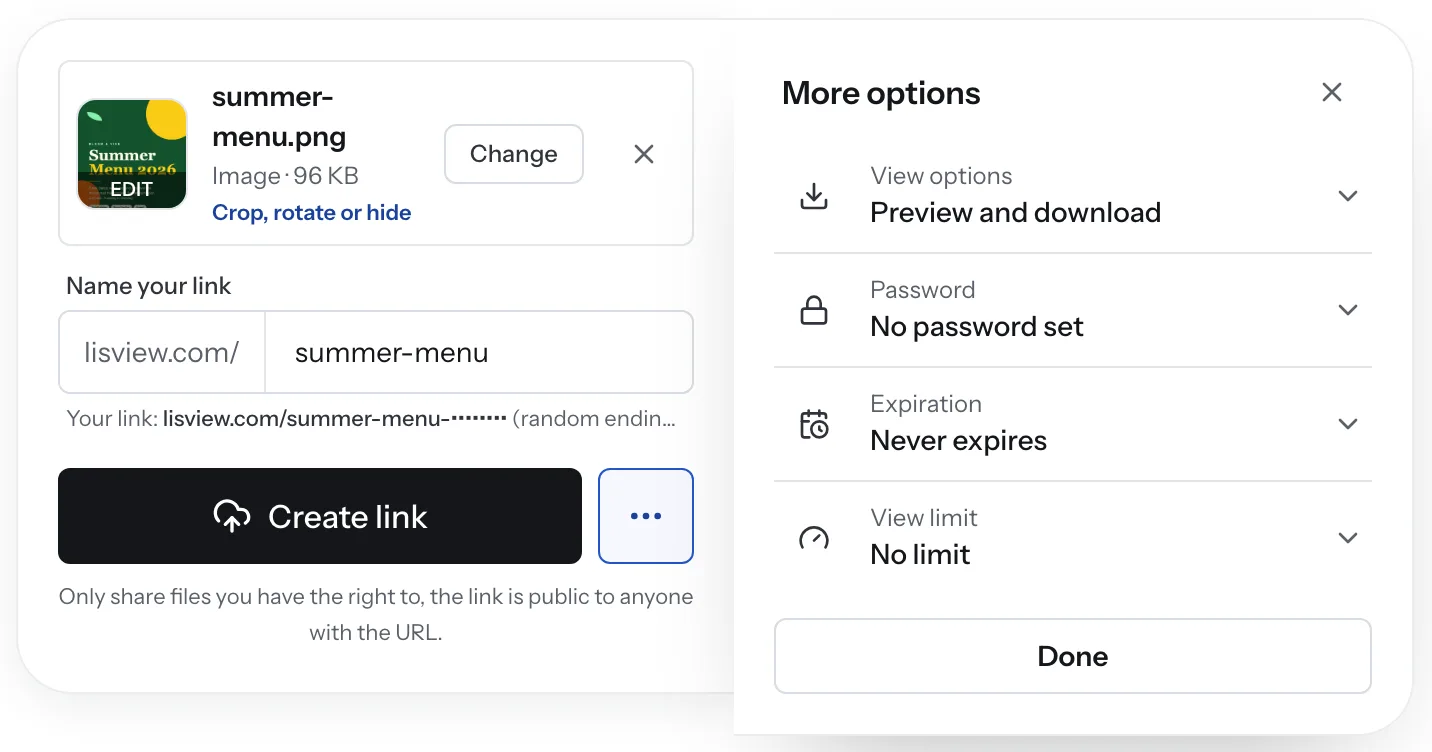
Drop the PDF into the PDF to link converter and pick a readable address such as /yourname-media-kit. - 3
Turn on open alerts
Switch on notify-on-view in the link settings to get an email the moment a brand opens it. - 4
Paste the link high in your pitch
Put it in the first lines of the email, not at the bottom. Add it to your bio link and email signature too.
A pitch that gets the kit opened
How do I know if a brand opened my media kit?
A PDF attachment gives no signal at all. A tracked link does: you see every open, the time, the device and the country. For a PDF you also see how far each reader got, page by page, so you know whether they reached your rates or stopped at page one. Follow up on the brands that opened it and leave the rest a little longer.
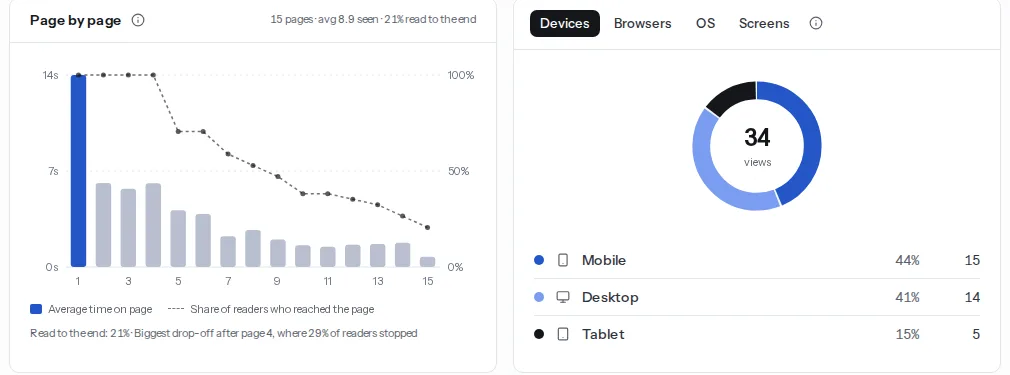
Want to know which brand it was? Send each brand its own link (upload the kit once per brand, with the brand's name in the link address), or turn on the email gate so the reader enters an email before the PDF opens. More on the options in how to know if someone opened your PDF.
How do I update my media kit without sending a new link?
Replace the file. Upload next month's PDF onto the same link and every brand that has the link, including the ones you pitched months ago, sees the current numbers. The address and the QR code stay the same. Step by step in update a PDF without changing the link. Links have no expiry date unless you set one. If a plan ends and your files are over the free 5 MB, links pause until you subscribe or delete files; nothing is deleted.
What is the best way to send a media kit?
Link in Seconds
Your media kit PDF as a tracked link (our product)
- Verdict
- The pick when you already have a PDF and want to know who read it: one link, the same PDF for everyone, and an open log.
- Best for
- Pitch emails and DMs/Knowing which brands opened it
Strengths
- Each open counted, with pages read and an email alert on open
- Replace the PDF, keep the link
- Password, expiry and view-only on every plan
Trade-offs
- You design the kit elsewhere (Canva, Figma, Keynote)
- You sign in to publish; brands never do
- Price
- Free up to 5 MB, 7-day trial for more. Pro $9 a month.
Checked 26 November 2026 on the vendor's own pages.
Linktree Media Kit
A media kit page built from your Linktree
- Verdict
- Good if you live in Linktree: the kit fills in your stats and gets its own address.
- Best for
- Creators already on Linktree
Strengths
- Own URL: linktr.ee/yourname/media-kit
- Performance stats refresh daily over a rolling 28 days
Trade-offs
- PDF download only on Pro or Premium
- Its help page does not describe tracking who opened the kit
- Price
- The PDF export needs Linktree Pro or Premium.
Checked 26 November 2026 on the vendor's own pages.
Canva view link
Share > Anyone with the link, or a public view link
- Verdict
- Fast if you made the kit in Canva, but the brand opens your live design, not a fixed file.
- Best for
- Kits designed in Canva
Strengths
- Later edits show up for the viewer
- A public view link shows visitors and time per page
Trade-offs
- Hidden or cropped content can be reachable, so share a cleaned copy
- Extra public view links are on paid plans
- Price
- Free plan; paid plans add more public view links.
Checked 19 November 2026 on the vendor's own pages.

Google Drive
The PDF in Drive, shared as Anyone with the link
- Verdict
- Works, but a wrong sharing setting shows the brand a request-access screen instead of your kit.
- Best for
- Teams that already work in Drive
Strengths
- 15 GB free across your Google account
- PDF preview in the browser
Trade-offs
- No password option
- Expiry dates only on work and school accounts
- Price
- 15 GB free.
Checked 22 November 2026 on the vendor's own pages.
Email attachment
The PDF attached to the pitch
- Verdict
- Still fine when a brand asks for a PDF. You lose any signal of whether it was read.
- Best for
- A brand that asked for a file
Strengths
- Nothing to set up
- The brand can forward it internally
Trade-offs
- Gmail stops at 25 MB per email
- No way to know it was opened
- Stale the day your numbers change
- Price
- Free.
Checked 26 November 2026 on the vendor's own pages.
A designed PDF you want to track
A PDF linkRecommended
Same layout for everyone, open alerts, update without a new link.
Live stats from your accounts
Linktree Media Kit
Stats refresh daily; PDF export is on paid plans.
A kit still being designed
Canva view link
Edits show up live; share a cleaned copy.
A brand that asked for a file
Attachment
Send what they ask for, plus the link.
File size is rarely the issue for a media kit (5 MB free, 10 GB per file on the trial and Pro), but a kit full of full-resolution photos can pass Gmail's 25 MB limit. A link avoids that. The same approach works for a portfolio link and for a press kit sent to journalists. More creator examples are on the creative use cases page.
Quick answers
Should I send my media kit as a PDF or a link?
Both: keep the media kit as a PDF, and send a link to that PDF. The PDF looks the same for everyone and can be forwarded inside the brand; the link keeps your email small, never bounces, and lets you update the numbers without sending a new file.
How do I know if a brand opened my media kit?
A PDF attachment can't tell you. A tracked link can: you see each open, the time, the device and, for a PDF, how far they read. You can also get an email the moment it is opened.
How do I update my media kit without sending a new link?
Replace the file on the same link. Everyone who has the link, including brands you pitched months ago, sees the new version with this month's numbers.
Where should I put my media kit link?
In the first lines of your pitch email, in your bio link page, in the contact form a brand asks you to fill in, and in your email signature. One link covers all four.
Linktree checked 26 November 2026 on its help center article on media kits; Canva checked 19 November 2026 on its Help Center; Google Drive checked 22 November 2026 and Gmail 26 November 2026 on Google's help pages. Features and plans change, so confirm on the vendor's site. Logos and names belong to their owners.
Related guides
Turn any file into a link in seconds
Upload a PDF, image, video, or ZIP and get a clean, trackable link with a QR code. Free up to 5 MB, no card. 7-day free trial, then $9/mo + tax. $0 today, cancel anytime.
Start free trial →