Send a video without losing quality
Share the original file as a link, so it plays exactly as you recorded it.
Drop your file here
Drop several at once and they become one album link
or paste an image Ctrl+V
Free up to 5 MB, no card. Bigger files: 7 days free, then from $3/mo. Cancel anytime. See plans
“My students all said it was easy to use and worked perfectly.”
How do I send a video without losing quality?
Send the original file as a link instead of attaching it in a chat app. WhatsApp, Messenger and iMessage shrink videos to send them faster. Upload the video here and paste the link: the other person streams the exact file you recorded, in any browser, and can download it in full quality if you allow it.
- people sharing files
- 5,500+
- links shared
- 11,400+
- times opened
- 39,900+
Send a video in full quality in 3 steps
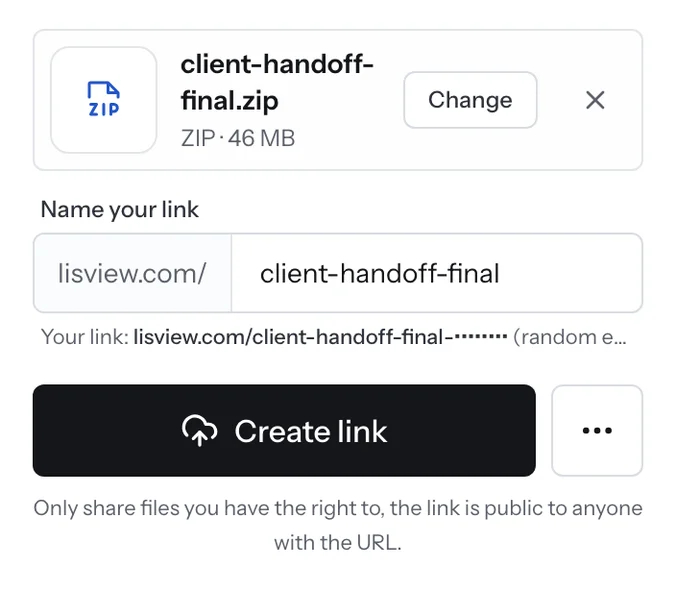
Upload the original
Pick the video from your camera roll or computer. Don't trim or export it from a chat app first.
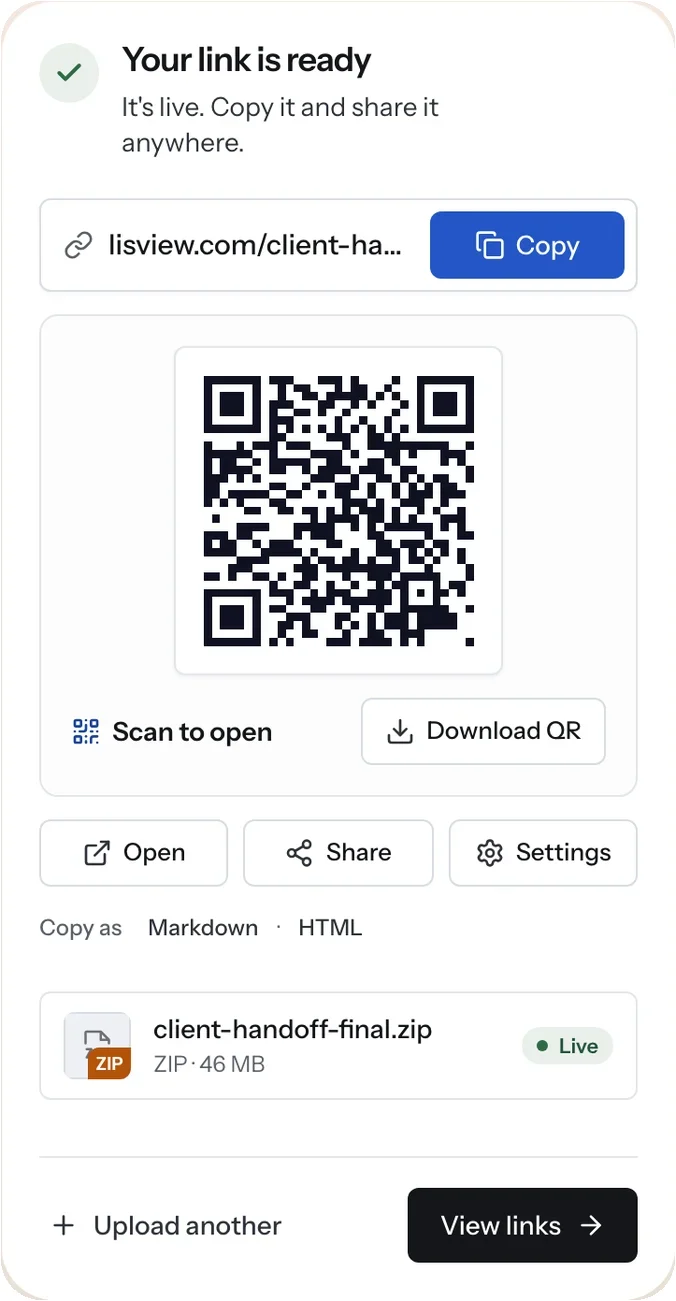
Copy the link
You get a short link and a QR code. Add a password if it is private.
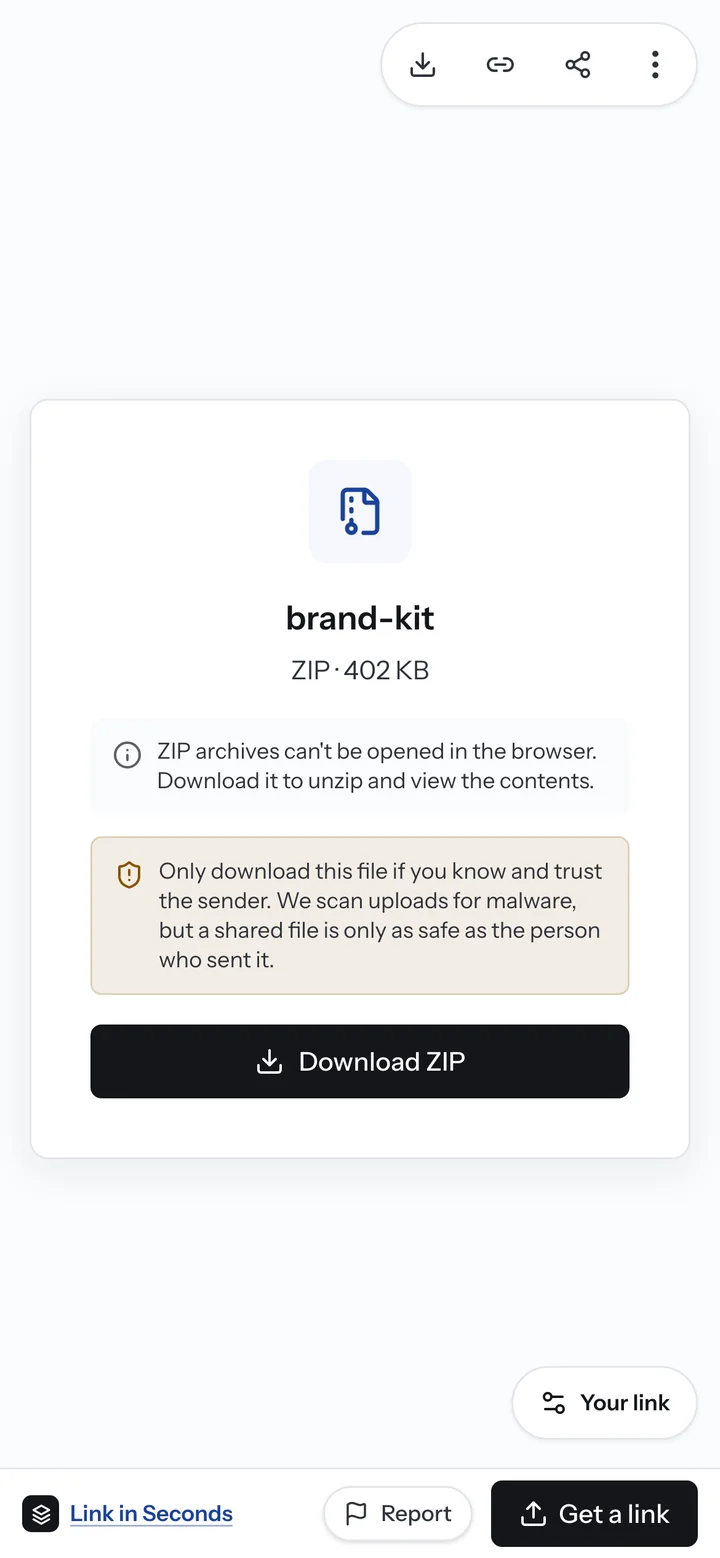
Send the link
Paste it into any chat or email. It plays the original file in the browser.
What it looks like
Why does a link keep the quality?
Nothing is re-encoded
The link serves the file you uploaded, byte for byte. Resolution, frame rate and sound stay as they were.
It plays in the browser
People press play on their phone or computer. They don't need an app, and they can skip ahead without downloading the whole file.
It works in every app
Paste the same link into WhatsApp, Messages, Messenger, email or Slack. Every app just sends a short piece of text.
You see when it was watched
Each open shows the day, device and country, and you can get an email the first time someone opens it.
How each way of sending treats your video
Link in Seconds link
- Keeps original quality
- Yes
- Largest video
- 10 GB
- Plays without downloading
- Yes
- Opens outside the app
- Yes
- See when it was watched
- Yes
WhatsApp gallery
- Keeps original quality
- No
- Largest video
- Compressed to fit
- Plays without downloading
- Yes
- Opens outside the app
- No
- See when it was watched
- Read receipts
WhatsApp Document
- Keeps original quality
- Yes
- Largest video
- 2 GB
- Plays without downloading
- No
- Opens outside the app
- No
- See when it was watched
- Read receipts
Email attachment
- Keeps original quality
- Yes
- Largest video
- 25 MB in Gmail or Outlook.com
- Plays without downloading
- No
- Opens outside the app
- Yes
- See when it was watched
- No
What people say
“The admin interface is incredibly intuitive and set up exactly how a user actually thinks. My students all said it was easy to use and worked perfectly.”
“The app is genuinely nice and easy to handle. I keep all my different app links in one place, my App Store and Play Store screenshots, and I organise my images and PDFs into albums with tags. The big storage means everything just lives here.”
“I handle contracts, invoices and legal files for several different organisations, so almost everything I send is password protected. Link in Seconds makes that simple, and I run my portfolio on a custom domain. It is easy to use and genuinely affordable.”
Every link feature on every plan
Plans differ in room: links, storage and file size, plus HTML pages and website hosting.
Pro Monthly
$9/mo
billed every month, cancel anytime
- Unlimited links
- 100 GB of storage
- 10 GB per file
- Every link feature included
- HTML pages and website hosting
Lifetime
$149$99once
one payment, no renewals
- Unlimited links
- 200 GB of storage
- 10 GB per file
- Every link feature included
- HTML pages and website hosting
Pro Yearly
$4.08/mo
billed $49 a year
- Save 55% vs paying monthly
- Unlimited links
- 100 GB of storage
- 10 GB per file
- Every link feature included
7-day free trial, then $9/mo + tax. $0 today, cancel anytime.Or share files up to 5 MB free, no card.
Coming from WeTransfer, DocSend or tiiny.host? See the comparisons
Questions about sending video in full quality
The details
What are the limits?
- You can upload videos up to 10 GB each. Files up to 5 MB are free with no card. Small takes files up to 3 GB ($3/month) and Pro up to 10 GB ($9/month), both after a 7-day free trial.
- iPhone videos in HEVC play in browsers that support HEVC. If someone can't play one, export it as MP4 (H.264) and upload that.
- Links have no expiry date unless you set one. If a plan ends and your files are over the free 5 MB, links pause until you subscribe or delete files; nothing is deleted.
Why do videos lose quality when I send them?
Chat apps compress videos so they send quickly over mobile data. WhatsApp does it to videos picked from the gallery, Messenger to videos in chats, and iMessage can send big videos at lower quality. The receiver gets a smaller, softer copy.
How do I send a full-quality video on WhatsApp?
Send it as a Document instead of picking it from the gallery. WhatsApp then keeps the original, up to 2 GB, but the person must download it before watching. A link plays straight away and works past 2 GB.
Send a large video on WhatsAppHow do I send a full-quality video from an iPhone?
Upload it from Photos to this page in Safari, then paste the link into Messages, WhatsApp or email. It plays on iPhone and Android. Apple's Mail Drop also keeps quality, up to 5 GB, but the download lasts 30 days.
Send large files on iMessageCan I email a video without compressing it?
Only a short one. Gmail and Outlook.com take 25 MB per email, which is only a few seconds of 4K video from a phone. Put the video behind a link and paste the link in the email instead.
Send large files by emailWhich video format plays best?
MP4 with H.264 video plays in every modern browser. iPhones record in HEVC by default, which plays in Safari and most up-to-date browsers. If someone can't play your clip, export it as MP4 (H.264).
MP4 viewerCan I keep a full-quality video private?
Yes. Add a password, an end date or a view limit, or turn off downloads so people can only watch. Links aren't listed anywhere or shown in search engines.
Share a video with a passwordWho sends videos this way?
- Video creators. Send a client the master file, not a blurry chat copy, and see when they watched it.
- Families. Share a wedding or birthday video in full quality with every relative.
- Coaches. Send match footage sharp enough to study, on any phone.
- Designers. Share motion work and screen recordings at the size they were made.
Everything a link can do
- Custom link name: A link people actually remember. Name the link yourself instead of a random code. lisview.com/your-name reads clean in an email, on a slide, or under a QR code. Reserved words blocked, so it always resolves. Keep the name, swap the file behind it later.
- Password protect: Lock it to the right people. Add a password and the file stays sealed until someone types it. The link can be forwarded anywhere and still only opens for people who have the word. Hashed, never stored in plain text. Enforced on the file itself, not just the page.
- Expiry & view limit: Links that close themselves. Set an end date or a view cap and the link stops on its own. Send a quote that expires Friday, or a preview that closes after five opens, without remembering to delete it. By date, or after N views, or both. Reopen it any time by turning the limit off.
- QR code: A print-ready code for every link. Every link gets a crisp QR code, included on every plan. Put it on a menu, a flyer, a wall label or a product box, and it opens the same link a tap would. Download it as SVG or PNG, any size. Swap the file later, the printed code still works.
- View tracking: Know the moment it opens. See how many people opened the link and when, plus the full picture: referrers, devices, countries, and QR-vs-direct opens. Included on every plan. A live count on every link, no setup. Get an email the moment it's first opened.
Send your video in full quality
Upload the original, copy the link and send it anywhere.
Free up to 5 MB, no card. Bigger files: 7 days free, then from $3/mo. Cancel anytime. See plans