Free file hosting compared (2026): 8 ways to put a file online and get a link
Uploading a file somewhere free is easy. There are dozens of sites that will take it in one drag. The hard part is the bit nobody tests: is that link still going to resolve in a year, when it is printed on a menu, sitting in your email signature, or embedded in a portfolio someone finally clicks?
We compared eight free options on the things that decide that: how much free storage you actually get, what makes the file disappear, whether an account stands between your visitor and the file, and whether the link can be embedded directly.
The short answer
- Most free storage: MEGA (20 GB), then Google Drive (15 GB, but shared with Gmail and Photos).
- No account at all: Catbox, for small files, with no controls and no recourse.
- A clean public link that opens in the browser: a dedicated link host. Ours is Link in Seconds. Drives make visitors load a viewer interface first.
- The real risk is not storage, it is deletion. Inactivity rules and ToS purges kill more free links than quotas ever do.
First: hosting is not transferring
These get lumped together and they are opposites. A transfer service (WeTransfer, Smash, Filemail) is designed to delete your file after a few days; that is how it can be free and unlimited-ish. A host keeps the file at a stable address and charges (or limits) accordingly.
If someone recommends WeTransfer as "free file hosting", they have mixed the two up and your link will be dead by the weekend. We compared the transfer side separately in eight WeTransfer alternatives compared.
Eight free hosts, side by side
| Tool | Free storage | Does the link stay? | Account to upload | Direct link / embed | Best for |
|---|---|---|---|---|---|
| Link in Seconds RecommendedOne file, one clean link | 5 MB free (no card), 10 GB per file on the free trial | Yes, no expiry timer | Yes, one Google tap | Yes, opens in the browser | Links you print, publish or reuse |
| Google DriveThe default for most people | 15 GB, shared with Gmail and Photos | Yes, until the file moves | Yes | No, opens Drive's viewer | Documents you also work on |
| MEGABiggest free allowance | 20 GB base | Yes, while the account stays active | Yes | No, opens MEGA's viewer | Large personal archives |
| DropboxSync-first | 2 GB | Yes | Yes | Partly | People already in the ecosystem |
| GofileAnonymous, quick | Generous, with conditions | No, free uploads expire on inactivity | No | Partly | Throwaway shares |
| CatboxTiny and anonymous | 200 MB per file | Usually, with no guarantee | No | Yes | Hotlinking small images |
| ImgurImages only | Images only | Anonymous uploads have been purged before | Recommended | Yes | Forum and community images |
| GitHub PagesFor sites, not files | Free for public repos | Yes | Yes | Yes | Static websites and demos |
Link in Seconds Recommended
One file, one clean link
- Free storage
- 5 MB free (no card), 10 GB per file on the free trial
- Does the link stay?
- Yes, no expiry timer
- Account to upload
- Yes, one Google tap
- Direct link / embed
- Yes, opens in the browser
- Best for
- Links you print, publish or reuse
Google Drive
The default for most people
- Free storage
- 15 GB, shared with Gmail and Photos
- Does the link stay?
- Yes, until the file moves
- Account to upload
- Yes
- Direct link / embed
- No, opens Drive's viewer
- Best for
- Documents you also work on
MEGA
Biggest free allowance
- Free storage
- 20 GB base
- Does the link stay?
- Yes, while the account stays active
- Account to upload
- Yes
- Direct link / embed
- No, opens MEGA's viewer
- Best for
- Large personal archives
Dropbox
Sync-first
- Free storage
- 2 GB
- Does the link stay?
- Yes
- Account to upload
- Yes
- Direct link / embed
- Partly
- Best for
- People already in the ecosystem
Gofile
Anonymous, quick
- Free storage
- Generous, with conditions
- Does the link stay?
- No, free uploads expire on inactivity
- Account to upload
- No
- Direct link / embed
- Partly
- Best for
- Throwaway shares
Catbox
Tiny and anonymous
- Free storage
- 200 MB per file
- Does the link stay?
- Usually, with no guarantee
- Account to upload
- No
- Direct link / embed
- Yes
- Best for
- Hotlinking small images
Imgur
Images only
- Free storage
- Images only
- Does the link stay?
- Anonymous uploads have been purged before
- Account to upload
- Recommended
- Direct link / embed
- Yes
- Best for
- Forum and community images
GitHub Pages
For sites, not files
- Free storage
- Free for public repos
- Does the link stay?
- Yes
- Account to upload
- Yes
- Direct link / embed
- Yes
- Best for
- Static websites and demos
Third-party limits checked September 2026 from each provider's public documentation. Free tiers change often and terms of service change quietly, so confirm before you commit a link to print.
How much free storage do you actually get?
Free storage allowance, per account
Storage is the number everyone compares, and it is close to irrelevant for the job most people actually have: one file, one link, that has to keep working. A 20 GB allowance does not help if the link asks your visitor to sign in, or if the host quietly deletes files nobody downloaded for a month.
What actually kills a free link
Inactivity rules
Several free hosts delete files that have not been downloaded in some window, often 10 to 30 days. This is the cruellest one, because it targets exactly the links that matter: the portfolio piece nobody clicked this month, the manual on a product page, the QR code on a sign. The link works when you test it after uploading. Then it goes quiet, and then it goes away.
Terms-of-service purges
Anonymous uploads are the most fragile thing on the internet. Imgur changed its terms in 2023 and removed large amounts of old content not tied to an account; other hosts have done the same on shorter notice. If nothing connects the file to a person who can be emailed, nothing stops it being cleared out.
Bandwidth throttling and download gates
A link can be technically alive and practically dead. Free tiers frequently throttle download speed, gate downloads behind ad interstitials or countdowns, or cap how much can be pulled in a rolling window. MEGA's free transfer quota is the well-known example (our MEGA alternative for sending files covers when the quota bites and when MEGA is still the better pick). Your client opens the link, sees a wait timer and two ads, and forms an opinion of you.
The viewer wall
Drive and MEGA links are permanent but not direct: they open an app interface, ask the visitor to wait for a preview, sometimes suggest signing in, and offer a download button rather than showing the file. Fine for a colleague. Bad for a QR code on a restaurant table.
Which one for which job
A link on a menu, resume or business card
Link in SecondsRecommended
Permanent, direct, readable URL that opens the file in the browser, no viewer wall, no inactivity rule, no ad gate.
A personal archive you rarely touch
MEGA or Google Drive
The biggest free allowances, tied to an account that can be recovered.
A small image you want to hotlink
Catbox
Anonymous, direct, no interface in the way, accepting that there is no support and no guarantee.
A static site or demo
GitHub Pages
Free, permanent and fast for public repos. Not a place for private files.
More file to link tools, by job
Hosting is one way to get a link. Four more free tools are built around a specific job, and they are worth knowing before you pick. The two columns that matter here are the ones storage numbers hide: can you lock the link, and can you see it was opened?
| Tool | Stays live while your plan is active | Opens in the browser | Free view tracking | Free password |
|---|---|---|---|---|
| Link in SecondsAny file | Yes | Yes | Yes | Yes |
| Google DriveCloud storage | No timer | Drive's viewer | No | No |
| DropboxCloud storage | No timer | Dropbox's viewer | Paid | Paid |
| PapermarkDocuments | Not listed | Yes | Yes | Yes |
| tiiny.hostHTML, PDF | Log in every 3 months | Yes | Paid | Paid |
| JumpshareRecordings, files | Not listed | Yes | Not listed | Not listed |
| SwissTransferTransfer | 15 days | Download page | No | Yes |
Link in Seconds
Any file
- Stays live while your plan is active
- Yes
- Opens in the browser
- Yes
- Free view tracking
- Yes
- Free password
- Yes
Google Drive
Cloud storage
- Stays live while your plan is active
- No timer
- Opens in the browser
- Drive's viewer
- Free view tracking
- No
- Free password
- No
Dropbox
Cloud storage
- Stays live while your plan is active
- No timer
- Opens in the browser
- Dropbox's viewer
- Free view tracking
- Paid
- Free password
- Paid
Papermark
Documents
- Stays live while your plan is active
- Not listed
- Opens in the browser
- Yes
- Free view tracking
- Yes
- Free password
- Yes
tiiny.host
HTML, PDF
- Stays live while your plan is active
- Log in every 3 months
- Opens in the browser
- Yes
- Free view tracking
- Paid
- Free password
- Paid
Jumpshare
Recordings, files
- Stays live while your plan is active
- Not listed
- Opens in the browser
- Yes
- Free view tracking
- Not listed
- Free password
- Not listed
SwissTransfer
Transfer
- Stays live while your plan is active
- 15 days
- Opens in the browser
- Download page
- Free view tracking
- No
- Free password
- Yes
"Not listed" means the service doesn't state it clearly. Exact file size, storage and expiry numbers for 14 services are in free file sharing limits compared, and per-app upload caps (email, chat, social) are in file size limits by app. For paid tools too, like DocSend and WeTransfer, see the best tools to share a file as a link.
- Papermark, for pitch decks and data rooms. Page-by-page analytics, passwords and email capture on every plan, and it's open source. The catch: it is built for documents, and the free plan stops at 50 documents and 50 links, per Papermark's pricing page.
- tiiny.host, for one tiny HTML page or PDF. Quick to publish. The catch: 3 MB uploads and one site on free, you have to log in every 3 months to keep it, and passwords and analytics are paid.
- Jumpshare, for screen recordings you share as links. Recording is built in. Free covers files up to 5 MB with no card, and free links never expire; the 7-day free trial (then $9/mo, cancel anytime) and Pro take files up to 10 GB each, with 100 GB of storage. If you share files more than recordings, see the Jumpshare alternative for file links.
- SwissTransfer, for one huge file, once. 50 GB per transfer, free, with a password. The catch: the link lasts 15 days (30 if you extend it), and it's a download page, not a viewer.
How to choose in 30 seconds
- Bigger than 10 GB and needed once? SwissTransfer.
- Printed on a menu, flyer or CV? A link that stays live while your plan is active and can be updated behind the same QR code. See update a PDF without changing the link.
- Need to know they read it? A tool with free tracking. See how to track a shared file.
- A pitch deck for investors? Papermark or Link in Seconds.
- Editing with a team? Google Drive or Dropbox.
Where Link in Seconds fits
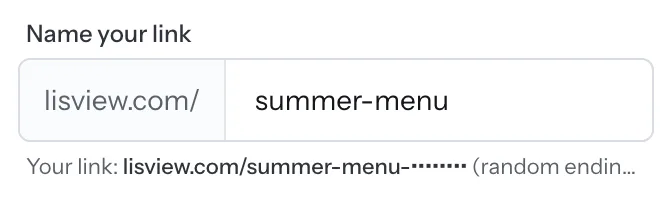
We built the last row of that table for one specific case: a file that needs a clean, permanent, public address. You upload it and get something like lisview.com/menu. It opens directly in the browser, there is no expiry timer, no inactivity rule, no ad interstitial, and no account for the person opening it. Every link ships with a QR code and a view count. Passwords, custom slugs, an expiry date when you actually want one, view-only mode and view analytics are included on every plan. Pro raises the file ceiling to 10 GB with 100 GB of storage and unlimited links.
The honest trade-off is size. If you are hosting a 12 GB video archive, MEGA is the right answer and we are not. If you are hosting a menu, a catalogue, a resume, a press kit or a product manual, the size limit is irrelevant and permanence is everything.
Checklist before you print that QR code
- Read the deletion policy, not the storage number. Search the host's terms for "inactive" and "delete". That paragraph decides whether your link lives.
- Open your own link in a private window, signed out. This is the single most useful test there is, and almost nobody does it. It is how you find viewer walls and permission prompts.
- Check whether it is tied to an account you control. Anonymous uploads have no recovery path and no warning email.
- Time the first byte on mobile data. Ad gates and throttles show up here, not on your desk.
- Make sure you can replace the file without changing the URL. Otherwise every correction means reprinting.
Common questions
What is the best free file hosting site?
There is no single answer, because "hosting" covers three different jobs. For storage, MEGA or Google Drive. For a static site, GitHub Pages. For a public link that opens the file directly, a dedicated link host.
Is free file hosting safe?
Treat any free public link as public forever, and assume it can be found, shared on, and cached. If the content is sensitive, you want a password or an expiry, which most free hosts do not offer. The honest limits are in how to share files securely by link.
Can I host a whole website for free?
Yes, with GitHub Pages for a repo-based workflow. If you just have a build folder, a ZIP upload is the quicker path; on Link in Seconds that is website hosting, which comes with Pro (so do single HTML pages). We walk through it in host a static website from a ZIP.
What about hosting a set of files, not just one?
Bundle them into one browsable link instead of a zip nobody wants to open, see share a folder of files with one link.
Which free file to link tools show who opened my file?
Link in Seconds and Papermark show opens on their free plans, including time per page. Google Drive doesn't show outside viewers, WeTransfer only says whether a transfer was downloaded, and Dropbox and tiiny.host keep analytics for paid plans.
Can I turn a file into a link without signing up?
Anonymous hosts like Gofile and Catbox take uploads without an account, but those files can be removed with no warning. Hosts that keep links working, including Link in Seconds and Google Drive, ask for a free account so the link has an owner who can update, lock or delete it. Viewers never need an account.
Which host gives a permanent link with no account for the viewer?
Catbox (small files, no guarantees), GitHub Pages (public code) and dedicated link hosts. Google Drive and MEGA are permanent but put their own interface in front of the file.
- Need storage? MEGA or Google Drive.
- Need a website? GitHub Pages or a ZIP host.
- Need a link that survives being printed? Link in Seconds.
- Need it gone in a week? That is a transfer service, and that is fine too.
Turn any file into a link in seconds
Upload a PDF, image, video, or ZIP and get a clean, trackable link with a QR code. Free up to 5 MB, no card. 7-day free trial, then $9/mo + tax. $0 today, cancel anytime.
Start free trial →