Voice memo too large to send? How to share a long iPhone or Android recording
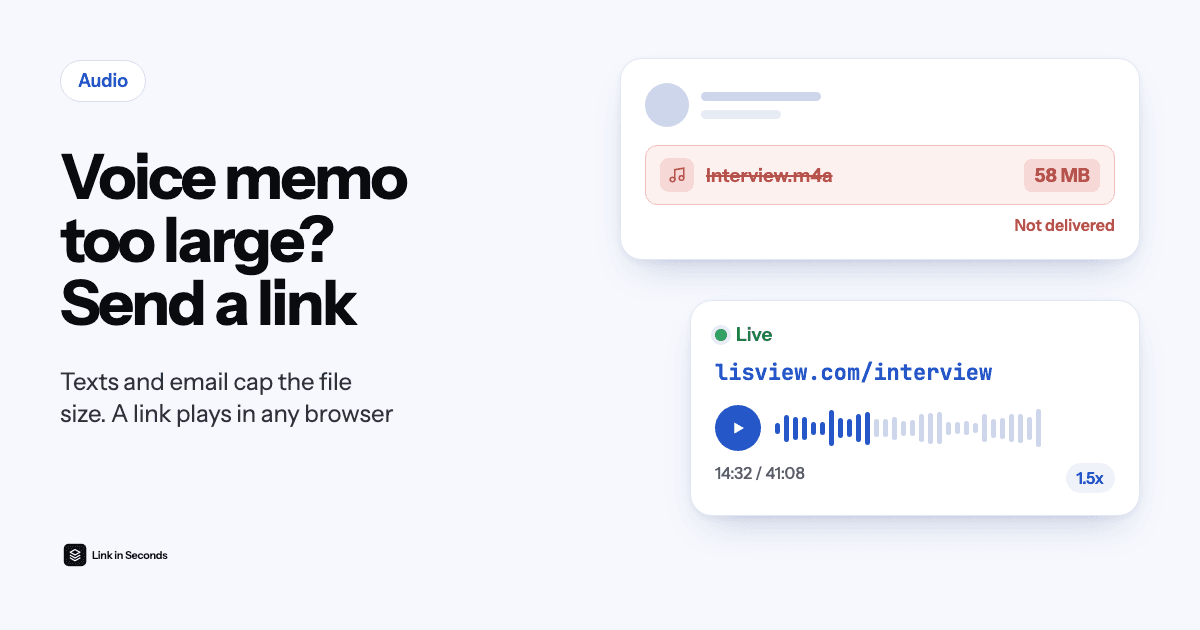
If a voice memo is too large to send, stop attaching it. Save the recording as a file (on iPhone: Voice Memos, More, Save to Files), upload it to get a link, and send the link in Messages, WhatsApp or email. A link is one line of text, so it always sends, and the person taps it and listens in their browser with no app or account.
Why won't my voice memo send?
Every way of sending a file has a size cap, and long recordings hit it first. A text message to an Android phone or an iPhone without iMessage goes as MMS. Carriers set MMS limits themselves; the messaging provider Telnyx lists 1 MB to 1.5 MB for ordinary numbers at AT&T, T-Mobile and Verizon. Speech saved at 64 kbps takes about 480 KB per minute, so anything past a minute or two either fails or arrives squeezed.
Email is roomier but still small for audio: Gmail and Outlook.com allow 25 MB per message and iCloud Mail 20 MB, and encoding adds about a third, so the real ceiling is closer to 18 MB. An hour-long lecture saved at 128 kbps is about 58 MB. WhatsApp takes documents up to 2 GB, so size is rarely the problem there; the problem is the person who isn't on WhatsApp (see how to send a voice message to someone without WhatsApp).
What are my options for sharing a long recording?
Five ways work for a memo of any length. They differ in who can open them.
| Way | Works for | The catch |
|---|---|---|
| AirDrop | iPhone to another Apple device nearby (and Pixel 10 phones through Quick Share) | Most Android phones, anyone far away |
| iCloud Drive link | Any phone, from an iPhone | Uses your iCloud storage (5 GB free) |
| Google Drive link | Any phone | Must be set to “Anyone with the link” or they get a request-access screen |
| Email (Mail Drop on iPhone) | Recordings up to 5 GB from Apple Mail | The download expires after 30 days |
| Link in Seconds | Any phone or computer, in any app | Sign-in to publish; the listener needs nothing |
- Both on Apple devices and in the same room? AirDrop is the quickest. Since November 2025, Pixel 10 phones can exchange files with AirDrop through Quick Share too, but most Android phones still can't.
- Already using iCloud or Google Drive? Share a link from there. Check the sharing setting first, or the listener hits a sign-in or access request.
- Sending to someone on another phone, by text, chat or email? Use a voice memo link: it plays straight away in any browser, and you can see whether it was played.
How do I share a long voice memo from an iPhone?
- Open Voice Memos and tap the recording you want to send.
- Tap More (the three dots), then Save to Files. Pick On My iPhone or iCloud Drive. The memo is saved as an M4A file.
- Open linkinseconds.com in Safari and tap the upload box, then Browse, and choose the memo in Files.
- Sign in, publish and copy the link. Paste it into Messages, WhatsApp, email or anywhere else. The message is tiny, so it sends at once.
How do I share a long recording from an Android phone?
It depends on the recorder app, because each one stores its files differently.
- Google Recorder (Pixel): open the recording, tap Share, then File, then Audio, and save it to your phone. Then open linkinseconds.com in Chrome, tap the upload box and pick the file.
- Samsung Voice Recorder: recordings are already saved on the phone, usually in Recordings, then Voice Recorder. In Chrome, tap the upload box and pick the file from Recent or that folder.
- Any other recorder: look for Share or Export as an audio file. MP3, WAV, OGG, M4A, AAC and FLAC upload as they are. If the app only offers another format, convert it to MP3 first.
The full walkthrough, with screenshots for both phones, is on the voice memo to link page. For music, podcasts and other audio files, use audio to link; it works the same way.
What does the person I send it to see?
A page with a player: the recording's length, a seek bar, 10-second skips and a playback speed control, so a 40-minute memo can be heard at 1.5x. It works in Safari, Chrome or any other browser, with no app to install and no account to create. On your side, the link shows how many times it was opened and how far each visit played, so you know whether they reached the end.
For something personal, add a password, an expiry date or a view limit before you send it. If you record a better take later, replace the file and the same link plays the new version. More on this in how to password-protect a file you share.
Can I record it in the browser instead?
Yes. Choose Record above the upload box, allow the microphone and talk for up to 30 minutes. You can listen back and trim a slow start or a long pause before publishing, and nothing uploads until you choose to publish. For anything longer than 30 minutes, record on the phone and upload the file.
Is it free?
To publish you sign in once. The Free plan holds 5 MB in total with no card, roughly 10 minutes of speech at 64 kbps, and those links stay live as long as your files fit. A longer recording starts the 7-day free trial; after it, Pro is $9/mo for 100 GB of storage and files up to 10 GB each. The listener never needs an account.
Quick answers
Why does my iPhone say the voice memo is too large to send?
The app you picked has a size cap. A text message to a non-iPhone goes as MMS, which carriers limit to about 1 MB, and email stops at 20 to 25 MB. Save the memo to Files, upload it, and send the link instead.
Can I send an iPhone voice memo to an Android phone?
Yes. AirDrop won't reach most Android phones, and MMS squeezes long audio, but a link works on any phone. The Android user taps it and the memo plays in Chrome.
What format is an iPhone voice memo?
Voice Memos saves an M4A file when you choose Save to Files. M4A plays on Android, Windows and Mac, and Link in Seconds accepts it as it is.
Will the person know it is from me?
Add a line of context in your message, such as “Here is the 40-minute interview”. The link page shows the recording's title, which you can rename before you send it.
Related guides
- How to email an audio file that is too big
- Send large files from iPhone to Android
- Send a file that is too big for WhatsApp
Sources, checked 18 November 2026: Telnyx MMS size limits by carrier, WhatsApp document size, Gmail attachment limit, Outlook.com size limit, iCloud Mail limits, Mail Drop limits, iCloud free storage, Google account storage.
Turn any file into a link in seconds
Upload a PDF, image, video, or ZIP and get a clean, trackable link with a QR code. Free up to 5 MB, no card. 7-day free trial, then $9/mo + tax. $0 today, cancel anytime.
Start free trial →