The free DocSend alternative: see who opens your documents (2026)
See who read page 4
free view tracking
For years the simple move was: upload a PDF or a pitch deck to DocSend, send the link, and watch who opened it. In March 2025 that stopped being free. DocSend removed its free tier, so you now can't send a single tracked document without a paid plan, and around the same time Dropbox retired its built-in Send & Track. Overnight, “send a document and see when it's opened” went from a free habit to a subscription.
You probably don't need a data room. You need to send one file and know whether the other person actually opened it. Here is how to do exactly that, free, with Link in Seconds, and how it stacks up against the other options people reach for.
What you actually need (and what you don't)
Strip away the enterprise features and “document tracking” is three things:
- A link, not an attachment. An attached PDF is a dead end. Once it leaves your outbox you have no idea what happened to it. A link is something you can watch.
- An open signal. Did they open it? When? More than once? From where?
- No friction for the reader. The moment a viewer has to make an account, half of them bounce. The person you send it to should just click and read.
Everything past that (NDA gates, e-signature, team content libraries) is data-room territory. Most people sending a deck, a proposal, or a contract never need it; they just want to share files online and see who opened them.
The free options in 2026, side by side
These are the tools people land on when they search “free DocSend alternative.” The column that matters most is the first one: whether you can track an open without paying.
| Tool | Free open tracking | Per-viewer detail | Password / expiry | Viewer needs an account | Works for any file |
|---|---|---|---|---|---|
| Link in Seconds RecommendedA tracked link for any file | Yes, on the free plan | Opens, unique viewers, time per page, device and city, all free | Password + expiry | No, they just click | PDF, deck, doc, image, video, ZIP |
| DocSendFree tier removed March 2025 | Paid only now | Page-by-page | Yes | Often an email gate | Docs & decks |
| DropboxSend & Track retired | Tracking retired | - | Paid plans | Yes, to view in Dropbox | Any file |
| PapermarkOpen-source, free tier | Yes, free / self-host | Page-level | Yes | Optional email | Docs & decks |
| BrieflinkSimple, free | Yes, free | View counts only | No | No | Decks |
Link in Seconds Recommended
A tracked link for any file
- Free open tracking
- Yes, on the free plan
- Per-viewer detail
- Opens, unique viewers, time per page, device and city, all free
- Password / expiry
- Password + expiry
- Viewer needs an account
- No, they just click
- Works for any file
- PDF, deck, doc, image, video, ZIP
DocSend
Free tier removed March 2025
- Free open tracking
- Paid only now
- Per-viewer detail
- Page-by-page
- Password / expiry
- Yes
- Viewer needs an account
- Often an email gate
- Works for any file
- Docs & decks
Dropbox
Send & Track retired
- Free open tracking
- Tracking retired
- Per-viewer detail
- -
- Password / expiry
- Paid plans
- Viewer needs an account
- Yes, to view in Dropbox
- Works for any file
- Any file
Papermark
Open-source, free tier
- Free open tracking
- Yes, free / self-host
- Per-viewer detail
- Page-level
- Password / expiry
- Yes
- Viewer needs an account
- Optional email
- Works for any file
- Docs & decks
Brieflink
Simple, free
- Free open tracking
- Yes, free
- Per-viewer detail
- View counts only
- Password / expiry
- No
- Viewer needs an account
- No
- Works for any file
- Decks
If you need NDA gates or a team content library and are fine paying, DocSend and Papermark are strong. Page-by-page reading time is no longer the reason to pay for them: Link in Seconds shows it too, free, along with the page where readers stop. If you want the free version of the original habit (send a file, see who opened it, no account for the reader), a plain tracked link is the shortest path.
How to send a tracked document, free
Three steps, about ten seconds. You sign in once with Google; the people you send it to never make an account.
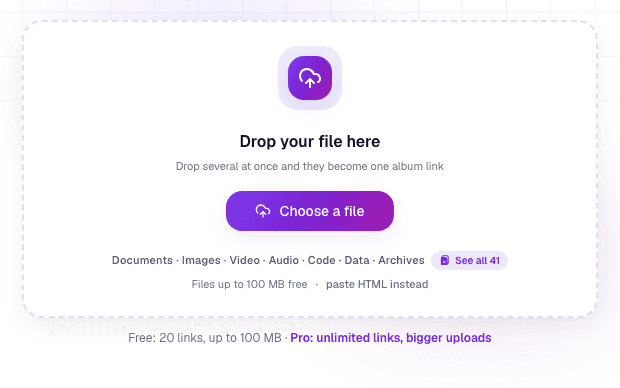
Step 1: Drop your file
Upload the PDF, deck, contract, or whatever you're sending. The same tracked link works just as well for a video or an image. It becomes one clean link, with nothing for the reader to download unless they want to.
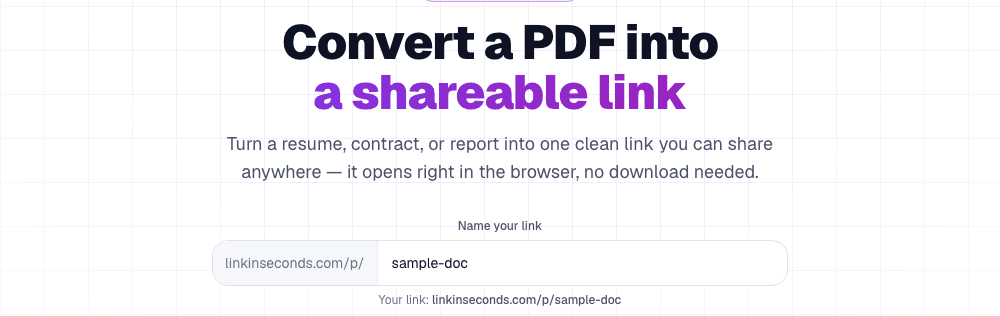
Step 2: Name the link and send it
Give it a clean name. lisview.com/your-proposal reads better in an email than a random string. Copy the link and paste it wherever you'd have attached the file: email, WhatsApp, LinkedIn, a calendar invite.
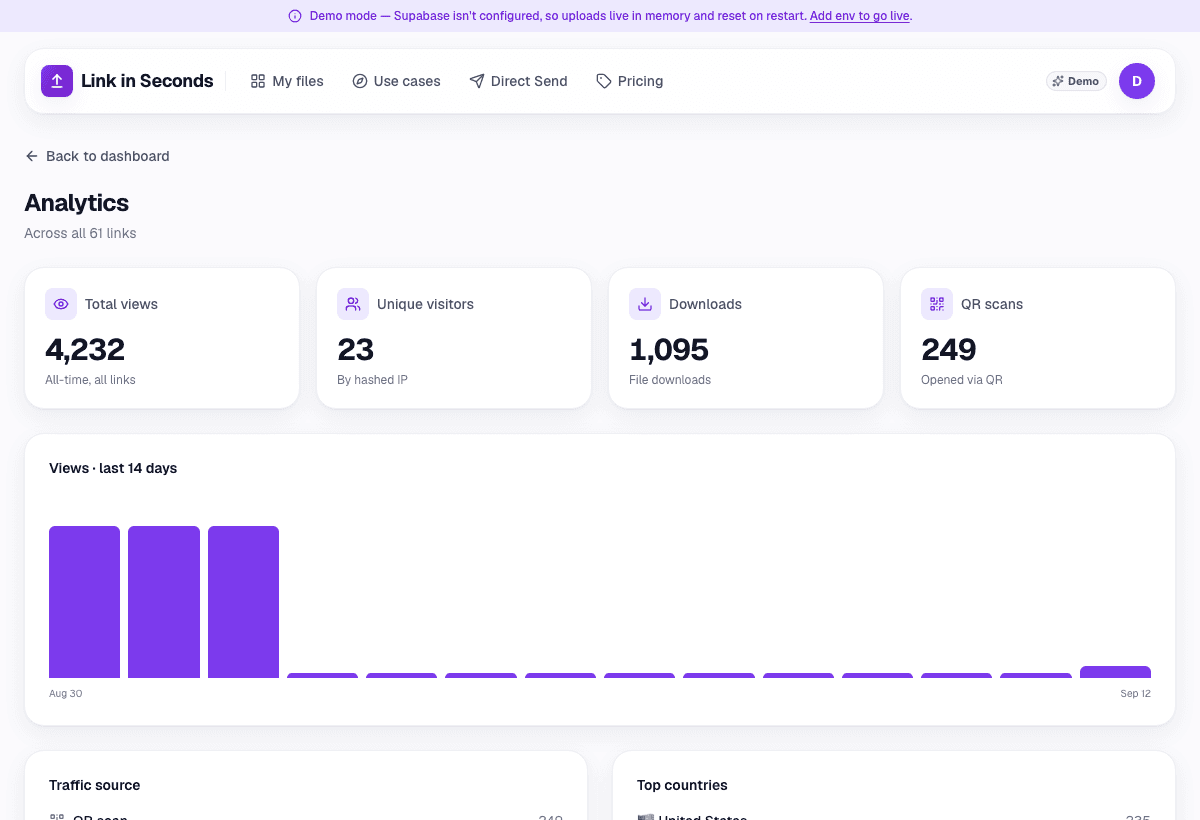
Step 3: Watch the opens
This is the part DocSend used to give away. Every time someone opens the link it shows up in your analytics: total opens, unique viewers, roughly where they are, and how they arrived (a direct click, or a QR scan). No more guessing whether your deck got read.
So which should you use?
- You just want the old free habit back, so you can send a file, see who opened it, no reader sign-up: a tracked link is the fastest route.
- You live in decks and want page-by-page analytics: Link in Seconds shows time on every page and the page where readers stop; DocSend and Papermark do it too, at a price. If Papermark is the one you are weighing, see the Papermark alternative page.
- You need a real data room with NDAs and permissions: that's a different category of tool.
For most people the honest answer is the boring one: you didn't need DocSend's free tier, you needed a link that tells you when it was opened. Turn your first document into one now.
Turn any file into a link in seconds
Upload a PDF, image, video, or ZIP and get a clean, trackable link with a QR code, free.
Try Link in Seconds →