Share large files on Slack
Send big files with a link that also works for people outside Slack.
Datei hier ablegen
Leg gleich mehrere ab, daraus wird ein Album-Link
oder Bild einfügen Ctrl+V
Free up to 5 MB, no card. Bigger files: 7 days free, then from $3/mo. Cancel anytime. See plans
“Meine Schüler fanden alle, es sei einfach zu bedienen und funktioniere einwandfrei.”
How do I share a large file on Slack?
Upload the file to a site that gives you a link, then paste the link into the channel or DM. Slack accepts files up to 1 GB, and free Slack workspaces hide files older than 90 days. A link has no Slack size limit, keeps working after 90 days and opens for people outside your workspace.
- Menschen teilen Dateien
- 5,500+
- geteilte Links
- 11,400+
- Mal geöffnet
- 39,900+
Share a large file on Slack in 3 steps
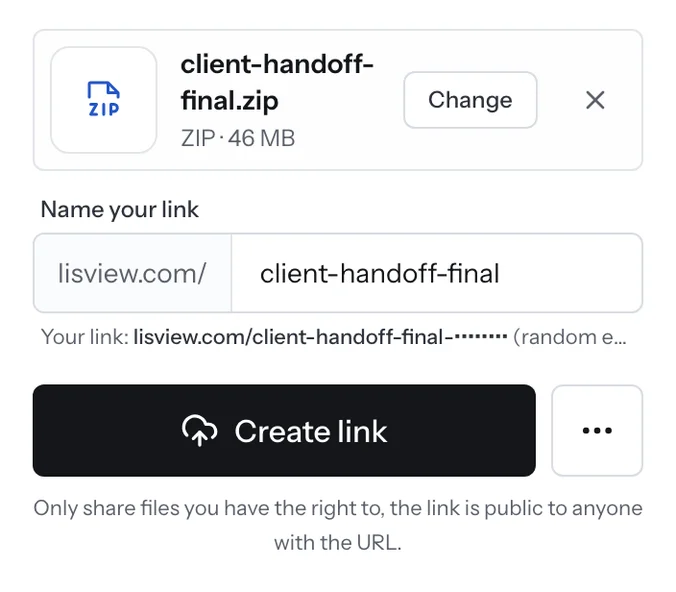
Upload the file
Drop the file into the box above, or pick several files to make one album link.
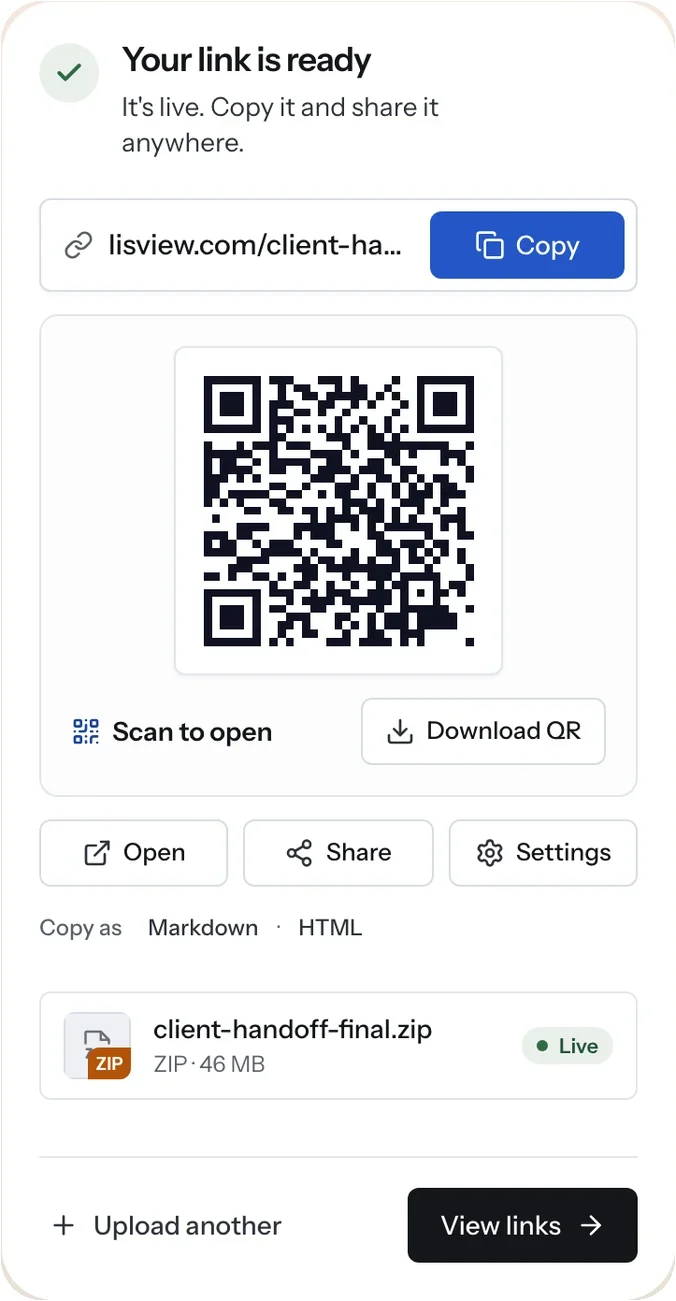
Copy the link
You get a short link and a QR code. Add a password if the file is confidential.
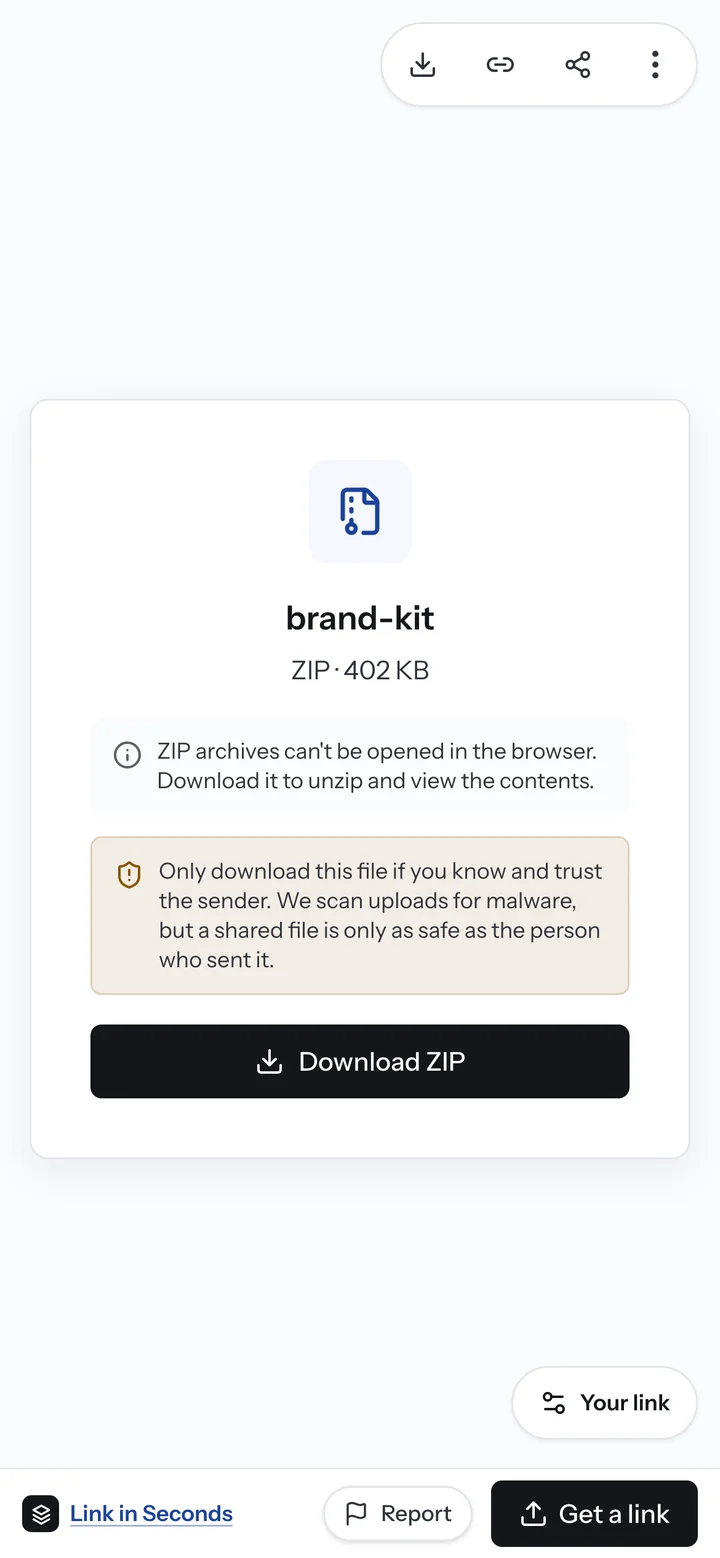
Paste it in Slack
Paste it into a channel or DM, and pin it if the team will need it again.
So sieht es aus
Why share a link instead of uploading to Slack?
It's still there after 90 days
Free Slack hides messages and files older than 90 days. The file behind your link keeps working while your plan is active.
It opens for people outside Slack
Clients and freelancers who aren't in your workspace open the same link in their browser. They don't need an invite or a guest account.
Big Office files get a preview
Slack shows no preview for Office files over 50 MB. Here Word and Excel files open as pages, PDFs open in a viewer and videos play.
It always opens the latest version
Upload a new version to the same link, and the link pinned in your channel opens it. No more files called final-v3.
A link compared with uploading to Slack

Link in Seconds link
- Largest file
- 10 GB
- Still visible after 90 days
- Ja
- Opens for people outside the workspace
- Ja
- See when it was opened
- Ja
- Password or end date
- Ja
Slack (free)
- Largest file
- 1 GB
- Still visible after 90 days
- Nein
- Opens for people outside the workspace
- If your admin allows it
- See when it was opened
- Nein
- Password or end date
- Nein
Slack (paid)
- Largest file
- 1 GB
- Still visible after 90 days
- Ja
- Opens for people outside the workspace
- If your admin allows it
- See when it was opened
- Nein
- Password or end date
- Nein
Google Drive link
- Largest file
- 15 GB free
- Still visible after 90 days
- Ja
- Opens for people outside the workspace
- If shared publicly
- See when it was opened
- Nein
- Password or end date
- Nein
Was Nutzer sagen
“Die Admin-Oberfläche ist unglaublich intuitiv und genau so aufgebaut, wie ein Nutzer denkt. Meine Schüler fanden alle, es sei einfach zu bedienen und funktioniere einwandfrei.”
“Die App ist wirklich schön und einfach zu bedienen. Ich habe alle meine App-Links an einem Ort, meine App-Store- und Play-Store-Screenshots, und ich organisiere meine Bilder und PDFs in Alben mit Tags. Dank des großen Speichers lebt alles hier.”
“Ich verwalte Verträge, Rechnungen und juristische Dateien für mehrere verschiedene Organisationen, also ist fast alles, was ich sende, passwortgeschützt. Link in Seconds macht das einfach, und mein Portfolio läuft auf einer eigenen Domain. Es ist leicht zu bedienen und wirklich erschwinglich.”
Jede Link-Funktion in jedem Tarif
Die Tarife unterscheiden sich im Platz: Links, Speicher und Dateigröße, dazu HTML-Seiten und Website-Hosting.
Pro monatlich
$9/Monat
monatlich abgerechnet, jederzeit kündbar
- Unbegrenzte Links
- 100 GB Speicher
- 10 GB pro Datei
- Jede Link-Funktion inklusive
- HTML-Seiten und Website-Hosting
Lifetime
$149$99einmalig
eine Zahlung, keine Verlängerung
- Unbegrenzte Links
- 200 GB Speicher
- 10 GB pro Datei
- Jede Link-Funktion inklusive
- HTML-Seiten und Website-Hosting
Pro jährlich
$4.08/Monat
$49 pro Jahr abgerechnet
- 55% günstiger als monatlich
- Unbegrenzte Links
- 100 GB Speicher
- 10 GB pro Datei
- Jede Link-Funktion inklusive
7 Tage kostenlos, danach $9/Monat zzgl. Steuern. Heute $0, jederzeit kündbar.Oder teile Dateien bis 5 MB gratis, ohne Karte.
Kommst du von WeTransfer, DocSend oder tiiny.host? Zu den Vergleichen
Questions about sharing large files on Slack
Die Details
What are the limits?
- Slack accepts files up to 1 GB. Free workspaces only show the last 90 days of messages and files, and older data may be deleted after a year.
- Here you can upload files up to 10 GB each. Files up to 5 MB are free with no card. Small takes files up to 3 GB ($3/month) and Pro up to 10 GB ($9/month), both after a 7-day free trial.
- Links have no expiry date unless you set one. If a plan ends and your files are over the free 5 MB, links pause until you subscribe or delete files; nothing is deleted.
What is the maximum file size on Slack?
1 GB per file, for members and guests, according to Slack's Help Center. A screen recording or a raw video can pass that quickly. Office files over 50 MB still upload, but Slack shows no preview for them.
Slack's limits in detailWhy can't I find a file I shared in Slack months ago?
Free Slack workspaces only show the last 90 days of messages and files, and since August 2024 data older than a year may be deleted. A link you posted can also scroll out of view, but the file behind it keeps working, so save the link where your team keeps important things.
How do I share a file with someone outside my Slack?
Send them a link. They don't need a Slack account, an invite or a guest seat, because the file opens in the browser on any device. Add a password if the file is confidential.
Is it safe to post a link in a big workspace?
Anyone who sees the link can open it, so treat it like the file itself. For private files, add a password, set an end date or a view limit, or turn off downloads. You can turn the link off when the project ends.
Can I tell if my team opened it?
You see each time the link was opened, with the time, device and country. To know who opened it, turn on the email option, which asks for an email address before the file opens.
Who shares big files on Slack this way?
- Agencies. Share final videos and presentations with clients in a shared channel, and keep them available after 90 days.
- Designers. Post source files as one ZIP link, and update it after every round of feedback.
- Photographers. Send a shoot to a client's team as one album link that opens without a Slack invite.
- Course teams. Post lesson recordings once for the whole term, even past free Slack's 90 days.
Was ein Link alles kann
- Eigener Link-Name: Ein Link, den man sich merkt. Benenne den Link selbst statt eines Zufallscodes. lisview.com/dein-name liest sich sauber in einer Mail, auf einer Folie oder unter einem QR-Code. Reservierte Wörter gesperrt, löst immer auf. Name behalten, Datei dahinter später tauschen.
- Passwortschutz: Sperre ihn für die richtigen Leute. Vergib ein Passwort und die Datei bleibt versiegelt, bis jemand es eingibt. Der Link lässt sich überallhin weiterleiten und öffnet nur für Leute mit dem Wort. Gehasht, nie im Klartext gespeichert. Erzwungen an der Datei selbst, nicht nur der Seite.
- Ablauf & Aufruf-Limit: Links, die sich selbst schließen. Lege ein Enddatum oder ein Aufruf-Limit fest, und der Link stoppt von selbst. Schick ein Angebot, das Freitag abläuft, oder eine Vorschau, die nach fünf Aufrufen schließt. Nach Datum, nach N Aufrufen oder beides. Jederzeit wieder öffnen, indem du das Limit ausschaltest.
- QR-Code: Ein druckfertiger Code für jeden Link. Jeder Link bekommt einen scharfen QR-Code, in jedem Tarif enthalten. Auf eine Speisekarte, einen Flyer, ein Wandschild oder eine Verpackung, und er öffnet denselben Link wie ein Tippen. Als SVG oder PNG in jeder Größe herunterladen. Datei später tauschen, der gedruckte Code funktioniert weiter.
- Aufruf-Tracking: Wisse, wann er geöffnet wird. Sieh, wie viele Leute den Link geöffnet haben und wann, mit dem ganzen Bild: Verweise, Geräte, Länder und QR- vs. Direktaufrufe. In jedem Tarif enthalten. Ein Live-Zähler an jedem Link, ohne Einrichtung. E-Mail beim ersten Öffnen.
Share your file on Slack as a link
Upload the file, copy the link and paste it into any channel.
Free up to 5 MB, no card. Bigger files: 7 days free, then from $3/mo. Cancel anytime. See plans