How to share a screenshot in Slack without losing quality
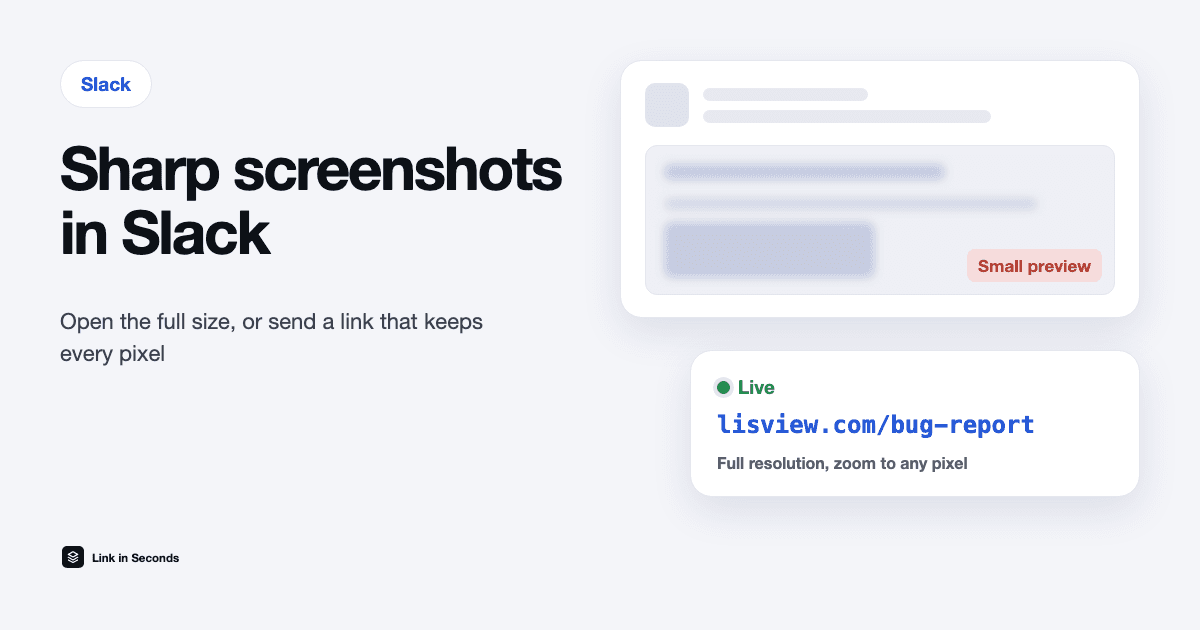
To share a screenshot in Slack without losing quality, save it as PNG, drag the file into the message, and ask people to click it: the message shows a smaller preview, and opening the image loads the full size. For a screenshot that must stay sharp everywhere, share it as a link.
Below: why a crisp screenshot looks soft in a channel, the settings that keep text readable, and how to send a full-resolution screenshot people can zoom into, inside or outside your workspace. Slack's limits were checked on its help center on 28 November 2026.
Slack and images, checked 28 November 2026
- File size per upload
- Up to 1 GB
- Files per message (desktop)
- Up to 10
- Inline image preview
- Under 25,000 px on the longest side and 45 million pixels
- In the conversation
- A preview; click to load the full size
- Free plan history
- Last 90 days visible
Why do my screenshots look blurry in Slack?
Most of the time you are looking at a preview. Slack shows a scaled-down copy in the message so channels stay fast, and its own incident notes tell people to expand the image, which loads the full-size version. Other causes happen before the image ever reaches Slack:
- JPEG instead of PNG. JPEG is built for photos. On text and interface edges it adds blur and halos. Most screenshot tools save PNG by default, but some save or copy as JPEG.
- A screenshot of a screenshot. Pasting into another app, cropping there and screenshotting again loses detail each time.
- A detour through a chat app. A phone screenshot sent to yourself on WhatsApp or by text first arrives recompressed. Upload the original from your Photos or Files app instead.
- Screen scaling. A screenshot from a high-resolution laptop screen viewed on a standard monitor, or the other way round, gets scaled and can look soft at 100% zoom.
How do I keep a screenshot sharp in Slack?
Capture as PNG
On a Mac, Shift-Command-4 saves PNG by default. On Windows, Snipping Tool and Windows-Shift-S save PNG. On a phone, the screenshot in your gallery is the original.Crop, don't shrink
Cut away what nobody needs to see, but keep it at 100% size. Shrinking the image to make it smaller blurs the text.Drag the file in
Attach the saved file to the message rather than a copy that passed through another app.Tell people to open it
Clicking the image opens the full-size version. For a detailed bug report, point to the exact area in your message.
For text, paste text
When should I share a screenshot as a link instead?
When the image has to stay sharp and findable outside one channel: a design for review, a bug for a contractor who isn't in your workspace, or a screenshot you will reuse in a ticket, an email and a doc. A link opens the original image in a browser, with zoom, and it doesn't disappear from view after 90 days on Slack's free plan.
| Tool | Quality people see | Who can open it | How long it lasts |
|---|---|---|---|
| Slack uploadDrag into a message | Preview, full size on click | Workspace members | 90 days visible on Free |
| JumpshareScreenshot and recording app | Full size | Anyone with the link | No expiry or password on free |
| Email attachmentGmail, Outlook | Original file | Anyone with email | Lost in the thread |
| Link in SecondsImage as a link | Original pixels, zoomable | Anyone with a browser | Until you turn it off |
 Jumpshare
Slack upload
Drag into a message
- Quality people see
- Preview, full size on click
- Who can open it
- Workspace members
- How long it lasts
- 90 days visible on Free
Jumpshare
Screenshot and recording app
- Quality people see
- Full size
- Who can open it
- Anyone with the link
- How long it lasts
- No expiry or password on free
Email attachment
Gmail, Outlook
- Quality people see
- Original file
- Who can open it
- Anyone with email
- How long it lasts
- Lost in the thread
Link in Seconds
Image as a link
- Quality people see
- Original pixels, zoomable
- Who can open it
- Anyone with a browser
- How long it lasts
- Until you turn it off
If you also record your screen, Jumpshare does capture and sharing in one app; the Jumpshare alternative page explains when to stay with it. For big files of any type in Slack, see sharing large files on Slack.
How do I share a screenshot as a link in Slack?
Upload the PNG
Drop the screenshot on the Slack sharing page and sign in once with Google. Several screenshots become one album link.Paste the link in Slack
Slack unfurls it into a preview card. Clicking it opens the image in the browser at full resolution.Zoom and download
Viewers zoom in on any detail, and can download the original unless you turn downloads off.Replace it when the bug is fixed
Upload the new screenshot to the same link, and every message that has the link shows the new image.

Can I keep a shared screenshot private?
Yes. Links are unlisted, so only people who have the link can open it. Add a password for anything internal, an expiry date for a short review, or turn downloads off so it can only be viewed. By default, location and camera data are removed from images on upload without touching the pixels. Links have no expiry date unless you set one. If a plan ends and your files are over the free 5 MB, links pause until you subscribe or delete files; nothing is deleted.
A quick screenshot for your team
Drag the PNG into Slack
Fast; people click to see full size.
A detailed image people must zoom into, in or outside Slack
A link to the imageRecommended
Original pixels, opens in any browser, stays findable.
You also record your screen
Jumpshare
Capture and share in one app.
Quick answers
Why do screenshots look blurry in Slack?
Usually because you are looking at the small preview in the message, not the image. Click the image to open it and Slack loads the full-size version. A screenshot saved as JPEG, or one sent through another chat app first, can also lose sharpness before it reaches Slack.
Does Slack compress images?
Slack shows a smaller preview in the conversation. Its help pages do not say it recompresses the file you upload, and its own incident notes say expanding an image loads the full-size version. Downloading the image gives you the uploaded file.
What is the best format for a screenshot in Slack?
PNG. It keeps text and interface edges crisp. JPEG adds blur and halos around text, which is the opposite of what you want in a bug report.
What is the largest image I can upload to Slack?
Slack takes files up to 1 GB. Images show an inline preview only when they are under 25,000 pixels on the longest side and under 45 million pixels in total; bigger ones still upload but show as a file.
How do I share a screenshot with someone outside Slack?
Upload it as a link and paste the link anywhere. The person opens the full-resolution image in a browser with no Slack account, and you can add a password or an expiry date.
Slack limits checked 28 November 2026 on Slack's Add files help article; preview behaviour from Slack's status incident notes of 19 December 2023 and 19 March 2024. Slack does not document recompressing uploads, so this guide claims no such thing. Jumpshare checked 28 November 2026 on its pricing page.
Related guides
Turn any file into a link in seconds
Upload a PDF, image, video, or ZIP and get a clean, trackable link with a QR code. Free up to 5 MB, no card. 7-day free trial, then $9/mo + tax. $0 today, cancel anytime.
Start free trial →