SwissTransfer limits (2026): 50 GB, 15 days, and the day-12 extension email
15 days, not 30
50 GB · day-12 email
SwissTransfer is the free transfer service people reach for when a file is genuinely huge: up to 50 GB, no account, with a password and a download cap. What has changed is how long the link lives. Infomaniak, which runs it, now deletes transfers after 15 days by default, and only offers 30 days if the sender says yes to an email on day 12. Plenty of guides still say "30 days".
Here is every SwissTransfer limit as it stands, the extension rule explained, how it compares with WeTransfer and TransferNow, and what to use when a file has to stay online for longer than a month. SwissTransfer figures are from Infomaniak's own support FAQ, updated September 2026.
SwissTransfer limits at a glance
- Size
- Up to 50 GB per transfer
- Account
- Not required to send or receive
- Default lifetime
- 15 days, then the files are deleted
- Extension
- Up to 30 days, offered by email on day 12, open for 3 days
- After expiry
- Can't be reactivated or extended
- Controls
- Password and a cap on the number of downloads
The 15-day rule and the day-12 email
This is the limit that catches people out. A SwissTransfer link does not last 30 days unless you act:
- Day 0: you send the transfer. The countdown starts at 15 days.
- Day 12: SwissTransfer emails the sender an offer to extend the transfer, to up to 30 days in total.
- Day 15: the offer closes three days after it arrives. If you didn't take it, the files are deleted.
- After that: Infomaniak says an expired link can't be reactivated or extended, so the only fix is to upload again and send a new link.
How long the free link lives, compared
Free link lifetime
SwissTransfer is still the most generous of the transfer services on both size and time. It is just not unlimited, and 15 days is half of what most people expect.
SwissTransfer vs WeTransfer vs TransferNow vs a permanent link
| SwissTransfer | WeTransfer (free) | TransferNow (free) | Link in Seconds (free) | |
|---|---|---|---|---|
| Max size per transfer | 50 GB | 3 GB a month | 5 GB | 250 MB per file |
| Link lasts (free) | 15 days, up to 30 if you extend | Up to 3 days | 7 days | Until you delete it |
| Password | Yes | No (Ultimate only) | Yes | Yes |
| Account to send | Not required | Required | Not required | Required (Google or an emailed code) |
| Opens in the browser | Download page | Download page | Download page | Previews PDFs, video, images, HTML |
| See who opened it | No viewer analytics listed | Downloaded or not | Paid plans | Views, time, pages read, device, city |
For the WeTransfer and TransferNow details, see how long WeTransfer links last and our TransferNow alternative comparison.
Where SwissTransfer is the right tool
- Very large one-off hand-overs. Raw footage, a full photo shoot, a project archive: 50 GB free is hard to beat, and nobody needs an account.
- Files you want gone. If the point is that the file disappears in two weeks, the countdown is a feature.
- A capped number of downloads. You can limit how many times a transfer is downloaded when you send it, which is useful for a single recipient.
Where a 15-day transfer is the wrong tool
Anything people open on their own schedule breaks when the transfer expires: a portfolio or resume you send over months, a menu or brochure behind a printed QR code, a course PDF, a press kit, a proposal you want to know was read. For those, extending to 30 days only moves the dead link back two weeks. The file needs an address, not a longer countdown.
That is what Link in Seconds is for. Upload the file and you get a clean link that doesn't expire on the free plan, opens the file in the browser instead of a download page, and shows views, time spent and pages read. You can still set an expiry date or a view limit when you do want it to vanish, add a password, or replace the file behind the same link. All free. More on that in share links that never expire.
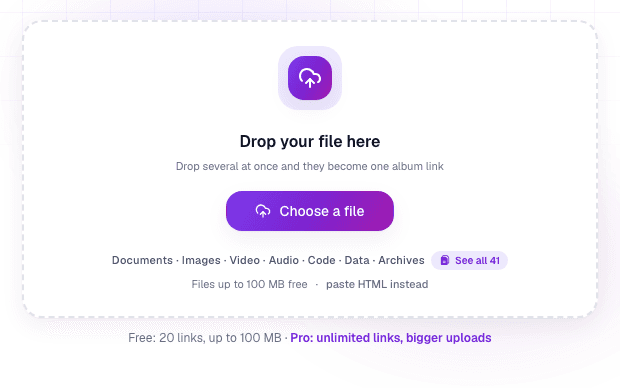
The trade-off is size: 250 MB per file and 500 MB in total on the free plan, with 20 live links at a time, and 500 MB per file on Pro. For a 40 GB camera dump, SwissTransfer is the right call. For the documents, videos and images that need to keep working, a permanent link is.
Which should you use?
- Over 5 GB, sent once: SwissTransfer. Note the day-12 email if the recipient needs more than two weeks.
- Under 5 GB, sent once, no account: TransferNow or SwissTransfer.
- Anything that needs to keep working, or that you want to track: a permanent link. Upload a file and share the link it gives you.
SwissTransfer limits are quoted from Infomaniak's support FAQ, updated 17 September 2026. The download cap is set on the send form. Limits change, so confirm on SwissTransfer's own pages before you rely on a number.
Quick answers
How long do SwissTransfer links last?
15 days by default. Infomaniak's support FAQ says files are deleted automatically after 15 days. On day 12 the sender gets an email offering to extend the transfer to up to 30 days, and that offer stays open for 3 days. If you miss it, the files are deleted on day 15.
Is SwissTransfer still 30 days?
Not by default. Many guides still say 30 days, but Infomaniak's current FAQ (updated September 2026) gives 15 days as the standard lifetime, with 30 days only if the sender accepts the extension email on day 12.
Can I recover an expired SwissTransfer link?
No. Infomaniak says an expired link can't be reactivated or extended. You have to upload the files again and send a new link.
What is the SwissTransfer size limit?
50 GB per transfer, free and without an account. That is the biggest free allowance among the common transfer services, ahead of TransferNow's 5 GB and WeTransfer's 3 GB a month.
Is SwissTransfer safe?
It is run by Infomaniak and stores files in Switzerland, and you can add a password and cap the number of downloads. The password protects the download page rather than encrypting the file end to end, so for sensitive files treat the link itself as the key and don't post it publicly.
What should I use when the file must stay online longer than 30 days?
A host that gives the file a permanent link instead of a timed transfer. Link in Seconds links never expire on the free plan, open in the browser and show who viewed them. The trade-off is size: a free file can be up to 250 MB rather than 50 GB.
Go deeper
Turn any file into a link in seconds
Upload a PDF, image, video, or ZIP and get a clean, trackable link with a QR code, free.
Try Link in Seconds →