Send large files on iMessage
Text a link instead of the file: full quality, no size wall, and it opens on iPhone and Android.
Suelta tu archivo aquí
Suelta varios a la vez y se convierten en un enlace de álbum
o pega una imagen Ctrl+V
Free up to 5 MB, no card. Bigger files: 7 days free, then from $3/mo. Cancel anytime. See plans
“Mis alumnos coincidieron en que era fácil de usar y funcionaba perfecto.”
How do I send a large file on iMessage?
Upload the file to a site that gives you a link, then paste the link into Messages. iMessage struggles with attachments over about 100 MB and can send videos at lower quality. A link carries the original file, opens in any browser on iPhone or Android, and lasts longer than Mail Drop's 30 days.
- personas compartiendo archivos
- 5.500+
- enlaces compartidos
- 11.400+
- aperturas
- 39.900+
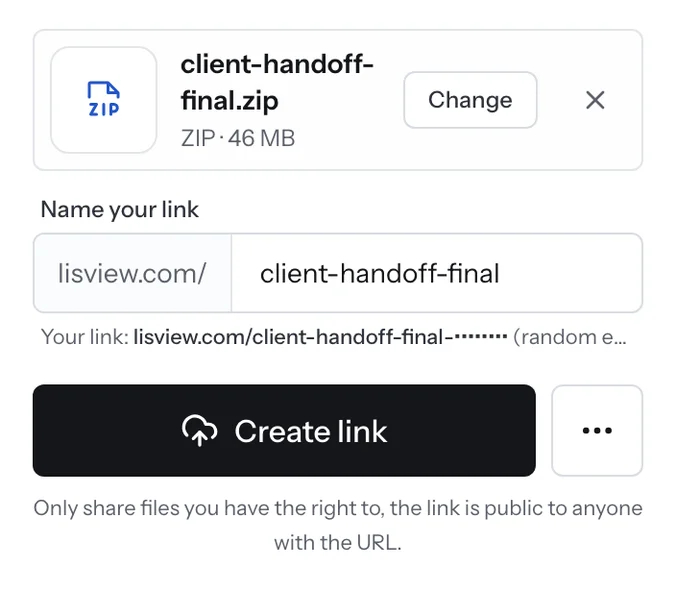
Send a large file on iMessage in 3 steps
Upload the file
Open this page on your iPhone and pick the video or file from Photos or Files.
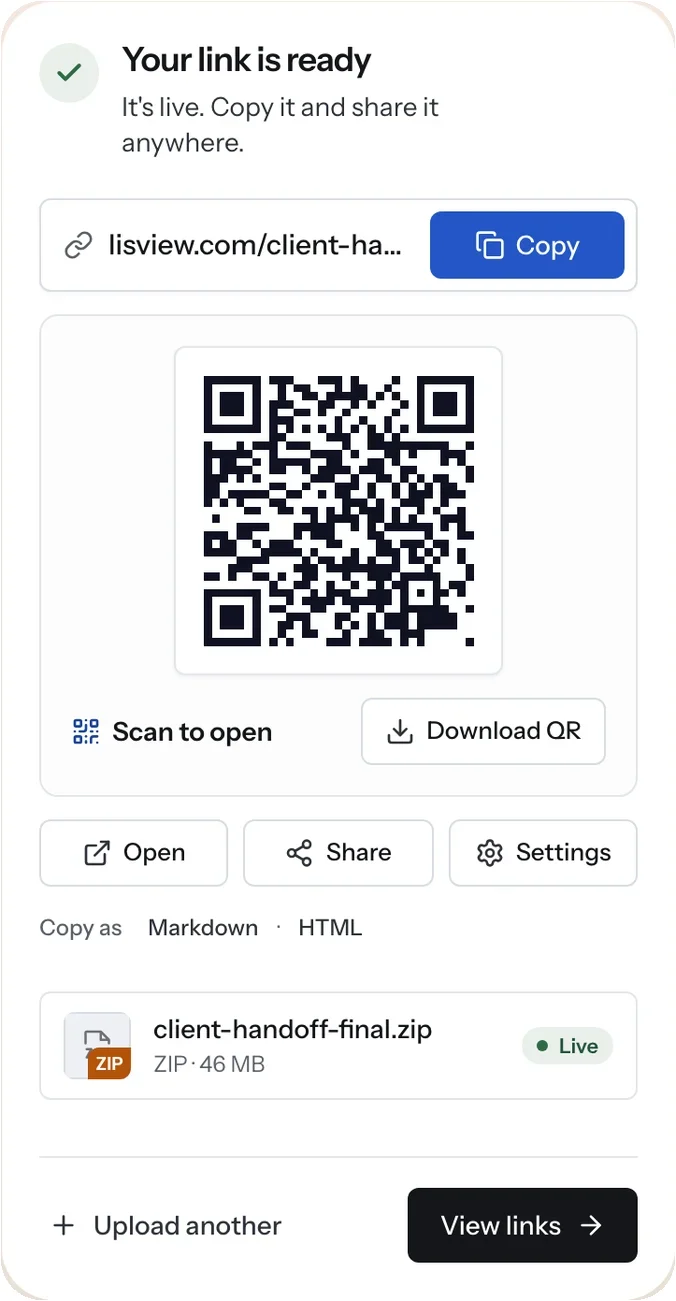
Copy the link
You get a short link and a QR code. Add a password if it is private.
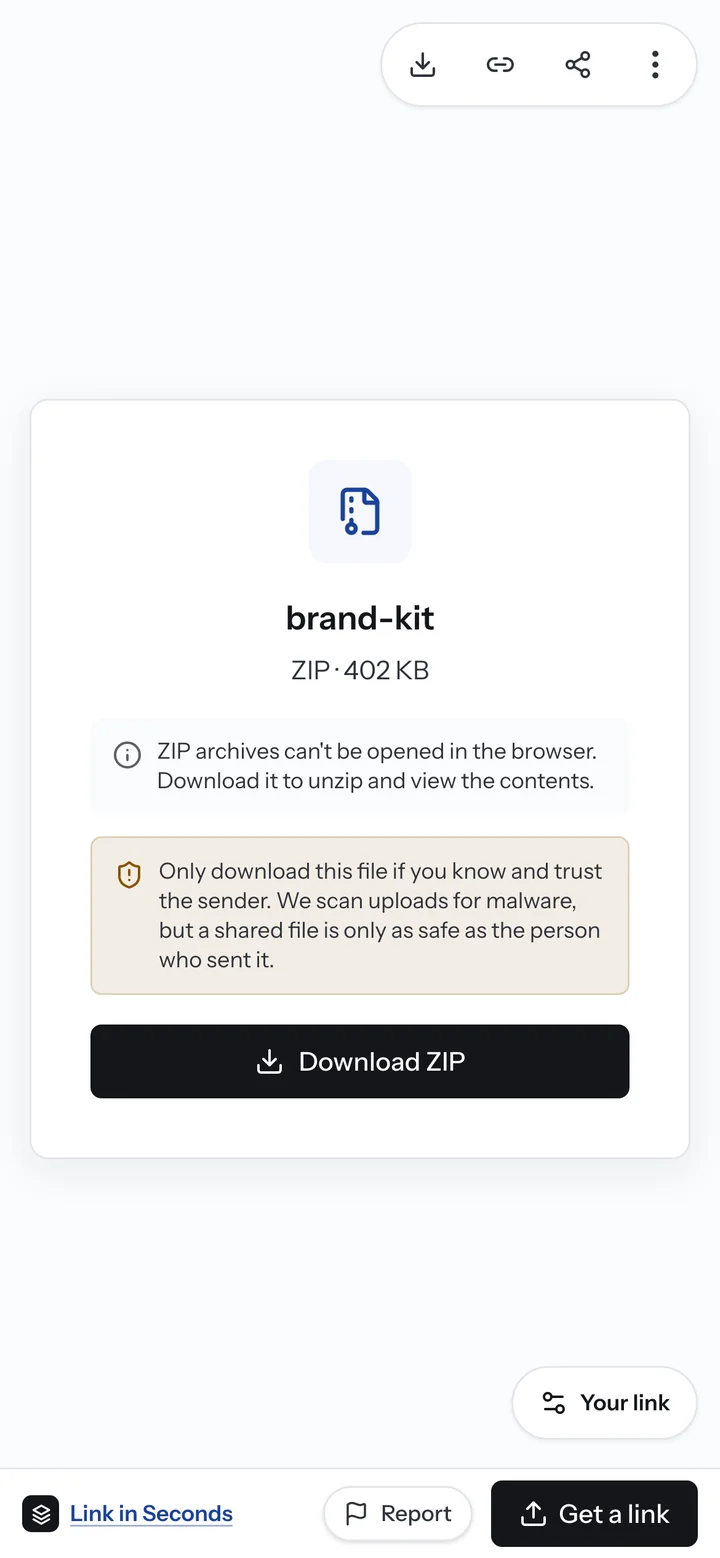
Paste it in Messages
Paste the link into the chat. It opens on iPhone, Android or a computer.
Así se ve
Why text a link instead of the file?
The video keeps its quality
The link opens the exact file you uploaded, so a 4K clip stays 4K. Nothing is squeezed to fit a message.
It works for Android friends too
Messages to Android phones can fall back to MMS, which carriers cap at small sizes. A link is just text, so it arrives on any phone.
It doesn't disappear after 30 days
Mail Drop files and iCloud photo links expire after 30 days. A link here has no end date unless you set one.
You see when it was opened
Each open shows the day, device and country, so you know the family video was actually watched.
A link compared with Apple's own options
Link in Seconds link
- Largest file
- 10 GB
- Keeps full video quality
- Sí
- Opens on Android
- Sí
- How long it lasts
- No end date unless you set one
- See when it was opened
- Sí
- Password or end date
- Sí
iMessage
- Largest file
- About 100 MB (reported)
- Keeps full video quality
- Not always
- Opens on Android
- Via MMS, small files
- How long it lasts
- In the chat
- See when it was opened
- Read receipts only
- Password or end date
- No
Mail Drop
- Largest file
- 5 GB
- Keeps full video quality
- Sí
- Opens on Android
- Sí
- How long it lasts
- 30 days
- See when it was opened
- No
- Password or end date
- No
iCloud Photos link
- Largest file
- Your iCloud storage
- Keeps full video quality
- Sí
- Opens on Android
- Sí
- How long it lasts
- 30 days
- See when it was opened
- No
- Password or end date
- No
Lo que dice la gente
“El panel de administración es increíblemente intuitivo y está pensado justo como razona un usuario. Mis alumnos coincidieron en que era fácil de usar y funcionaba perfecto.”
“La app es de verdad agradable y fácil de manejar. Tengo todos mis enlaces de apps en un solo lugar, mis capturas de la App Store y Play Store, y organizo mis imágenes y PDF en álbumes con etiquetas. Con tanto almacenamiento, todo vive aquí.”
“Manejo contratos, facturas y archivos legales para varias organizaciones distintas, así que casi todo lo que envío va protegido con contraseña. Link in Seconds lo hace sencillo, y tengo mi portafolio en un dominio propio. Es fácil de usar y de verdad económico.”
Todas las funciones de enlace en todos los planes
Los planes solo se diferencian en capacidad (enlaces, almacenamiento y tamaño de archivo) y en las páginas HTML y el alojamiento web.
Pro mensual
$9/mes
se cobra cada mes, cancela cuando quieras
- Enlaces ilimitados
- 100 GB de almacenamiento
- 10 GB por archivo
- Todas las funciones de enlace incluidas
- Páginas HTML y alojamiento web
Lifetime
$149$99una vez
un solo pago, sin renovaciones
- Enlaces ilimitados
- 200 GB de almacenamiento
- 10 GB por archivo
- Todas las funciones de enlace incluidas
- Páginas HTML y alojamiento web
Pro anual
$4.08/mes
se cobra $49 al año
- Ahorra un 55% frente al pago mensual
- Enlaces ilimitados
- 100 GB de almacenamiento
- 10 GB por archivo
- Todas las funciones de enlace incluidas
Prueba gratis de 7 días, luego $9/mes + impuestos. 0 $ hoy, cancela cuando quieras.O comparte archivos de hasta 5 MB gratis, sin tarjeta.
¿Vienes de WeTransfer, DocSend o tiiny.host? Mira las comparativas
Questions about sending large files on iMessage
Los detalles
What are the limits?
- Apple doesn't publish an iMessage size limit. Tests usually report about 100 MB per message, and big videos may be sent at lower quality.
- Here you can upload files up to 10 GB each. Files up to 5 MB are free with no card. Small takes files up to 3 GB ($3/month) and Pro up to 10 GB ($9/month), both after a 7-day free trial.
- Links have no expiry date unless you set one. If a plan ends and your files are over the free 5 MB, links pause until you subscribe or delete files; nothing is deleted.
What is the iMessage file size limit?
Apple doesn't publish one. Most tests report about 100 MB per message, and long videos picked from Photos are often sent at lower quality. Texts to Android phones without iMessage can fall back to MMS, where the carrier sets a much smaller limit.
File size limits for 14 appsWhy do videos look blurry in Messages?
Messages can shrink big videos so they send faster, and a setting called Low Quality Image Mode (Settings, Apps, Messages) lowers image quality further. A link avoids both, because the person streams the original file.
Send a video without losing qualityShould I use Mail Drop instead?
Mail Drop is good for a one-time send up to 5 GB from the Mail app, but the person has 30 days to download it, and they get a download link, not a player. A link here plays in the browser and keeps working after 30 days.
Why iCloud links expireCan I keep the video private?
Yes. Add a password, an end date or a view limit, or turn off downloads so people can only watch. Links aren't listed anywhere or shown in search engines.
Share a video with a passwordWho sends big files from Messages this way?
- Families. Share a birthday video with every grandparent, on any phone, in full quality.
- Video creators. Text a client the cut, and see when they watched it.
- Coaches. Send game or training footage to a whole team group chat.
- Designers. Text a big PDF or ZIP that would never fit in a message.
Todo lo que puede hacer un enlace
- Nombre personalizado: Un enlace que la gente recuerda. Nombra el enlace tú mismo en vez de un código aleatorio. lisview.com/tu-nombre se ve limpio en un correo, una diapositiva o bajo un QR. Bloquea palabras reservadas y el enlace siempre funciona. Conserva el nombre y cambia el archivo detrás.
- Protección con contraseña: Bloquéalo para las personas correctas. Añade una contraseña y el archivo queda sellado hasta que alguien la escribe. El enlace se puede reenviar y solo se abre para quien la tiene. Con hash, nunca en texto plano. Se aplica al archivo, no solo a la página.
- Caducidad y límite de vistas: Enlaces que se cierran solos. Pon una fecha final o un tope de vistas y el enlace se detiene solo. Envía un presupuesto que caduca el viernes, o una vista previa que se cierra tras cinco aperturas. Por fecha, o tras N vistas, o ambos. Reábrelo cuando quieras quitando el límite.
- Código QR: Un código listo para imprimir en cada enlace. Cada enlace incluye un código QR nítido, en todos los planes. Ponlo en un menú, un folleto, una etiqueta o una caja, y abre el mismo enlace que si lo tocaran. Descárgalo como SVG o PNG, a cualquier tamaño. Cambia el archivo después, el código impreso sigue sirviendo.
- Seguimiento de vistas: Entérate en cuanto lo abran. Mira cuántas personas abrieron el enlace y cuándo, con todo el detalle: referencias, dispositivos, países y aperturas QR vs. directas. Incluido en cada plan. Un contador en tiempo real en cada enlace, sin configurar nada. Recibe un correo al abrirse por primera vez.
Text your next big file as a link
Upload the file, copy the link and paste it into Messages.
Free up to 5 MB, no card. Bigger files: 7 days free, then from $3/mo. Cancel anytime. See plans