Gmail attachment size limit
Gmail allows 25 MB per email. Here is how to send bigger files.
Suelta tu archivo aquí
Suelta varios a la vez y se convierten en un enlace de álbum
o pega una imagen Ctrl+V
Free up to 5 MB, no card. Bigger files: 7 days free, then from $3/mo. Cancel anytime. See plans
“Mis alumnos coincidieron en que era fácil de usar y funcionaba perfecto.”
What is the Gmail attachment size limit?
Gmail lets you attach up to 25 MB per email on a personal account, and that counts all the attachments together. Because email adds extra data to every attachment, the biggest file that really fits is about 18 MB. If your file is bigger, Gmail puts it in Google Drive and adds a Drive link, or you can send your own link.
- personas compartiendo archivos
- 5,500+
- enlaces compartidos
- 11,400+
- aperturas
- 39,900+
How to send a file bigger than 25 MB in Gmail
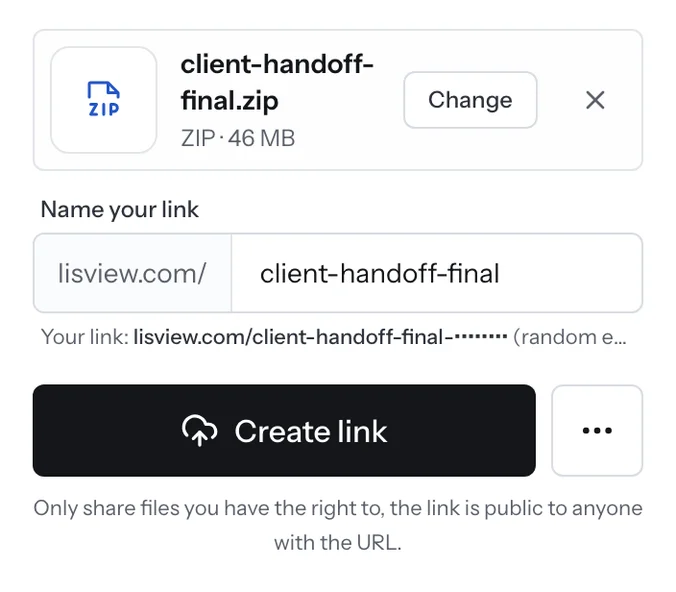
Upload the file
Drop the file into the box above, or pick several files to make one album link.
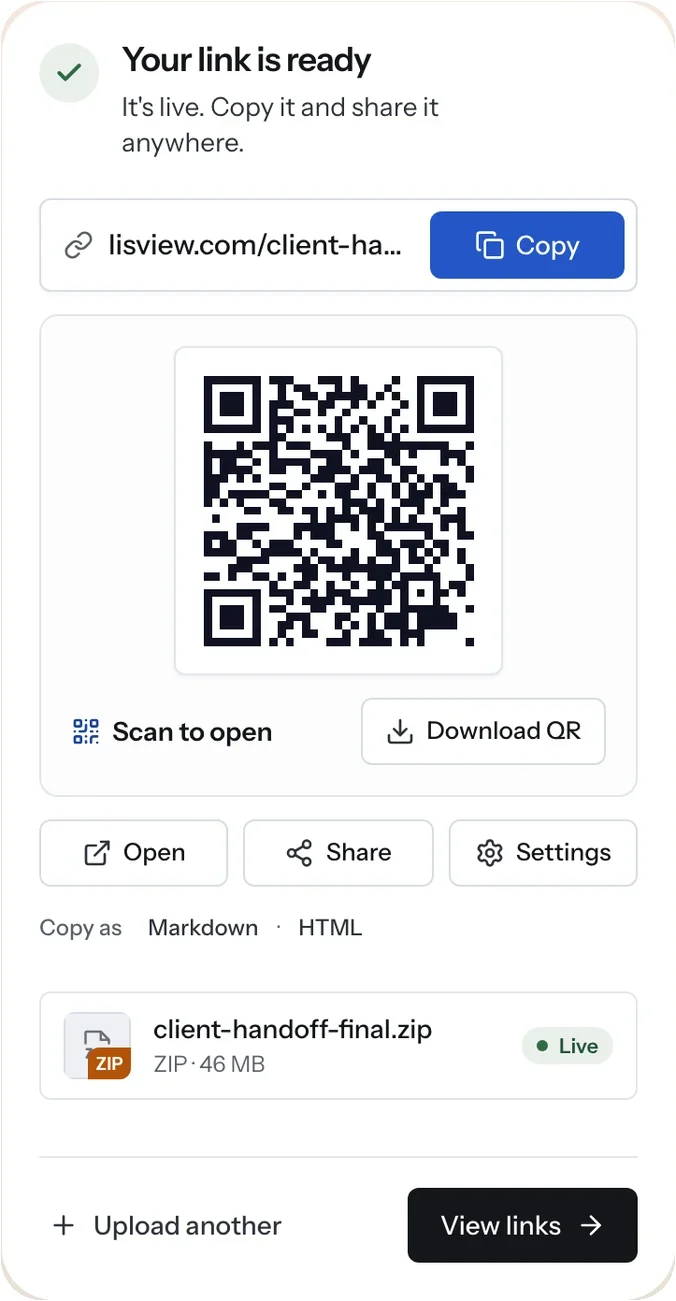
Copy the link
You get a short link and a QR code. Add a password or an end date if you want.
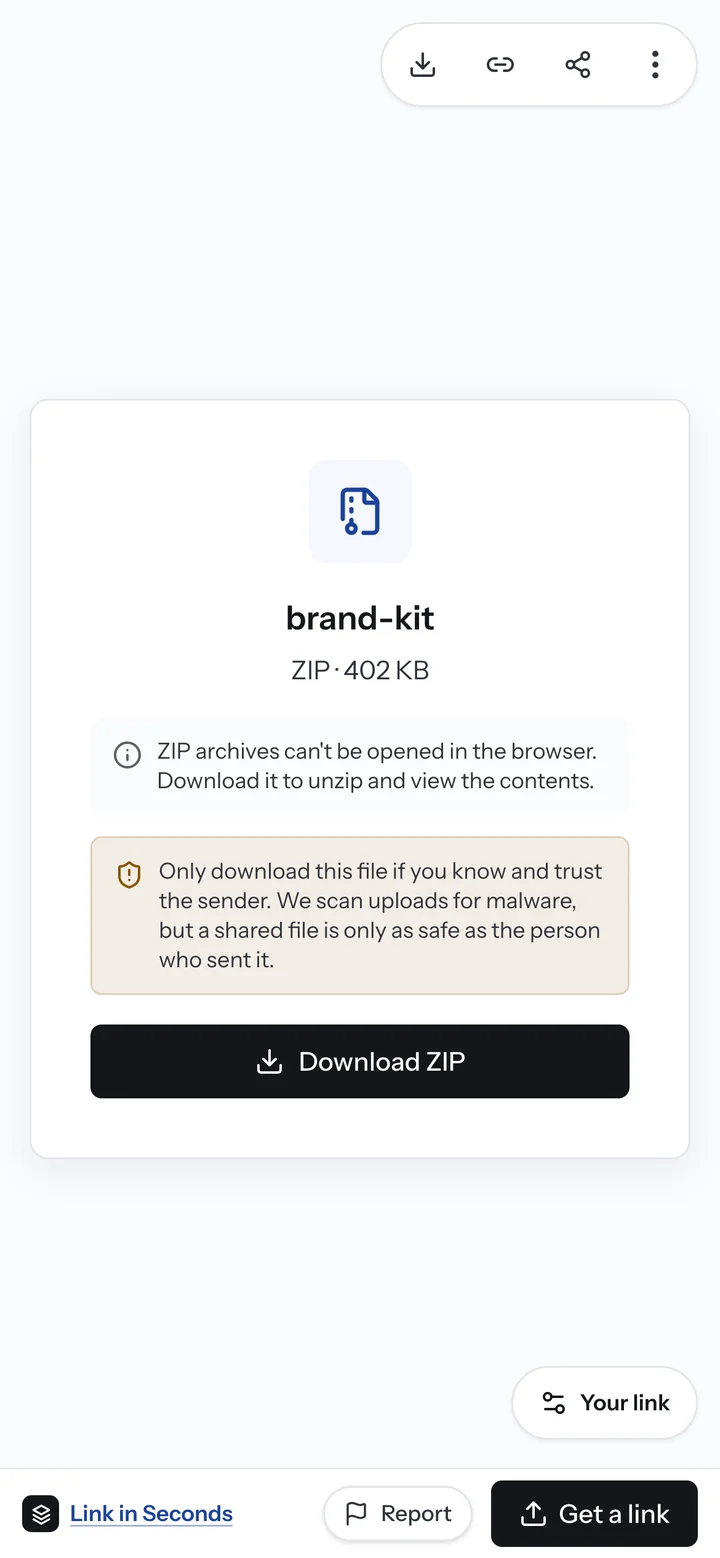
Paste it in your email
Paste the link into your message. The email stays small, so it won't bounce.
Así se ve
How does Gmail's 25 MB limit work?
The limit is per email, not per file
Three 10 MB photos are too much for one email, even though each photo is small. All the attachments are added together.
The real limit is about 18 MB
Email turns attachments into text before sending them, which makes them about a third bigger. Gmail measures that bigger size.
Bigger files go to Google Drive
If you attach a file over the limit, Gmail uploads it to your Google Drive and puts a Drive link in the email instead.
You can send your own link
Upload the file here and paste the link into the email. It opens in any browser without a Google account, and you see when it was opened.
Ways to send a file over Gmail's 25 MB limit

Link in Seconds link
- Largest file
- 10 GB per file
- What the other person needs
- A web browser
- The email stays small
- Sí
- See when it was opened
- Sí
- Password or end date
- Sí
Google Drive link
- Largest file
- 15 GB free
- What the other person needs
- Access to your Drive file
- The email stays small
- Sí
- See when it was opened
- No
- Password or end date
- No
Zip the file
- Largest file
- Still 25 MB
- What the other person needs
- An app to unzip it
- The email stays small
- No
- See when it was opened
- No
- Password or end date
- Password only
Split into emails
- Largest file
- 25 MB per email
- What the other person needs
- To put the parts back together
- The email stays small
- No
- See when it was opened
- No
- Password or end date
- No
Lo que dice la gente
“El panel de administración es increíblemente intuitivo y está pensado justo como razona un usuario. Mis alumnos coincidieron en que era fácil de usar y funcionaba perfecto.”
“La app es de verdad agradable y fácil de manejar. Tengo todos mis enlaces de apps en un solo lugar, mis capturas de la App Store y Play Store, y organizo mis imágenes y PDFs en álbumes con etiquetas. Con tanto almacenamiento, todo vive aquí.”
“Manejo contratos, facturas y archivos legales para varias organizaciones distintas, así que casi todo lo que envío va protegido con contraseña. Link in Seconds lo hace sencillo, y tengo mi portafolio en un dominio propio. Es fácil de usar y de verdad económico.”
Todas las funciones de enlace en todos los planes
Los planes solo se diferencian en capacidad (enlaces, almacenamiento y tamaño de archivo) y en las páginas HTML y el alojamiento web.
Pro mensual
$9/mes
se cobra cada mes, cancela cuando quieras
- Enlaces ilimitados
- 100 GB de almacenamiento
- 10 GB por archivo
- Todas las funciones de enlace incluidas
- Páginas HTML y alojamiento web
Lifetime
$149$99una vez
un solo pago, sin renovaciones
- Enlaces ilimitados
- 200 GB de almacenamiento
- 10 GB por archivo
- Todas las funciones de enlace incluidas
- Páginas HTML y alojamiento web
Pro anual
$4.08/mes
se cobra $49 al año
- Ahorra un 55% frente al pago mensual
- Enlaces ilimitados
- 100 GB de almacenamiento
- 10 GB por archivo
- Todas las funciones de enlace incluidas
Prueba gratis de 7 días, luego $9/mes + impuestos. 0 $ hoy, cancela cuando quieras.O comparte archivos de hasta 5 MB gratis, sin tarjeta.
¿Vienes de WeTransfer, DocSend o tiiny.host? Mira las comparativas
Questions about Gmail's attachment size limit
Los detalles
What are the limits?
- Personal Gmail accounts can send 25 MB per email. That is about 18 MB of files once the email is encoded.
- Work and school accounts can be different. Your Google Workspace admin decides the sending and receiving limits.
- Some files are blocked. Programs such as .exe files can't be attached, even inside a ZIP file.
Why can't I send a 20 MB file in Gmail?
Because email sends attachments as text, which makes them about 37% bigger. A 20 MB file becomes about 27 MB on the way, and that is over the 25 MB limit. To be safe, keep the attachments in one email under about 18 MB.
Check a file against Gmail and other inboxesDoes the other person's inbox have a limit too?
Yes, and it can be lower than Gmail's. Many work and school email servers stop messages at 10 MB. An email can leave Gmail without a problem and then bounce at the other end, sometimes hours later. If you don't know their limit, a link is the safe choice.
What happens if I attach a file over 25 MB?
Gmail doesn't attach it. It uploads the file to your Google Drive and puts a Drive link in the email. If the file isn't shared with the other person, Gmail asks you to change the sharing. If you skip that step, they see a page asking them to request access.
How to fix the 'file too large' message in GmailWill zipping the file make it small enough?
Usually not. Videos, photos and most PDFs are already compressed, so a ZIP saves very little space. Zipping does help with folders of text files, spreadsheets or raw data, and it's handy when you want to send many files at once.
Is the limit different for work or school Gmail?
It can be. On Google Workspace accounts, the admin sets the limits for sending and receiving attachments. Ask your admin, or send yourself a test file of a known size. Files over the limit still go to Google Drive in the same way.
Who hits Gmail's attachment limit most often?
- Photographers. A few full-resolution photos already pass 25 MB. One album link sends the whole set.
- Agencies. Presentations with video and big design files go out as one link that opens on any device.
- Designers. Send all the source files as one ZIP link instead of five separate emails.
- Teachers. Share lecture recordings and course files that students can open without a Google account.
Todo lo que puede hacer un enlace
- Nombre personalizado: Un enlace que la gente recuerda. Nombra el enlace tú mismo en vez de un código aleatorio. lisview.com/tu-nombre se ve limpio en un correo, una diapositiva o bajo un QR. Palabras reservadas bloqueadas, siempre resuelve. Conserva el nombre y cambia el archivo detrás.
- Protección con contraseña: Bloquéalo para las personas correctas. Añade una contraseña y el archivo queda sellado hasta que alguien la escribe. El enlace se puede reenviar y solo se abre para quien la tiene. Con hash, nunca en texto plano. Se aplica al archivo, no solo a la página.
- Caducidad y límite de vistas: Enlaces que se cierran solos. Pon una fecha final o un tope de vistas y el enlace se detiene solo. Envía un presupuesto que caduca el viernes, o una vista previa que se cierra tras cinco aperturas. Por fecha, o tras N vistas, o ambos. Reábrelo cuando quieras quitando el límite.
- Código QR: Un código listo para imprimir en cada enlace. Cada enlace incluye un código QR nítido, en todos los planes. Ponlo en un menú, un folleto, una etiqueta o una caja, y abre el mismo enlace que un toque. Descárgalo como SVG o PNG, a cualquier tamaño. Cambia el archivo después, el código impreso sigue sirviendo.
- Seguimiento de vistas: Sabe el momento en que se abre. Mira cuántas personas abrieron el enlace y cuándo, con todo el detalle: referencias, dispositivos, países y aperturas QR vs. directas. Incluido en cada plan. Un conteo en vivo en cada enlace, sin configurar. Recibe un correo al abrirse por primera vez.
Send your file as a link instead
Upload the file, copy the link and paste it into your Gmail message.
Free up to 5 MB, no card. Bigger files: 7 days free, then from $3/mo. Cancel anytime. See plans