WeTransfer vs Google Drive vs Dropbox: which should you actually send with?
WeTransfer vs Drive vs Dropbox
These three get compared as if they were competitors. They are not really the same product at all, and that is why picking between them feels confusing: one is a countdown, one is a permissions system, and one is a storage subscription with a transfer button bolted to the side.
Once you see which one you are actually holding, the choice takes about five seconds. Here is the head-to-head, the three specific ways each one fails, and a two-question test.
The short answer
- WeTransfer is best for a one-off delivery to an outsider. 3 GB a month free, the recipient needs no account, and the link dies in about three days.
- Google Drive is best when the file must stay available. No expiry, but the recipient can hit a request access wall and you will never be told.
- Dropbox is best if you already pay for it. On the free plan its transfer cap is too small to be useful.
- None of the three gives you a clean, permanent, trackable public link. That is a fourth category, and it is the one Link in Seconds was built for.
They are three different products
WeTransfer is a countdown
You are renting temporary space. The whole design (no folder, no permissions, nothing for the recipient to sign in to) only works because the file is going to be deleted shortly. The current free plan sends up to 3 GB, allows roughly ten transfers a month, and keeps the link for about three days. Expiry is not a limitation they forgot to remove; it is the business model.
Google Drive is a permissions system
Drive is built for files that belong to someone and are shared with someone else. Every link carries an access rule, and that rule can change without you touching the link: an admin tightens a default, the file moves into a Shared Drive, a folder is restricted, someone opens it while signed into the wrong Google account. The URL keeps working, but the person stops working.
Dropbox is a subscription with a transfer feature
Dropbox Transfer is genuinely good: proper delivery links, download confirmations, expiry control. But the free Basic account gives you 2 GB of storage and a transfer ceiling around 100 MB, which rules out most of the reasons you would want it. The good limits start on paid plans, so evaluate it as "a Dropbox subscription", not as a free tool.
Head to head
| Tool | Free limit | Link lifetime | What the recipient does | Where it breaks | Paid entry |
|---|---|---|---|---|---|
| Link in Seconds RecommendedA public link, on purpose | 250 MB per file, 20 links | No timer | Opens the page, no account, ever | Not built for multi-gigabyte files | $9/mo |
| WeTransferTemporary delivery | 3 GB per send, ~10 a month | ~3 days | Clicks, downloads, done | The timer, link is gone by next week | Around $8/mo |
| Google DriveStorage plus permissions | 15 GB shared with Gmail and Photos | No timer | May be asked to sign in or request access | Permission walls and moved files | From about $2/mo (Google One) |
| DropboxSync-first storage | 2 GB storage, ~100 MB transfer | ~7 days on a transfer | Clicks, downloads, done | The free tier is too small to use | About $12/mo |
Link in Seconds Recommended
A public link, on purpose
- Free limit
- 250 MB per file, 20 links
- Link lifetime
- No timer
- What the recipient does
- Opens the page, no account, ever
- Where it breaks
- Not built for multi-gigabyte files
- Paid entry
- $9/mo
WeTransfer
Temporary delivery
- Free limit
- 3 GB per send, ~10 a month
- Link lifetime
- ~3 days
- What the recipient does
- Clicks, downloads, done
- Where it breaks
- The timer, link is gone by next week
- Paid entry
- Around $8/mo
Google Drive
Storage plus permissions
- Free limit
- 15 GB shared with Gmail and Photos
- Link lifetime
- No timer
- What the recipient does
- May be asked to sign in or request access
- Where it breaks
- Permission walls and moved files
- Paid entry
- From about $2/mo (Google One)
Dropbox
Sync-first storage
- Free limit
- 2 GB storage, ~100 MB transfer
- Link lifetime
- ~7 days on a transfer
- What the recipient does
- Clicks, downloads, done
- Where it breaks
- The free tier is too small to use
- Paid entry
- About $12/mo
Third-party plan details checked September 2026 from each provider's public pricing pages; they change regularly, so confirm before relying on a number.
Three ways your link breaks
1. The timer (WeTransfer)
You send a deliverable on Monday. The client opens the email on Thursday, the link is dead, and you look disorganised for something that was entirely the tool's design. There is no warning to the recipient and no notification to you. They just see an expired page. This is the single most common complaint about transfer services, and it is unfixable on a free plan.
2. The permission wall (Google Drive)
Drive links do not expire, so people assume they are safe to reuse, in a signature, a job application, a portfolio. Then something changes upstream: the folder's sharing is tightened, the file gets moved, the recipient is signed into a personal account instead of their work one. They see You need access. You see nothing at all until someone emails you.
Worse, a request-access screen is not diagnostic. It only tells the viewer that this account cannot open the file, not that the link is broken for everyone. So you cannot easily reproduce it from your side, where you are the owner and everything works.
3. The size cap (Dropbox free)
Nothing breaks so much as never starts. The free Dropbox transfer ceiling is below the size of most screen recordings, so the first real file you try to send bounces you into a pricing page. That is a fine deal if you already wanted the storage, and an annoyance if you just wanted to turn one video into a link.
The two-question test
- Will anyone need this link more than a week from now? If no, use a transfer service and pick on size. If yes, transfer services are out.
- Is the recipient inside your organisation? If yes, a cloud drive is right, permissions are a feature there. If no, permissions are the thing that will bite you, and you want a plain public link.
A public link that must keep working
Link in Seconds Recommended
No timer, no permission wall, opens in the browser for anyone, the fourth category none of the other three covers.
One big file, one person, today
WeTransfer
The recipient never signs in, nothing to configure, and the timer does not matter for a same-week delivery.
A document your team works on
Google Drive
Permissions and version history are the point. Just do not use it for public links.
You already pay for Dropbox
Dropbox Transfer
Big ceilings, expiry control and download confirmations, already included in what you pay.
The fourth category nobody mentions
There is a gap all three leave open: a link that is public on purpose, permanent, and tells you when it was opened. Not a transfer with a countdown, not a drive file wrapped in access rules, just an address that renders your file in the browser.
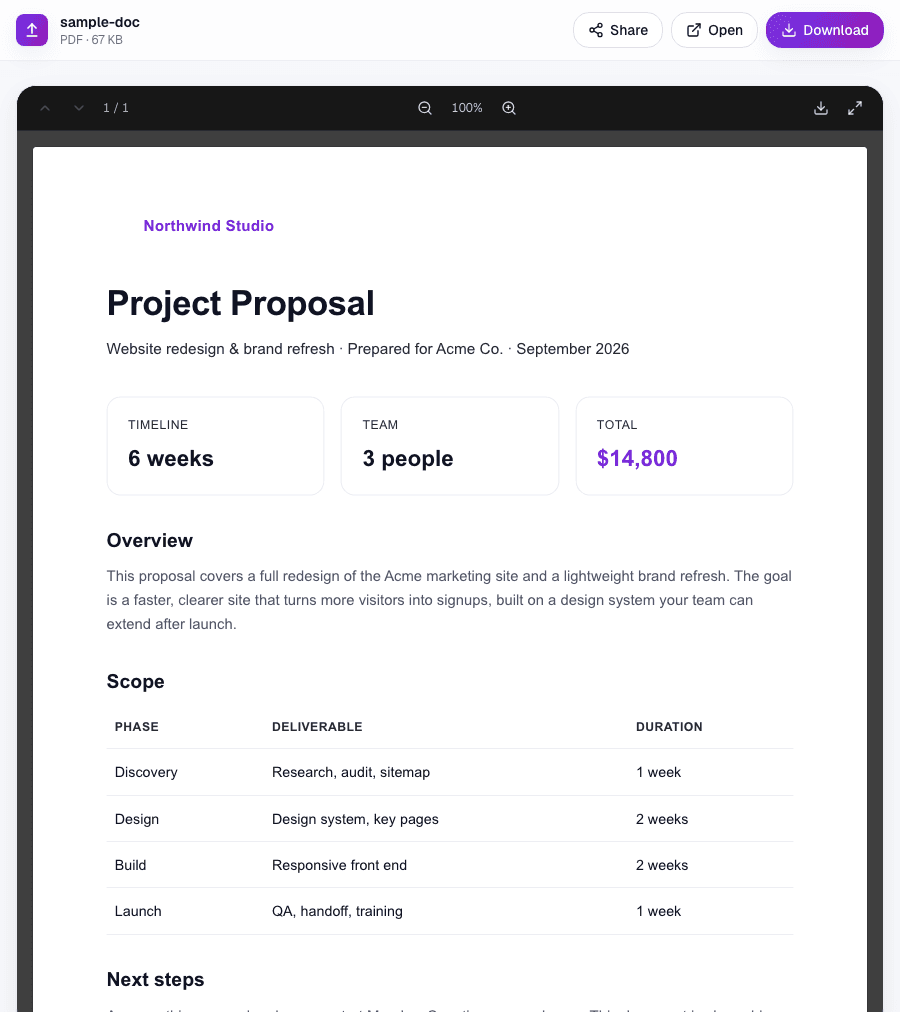
That is what Link in Seconds does. You upload a file and get something like lisview.com/proposal. It opens in any browser with no download step, it does not expire, it comes with a QR code, and it counts views so you know the proposal was read. Free covers files up to 250 MB and 20 links. Every plan includes passwords, expiry dates when you want one, view-only mode and custom slugs; Pro adds more links, more storage and bigger files.
The honest limit: it is built around files in the hundreds of megabytes, not tens of gigabytes. For a 40 GB camera dump, use a transfer service. We compared eight of them in the WeTransfer alternatives roundup.
Quick reference
- Sending a huge file once: WeTransfer, or SwissTransfer if 3 GB is not enough.
- Collaborating internally: Google Drive or Dropbox, pick whichever your team already lives in.
- Anything printed, published, or reused: a permanent hosted link. Nothing with a countdown or a login screen belongs on a QR code.
- You need to know it was opened: none of the three tell you reliably on a free plan. See how to know if someone opened your PDF.
Common questions
Is WeTransfer or Google Drive better?
For a one-off delivery to someone outside your company, WeTransfer wins, no account for the recipient, no permissions. For anything that must still work next month, Google Drive, because it has no expiry timer. They fail in opposite directions.
Why does my Drive link ask people to request access?
Usually one of four things: the file is not set to "anyone with the link", the viewer is on a different Google account, the file moved between My Drive and a Shared Drive, or an admin changed external-sharing defaults. Test it in a private window while signed out. That is the only way to see what your recipient sees.
Is Dropbox Transfer free?
There is a free tier, but its ceiling is around 100 MB, which is smaller than most video files. The useful sizes are on paid plans.
What about sending a whole folder?
All three handle it, in three different ways: WeTransfer zips it, Drive shares a folder with its own permissions, Dropbox syncs it. If you want a folder that opens as one browsable page with no zip and no permissions, see share a folder of files with one link.
Turn any file into a link in seconds
Upload a PDF, image, video, or ZIP and get a clean, trackable link with a QR code, free.
Try Link in Seconds →