How to share multiple PDFs as one link (without zipping or merging)
Share multiple PDFs as one link
You have a set of documents to send at once, say three assignment PDFs plus an answer key, or a proposal with two case studies, or a resume, cover letter, and portfolio. Sending them together is where it falls apart. Five attachments bounce off the size limit, a merged mega-file loses the separate names and order, and a Drive folder throws up a "request access" wall. There's a cleaner way: bundle the whole set into one link people just open in a browser. Here's an honest look at the options and how the one-link approach works.
Why sending several PDFs at once is such a pain
- Multiple attachments. Email caps attachments around 20-25 MB, so a handful of real documents blows past it. Some bounce, some get clipped, and the recipient scrolls a wall of "doc1.pdf, doc2.pdf" with no order to it.
- Merging them into one file. You can staple five PDFs into one with Acrobat, but now they're a single 40-page blob. The reader can't grab just the one they need, the file names are gone, and re-ordering means redoing the merge.
- A Google Drive or Dropbox folder. Fine until someone hits "You need access, request access," or gets pushed to sign into an account they don't have. Clients and less tech-savvy readers bounce off permission walls every time.
- Five separate links. Upload each PDF on its own and you're back to pasting a messy list of five URLs into a message and hoping nobody misses one.
The one-link approach: a bucket of documents
Instead of moving files around, move the problem: put all the documents in one place and share a single link to that place. Drop them in, get back one clean URL like linkinseconds.com/b/…, and send that. When someone opens it:
- It opens in any browser. No app to install, no account to create for the person reading it. Each PDF renders right in the page, with no download required to just look.
- Every document keeps its name and order. The reader sees the whole set laid out ("Assignment 1, Assignment 2, Answer key") instead of one anonymous blob.
- Each file also has its own link. Need to point someone at just the contract? Open or send that single document directly instead of the whole set.
- The link never changes. Add a document later (a revised draft, one more handout) and the same link keeps working. You don't re-send anything.
- You get a QR code and a view count. Print the QR on a handout or a slide, and see how many times the set has actually been opened.
Who this is for
- Teachers and tutors. Hand a class a week's worth of assignments, worksheets, and an answer key as one link (printed as a QR on the board if you like) instead of emailing five files.
- Freelancers and agencies. Send a proposal alongside two case studies and a rate card as a single link that looks tidy and opens instantly, no client portal to log into.
- Job seekers. Share a resume, cover letter, and portfolio PDF together as one link a recruiter opens in a tap.
- Anyone with paperwork. Onboarding documents, a set of invoices, contract plus appendices. One link beats five attachments every time.
One honest caveat: who can open it
A plain bucket link is viewable by anyone who has the URL. That's what makes it easy to share files online, but it also means the link isn't secret. For public handouts and general documents that's exactly right.
When the documents are sensitive (a contract, anything with personal or client data), put a password on the link and set an expiry date. For a PDF you want people to read but not keep, there's a view-only mode and a watermark. These are free on every plan and turn a shareable link into a genuinely private one.
How to do it with Link in Seconds
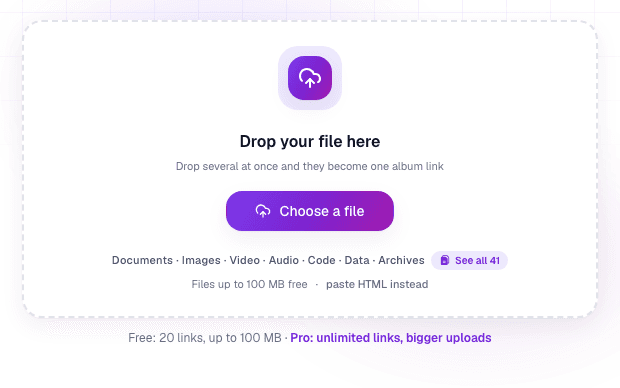
Open Link in Seconds and drop your documents onto the upload card. Sign in once with Google (one tap, no form, no card), and when you add more than one file they auto-bundle into a single link (linkinseconds.com/b/…), with each document rendered in the browser and reachable on its own link too. Copy it into an email or a message, or print the QR code. The people opening it never sign in.
Every link feature free, Pro when you need more room
You can start free. Bundle a few documents and share the link, with nobody signing up to read it. Every control is free: a password, an expiry date, view-only, a watermark, and analytics on who opened the set. Pro ($9/mo or $49/yr) only lifts the ceiling to unlimited links and bigger files. If you're sending a single document, the PDF link generator is the quick path, and for a mixed pile of files see how to share a folder of files with one link.
Turn any file into a link in seconds
Upload a PDF, image, video, or ZIP and get a clean, trackable link with a QR code, free.
Try Link in Seconds →