Share large files on Slack
Send big files with a link that also works for people outside Slack.
Solte seu arquivo aqui
Solte vários de uma vez e eles viram um único link de álbum
ou cole uma imagem Ctrl+V
Free up to 5 MB, no card. Bigger files: 7 days free, then from $3/mo. Cancel anytime. See plans
“Meus alunos disseram que era fácil de usar e funcionava perfeitamente.”
How do I share a large file on Slack?
Upload the file to a site that gives you a link, then paste the link into the channel or DM. Slack accepts files up to 1 GB, and free Slack workspaces hide files older than 90 days. A link has no Slack size limit, keeps working after 90 days and opens for people outside your workspace.
- pessoas compartilhando arquivos
- 5,500+
- links compartilhados
- 11,400+
- aberturas
- 39,900+
Share a large file on Slack in 3 steps
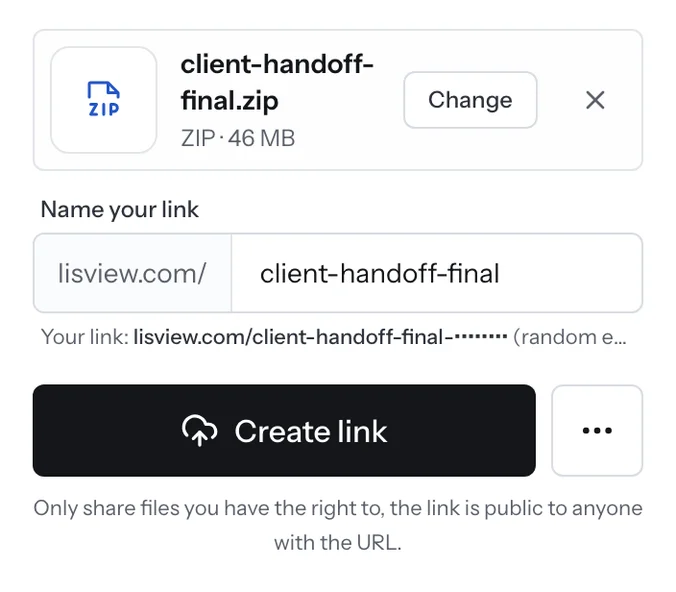
Upload the file
Drop the file into the box above, or pick several files to make one album link.
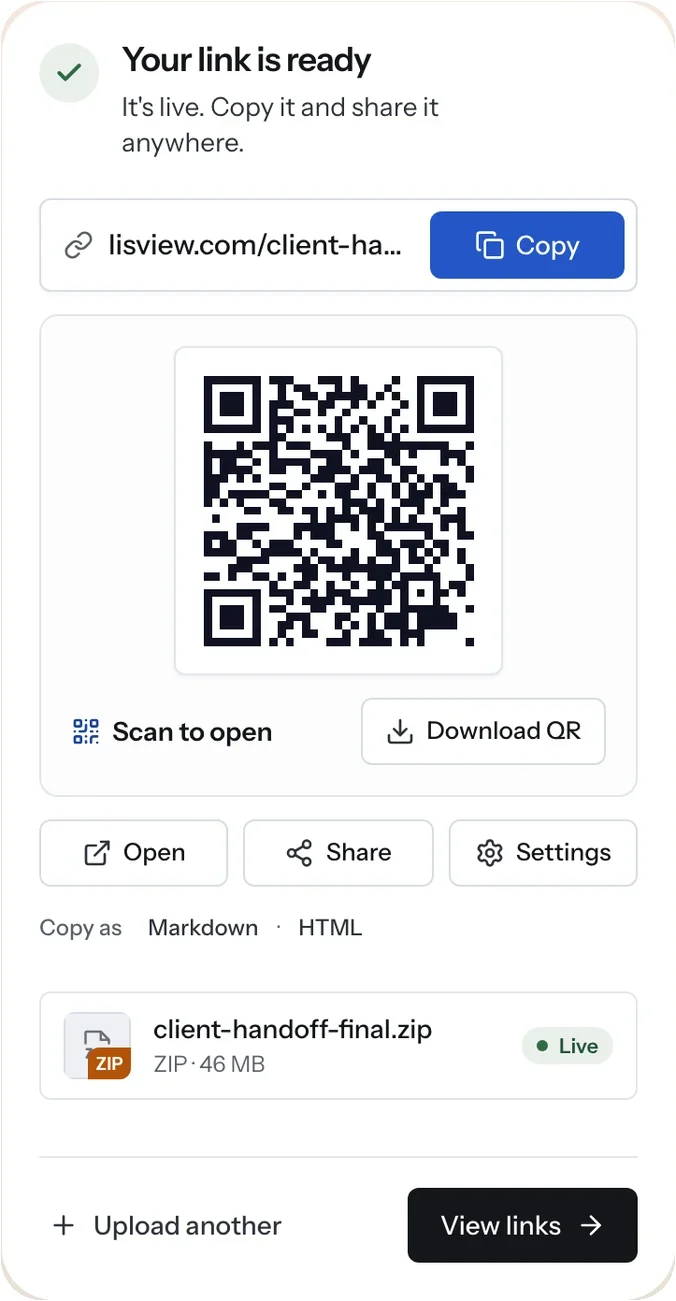
Copy the link
You get a short link and a QR code. Add a password if the file is confidential.
Paste it in Slack
Paste it into a channel or DM, and pin it if the team will need it again.
Como fica
Why share a link instead of uploading to Slack?
It's still there after 90 days
Free Slack hides messages and files older than 90 days. The file behind your link keeps working while your plan is active.
It opens for people outside Slack
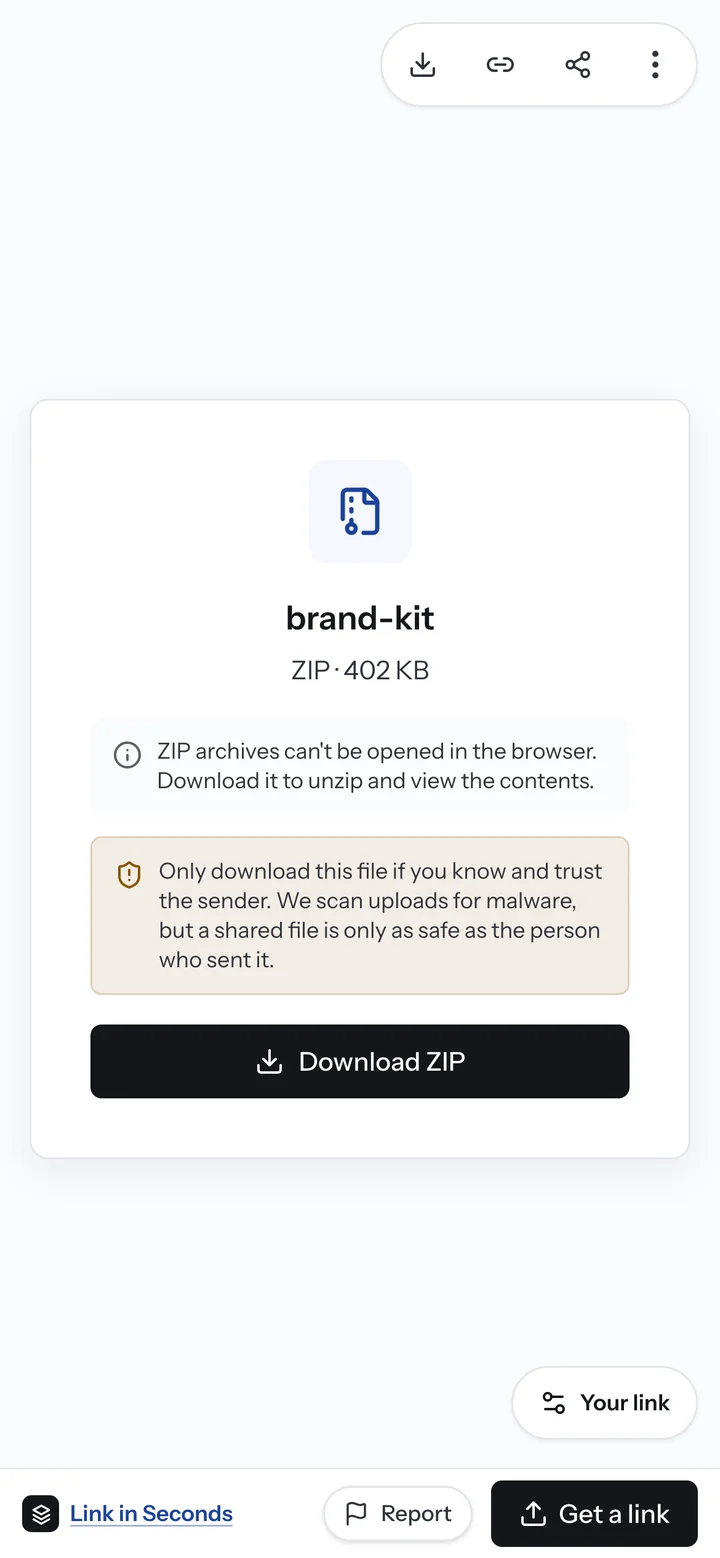
Clients and freelancers who aren't in your workspace open the same link in their browser. They don't need an invite or a guest account.
Big Office files get a preview
Slack shows no preview for Office files over 50 MB. Here Word and Excel files open as pages, PDFs open in a viewer and videos play.
It always opens the latest version
Upload a new version to the same link, and the link pinned in your channel opens it. No more files called final-v3.
A link compared with uploading to Slack

Link in Seconds link
- Largest file
- 10 GB
- Still visible after 90 days
- Sim
- Opens for people outside the workspace
- Sim
- See when it was opened
- Sim
- Password or end date
- Sim
Slack (free)
- Largest file
- 1 GB
- Still visible after 90 days
- Não
- Opens for people outside the workspace
- If your admin allows it
- See when it was opened
- Não
- Password or end date
- Não
Slack (paid)
- Largest file
- 1 GB
- Still visible after 90 days
- Sim
- Opens for people outside the workspace
- If your admin allows it
- See when it was opened
- Não
- Password or end date
- Não
Google Drive link
- Largest file
- 15 GB free
- Still visible after 90 days
- Sim
- Opens for people outside the workspace
- If shared publicly
- See when it was opened
- Não
- Password or end date
- Não
O que as pessoas dizem
“O painel de administração é incrivelmente intuitivo e montado exatamente como um usuário pensa. Meus alunos disseram que era fácil de usar e funcionava perfeitamente.”
“O app é realmente agradável e fácil de usar. Mantenho todos os meus links de apps em um só lugar, minhas capturas da App Store e Play Store, e organizo minhas imagens e PDFs em álbuns com tags. Com o armazenamento grande, tudo fica aqui.”
“Cuido de contratos, faturas e arquivos legais para várias organizações diferentes, então quase tudo o que envio é protegido por senha. O Link in Seconds facilita isso, e mantenho meu portfólio em um domínio próprio. É fácil de usar e realmente acessível.”
Todos os recursos de link em todos os planos
Os planos variam em espaço: links, armazenamento e tamanho de arquivo, além de páginas HTML e hospedagem de sites.
Pro mensal
$9/mês
cobrado todo mês, cancele quando quiser
- Links ilimitados
- 100 GB de armazenamento
- 10 GB por arquivo
- Todos os recursos de link incluídos
- Páginas HTML e hospedagem de sites
Lifetime
$149$99uma vez
um pagamento, sem renovação
- Links ilimitados
- 200 GB de armazenamento
- 10 GB por arquivo
- Todos os recursos de link incluídos
- Páginas HTML e hospedagem de sites
Pro anual
$4.08/mês
cobrado $49 por ano
- Economize 55% em relação ao mensal
- Links ilimitados
- 100 GB de armazenamento
- 10 GB por arquivo
- Todos os recursos de link incluídos
Teste grátis de 7 dias, depois $9/mês + impostos. US$0 hoje, cancele quando quiser.Ou compartilhe arquivos de até 5 MB grátis, sem cartão.
Vem do WeTransfer, DocSend ou tiiny.host? Veja as comparações
Questions about sharing large files on Slack
Os detalhes
What are the limits?
- Slack accepts files up to 1 GB. Free workspaces only show the last 90 days of messages and files, and older data may be deleted after a year.
- Here you can upload files up to 10 GB each. Files up to 5 MB are free with no card. Small takes files up to 3 GB ($3/month) and Pro up to 10 GB ($9/month), both after a 7-day free trial.
- Links have no expiry date unless you set one. If a plan ends and your files are over the free 5 MB, links pause until you subscribe or delete files; nothing is deleted.
What is the maximum file size on Slack?
1 GB per file, for members and guests, according to Slack's Help Center. A screen recording or a raw video can pass that quickly. Office files over 50 MB still upload, but Slack shows no preview for them.
Slack's limits in detailWhy can't I find a file I shared in Slack months ago?
Free Slack workspaces only show the last 90 days of messages and files, and since August 2024 data older than a year may be deleted. A link you posted can also scroll out of view, but the file behind it keeps working, so save the link where your team keeps important things.
How do I share a file with someone outside my Slack?
Send them a link. They don't need a Slack account, an invite or a guest seat, because the file opens in the browser on any device. Add a password if the file is confidential.
Is it safe to post a link in a big workspace?
Anyone who sees the link can open it, so treat it like the file itself. For private files, add a password, set an end date or a view limit, or turn off downloads. You can turn the link off when the project ends.
Can I tell if my team opened it?
You see each time the link was opened, with the time, device and country. To know who opened it, turn on the email option, which asks for an email address before the file opens.
Who shares big files on Slack this way?
- Agencies. Share final videos and presentations with clients in a shared channel, and keep them available after 90 days.
- Designers. Post source files as one ZIP link, and update it after every round of feedback.
- Photographers. Send a shoot to a client's team as one album link that opens without a Slack invite.
- Course teams. Post lesson recordings once for the whole term, even past free Slack's 90 days.
Tudo o que um link pode fazer
- Nome personalizado: Um link que as pessoas lembram. Dê o nome do link você mesmo, em vez de um código aleatório. lisview.com/seu-nome fica limpo num e-mail, num slide ou sob um QR. Palavras reservadas bloqueadas, sempre resolve. Mantenha o nome e troque o arquivo depois.
- Proteção por senha: Bloqueie para as pessoas certas. Adicione uma senha e o arquivo fica selado até alguém digitá-la. O link pode ser encaminhado e só abre para quem tem a senha. Com hash, nunca em texto puro. Aplicado ao arquivo, não só à página.
- Expiração e limite de vistas: Links que se fecham sozinhos. Defina uma data final ou um limite de vistas e o link para sozinho. Envie um orçamento que expira sexta, ou uma prévia que fecha após cinco aberturas. Por data, ou após N vistas, ou ambos. Reabra quando quiser removendo o limite.
- QR code: Um código pronto para imprimir em cada link. Cada link ganha um QR code nítido, incluído em todo plano. Coloque num cardápio, folheto, etiqueta ou caixa, e abre o mesmo link que um toque. Baixe como SVG ou PNG, em qualquer tamanho. Troque o arquivo depois, o código impresso continua valendo.
- Rastreamento de vistas: Saiba o momento em que abre. Veja quantas pessoas abriram o link e quando, com todo o detalhe: referências, dispositivos, países e aberturas QR vs. diretas. Incluído em todo plano. Uma contagem ao vivo em cada link, sem configurar. Receba um e-mail na primeira abertura.
Share your file on Slack as a link
Upload the file, copy the link and paste it into any channel.
Free up to 5 MB, no card. Bigger files: 7 days free, then from $3/mo. Cancel anytime. See plans