Gmail attachment size limit
Gmail allows 25 MB per email. Here is how to send bigger files.
Déposez votre fichier ici
Déposez-en plusieurs d'un coup : ils deviennent un seul lien d'album
ou collez une image Ctrl+V
Free up to 5 MB, no card. Bigger files: 7 days free, then from $3/mo. Cancel anytime. See plans
“Mes élèves ont tous trouvé que c'était facile à utiliser et que ça marchait parfaitement.”
What is the Gmail attachment size limit?
Gmail lets you attach up to 25 MB per email on a personal account, and that counts all the attachments together. Because email adds extra data to every attachment, the biggest file that really fits is about 18 MB. If your file is bigger, Gmail puts it in Google Drive and adds a Drive link, or you can send your own link.
- personnes partagent des fichiers
- 5,500+
- liens partagés
- 11,400+
- ouvertures
- 39,900+
How to send a file bigger than 25 MB in Gmail
Upload the file
Drop the file into the box above, or pick several files to make one album link.
Copy the link
You get a short link and a QR code. Add a password or an end date if you want.
Paste it in your email
Paste the link into your message. The email stays small, so it won't bounce.
À quoi ça ressemble
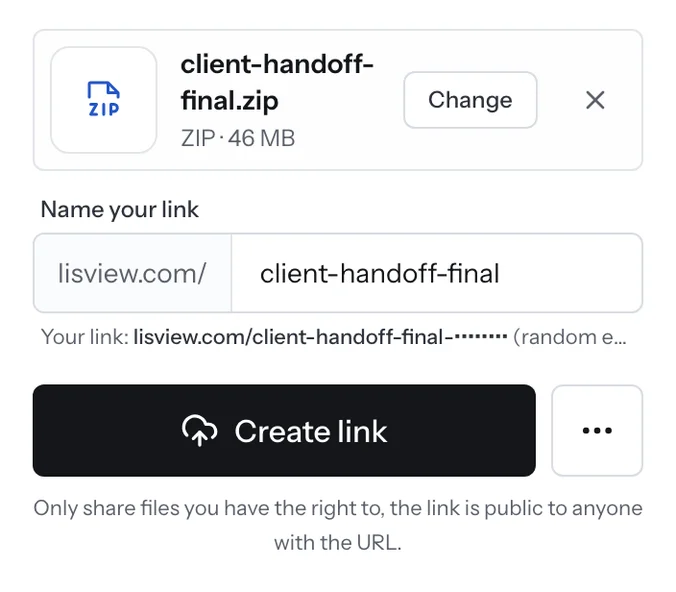
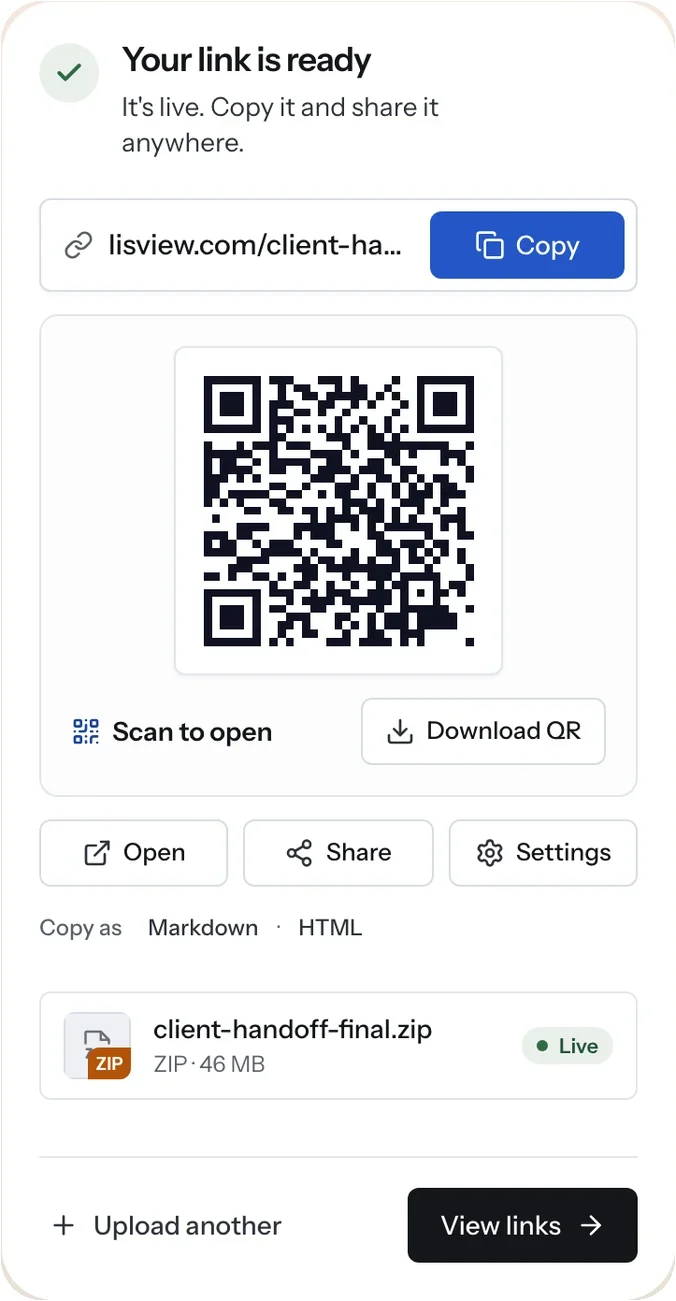
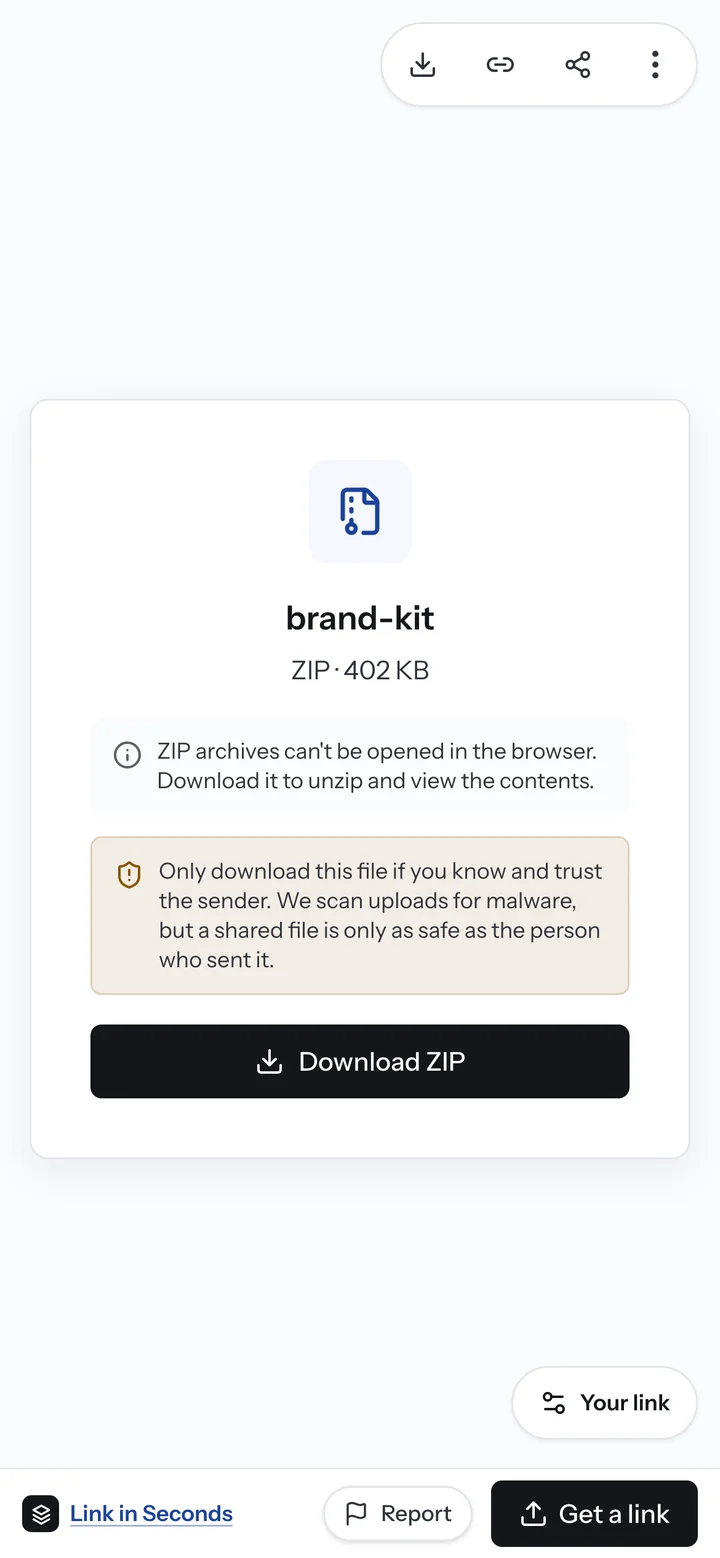
How does Gmail's 25 MB limit work?
The limit is per email, not per file
Three 10 MB photos are too much for one email, even though each photo is small. All the attachments are added together.
The real limit is about 18 MB
Email turns attachments into text before sending them, which makes them about a third bigger. Gmail measures that bigger size.
Bigger files go to Google Drive
If you attach a file over the limit, Gmail uploads it to your Google Drive and puts a Drive link in the email instead.
You can send your own link
Upload the file here and paste the link into the email. It opens in any browser without a Google account, and you see when it was opened.
Ways to send a file over Gmail's 25 MB limit

Link in Seconds link
- Largest file
- 10 GB per file
- What the other person needs
- A web browser
- The email stays small
- Oui
- See when it was opened
- Oui
- Password or end date
- Oui
Google Drive link
- Largest file
- 15 GB free
- What the other person needs
- Access to your Drive file
- The email stays small
- Oui
- See when it was opened
- Non
- Password or end date
- Non
Zip the file
- Largest file
- Still 25 MB
- What the other person needs
- An app to unzip it
- The email stays small
- Non
- See when it was opened
- Non
- Password or end date
- Password only
Split into emails
- Largest file
- 25 MB per email
- What the other person needs
- To put the parts back together
- The email stays small
- Non
- See when it was opened
- Non
- Password or end date
- Non
Ce qu'en disent les gens
“L'interface d'administration est incroyablement intuitive et conçue exactement comme un utilisateur raisonne. Mes élèves ont tous trouvé que c'était facile à utiliser et que ça marchait parfaitement.”
“L'appli est vraiment agréable et simple à gérer. Je garde tous mes liens d'applis au même endroit, mes captures de l'App Store et du Play Store, et j'organise mes images et PDF en albums avec des tags. Avec ce grand stockage, tout tient ici.”
“Je gère des contrats, des factures et des documents juridiques pour plusieurs organisations différentes, donc presque tout ce que j'envoie est protégé par mot de passe. Link in Seconds rend ça simple, et j'héberge mon portfolio sur un domaine personnalisé. C'est facile à utiliser et vraiment abordable.”
Toutes les fonctions de lien sur toutes les offres
Les offres diffèrent par la place : liens, stockage et taille de fichier, plus les pages HTML et l'hébergement de sites.
Pro mensuel
$9/mois
facturé chaque mois, résiliable à tout moment
- Liens illimités
- 100 GB de stockage
- 10 GB par fichier
- Toutes les fonctions de lien incluses
- Pages HTML et hébergement de sites
Lifetime
$149$99une fois
un seul paiement, sans renouvellement
- Liens illimités
- 200 GB de stockage
- 10 GB par fichier
- Toutes les fonctions de lien incluses
- Pages HTML et hébergement de sites
Pro annuel
$4.08/mois
facturé $49 par an
- 55 % de moins qu'en mensuel
- Liens illimités
- 100 GB de stockage
- 10 GB par fichier
- Toutes les fonctions de lien incluses
Essai gratuit de 7 jours, puis 9 $/mois + taxes. 0 $ aujourd'hui, résiliable à tout moment.Ou partagez des fichiers jusqu'à 5 MB gratuitement, sans carte.
Vous venez de WeTransfer, DocSend ou tiiny.host ? Voir les comparatifs
Questions about Gmail's attachment size limit
Les détails
What are the limits?
- Personal Gmail accounts can send 25 MB per email. That is about 18 MB of files once the email is encoded.
- Work and school accounts can be different. Your Google Workspace admin decides the sending and receiving limits.
- Some files are blocked. Programs such as .exe files can't be attached, even inside a ZIP file.
Why can't I send a 20 MB file in Gmail?
Because email sends attachments as text, which makes them about 37% bigger. A 20 MB file becomes about 27 MB on the way, and that is over the 25 MB limit. To be safe, keep the attachments in one email under about 18 MB.
Check a file against Gmail and other inboxesDoes the other person's inbox have a limit too?
Yes, and it can be lower than Gmail's. Many work and school email servers stop messages at 10 MB. An email can leave Gmail without a problem and then bounce at the other end, sometimes hours later. If you don't know their limit, a link is the safe choice.
What happens if I attach a file over 25 MB?
Gmail doesn't attach it. It uploads the file to your Google Drive and puts a Drive link in the email. If the file isn't shared with the other person, Gmail asks you to change the sharing. If you skip that step, they see a page asking them to request access.
How to fix the 'file too large' message in GmailWill zipping the file make it small enough?
Usually not. Videos, photos and most PDFs are already compressed, so a ZIP saves very little space. Zipping does help with folders of text files, spreadsheets or raw data, and it's handy when you want to send many files at once.
Is the limit different for work or school Gmail?
It can be. On Google Workspace accounts, the admin sets the limits for sending and receiving attachments. Ask your admin, or send yourself a test file of a known size. Files over the limit still go to Google Drive in the same way.
Who hits Gmail's attachment limit most often?
- Photographers. A few full-resolution photos already pass 25 MB. One album link sends the whole set.
- Agencies. Presentations with video and big design files go out as one link that opens on any device.
- Designers. Send all the source files as one ZIP link instead of five separate emails.
- Teachers. Share lecture recordings and course files that students can open without a Google account.
Tout ce qu'un lien peut faire
- Nom personnalisé: Un lien dont on se souvient. Nommez le lien vous-même au lieu d'un code aléatoire. lisview.com/votre-nom est net dans un e-mail, sur une diapo ou sous un QR code. Mots réservés bloqués, il résout toujours. Gardez le nom, changez le fichier derrière.
- Protection par mot de passe: Réservez-le aux bonnes personnes. Ajoutez un mot de passe et le fichier reste scellé jusqu'à ce qu'on le saisisse. Le lien peut être transféré partout et ne s'ouvre que pour ceux qui l'ont. Haché, jamais stocké en clair. Appliqué au fichier lui-même, pas juste à la page.
- Expiration et limite de vues: Des liens qui se ferment seuls. Fixez une date de fin ou un plafond de vues et le lien s'arrête seul. Envoyez un devis qui expire vendredi, ou un aperçu qui se ferme après cinq ouvertures. Par date, après N vues, ou les deux. Rouvrez-le à tout moment en retirant la limite.
- QR code: Un code prêt à imprimer pour chaque lien. Chaque lien reçoit un QR code net, inclus dans chaque offre. Sur un menu, un flyer, une étiquette ou une boîte, il ouvre le même lien qu'un tap. Téléchargez-le en SVG ou PNG, toute taille. Changez le fichier plus tard, le code imprimé marche toujours.
- Suivi des vues: Sachez quand il s'ouvre. Voyez combien de personnes ont ouvert le lien et quand, avec tout le détail : sources, appareils, pays et ouvertures QR vs directes. Inclus dans chaque offre. Un compteur en direct sur chaque lien, sans réglage. Un e-mail à la première ouverture.
Send your file as a link instead
Upload the file, copy the link and paste it into your Gmail message.
Free up to 5 MB, no card. Bigger files: 7 days free, then from $3/mo. Cancel anytime. See plans