Kirim file besar di Messenger
Send files over Messenger's 100 MB limit as one link that opens in any browser.
Lepas file kamu di sini
Lepas beberapa sekaligus, semuanya jadi satu link album
atau tempel gambar Ctrl+V
Gratis hingga 5 MB, tanpa kartu. File lebih besar: 7 hari gratis, lalu mulai $3/bln. Batalkan kapan saja. Lihat paket
“Semua murid saya bilang mudah dipakai dan berjalan sempurna.”
How do I send a large file on Messenger?
Upload the file to a site that gives you a link, then paste the link into the Messenger chat. Messenger takes files up to 100 MB and compresses videos. A link has no Messenger size limit, plays the original video in the browser, and opens for people who don't use Facebook.
- orang berbagi file
- 5.500+
- link dibagikan
- 11.400+
- kali dibuka
- 39.900+
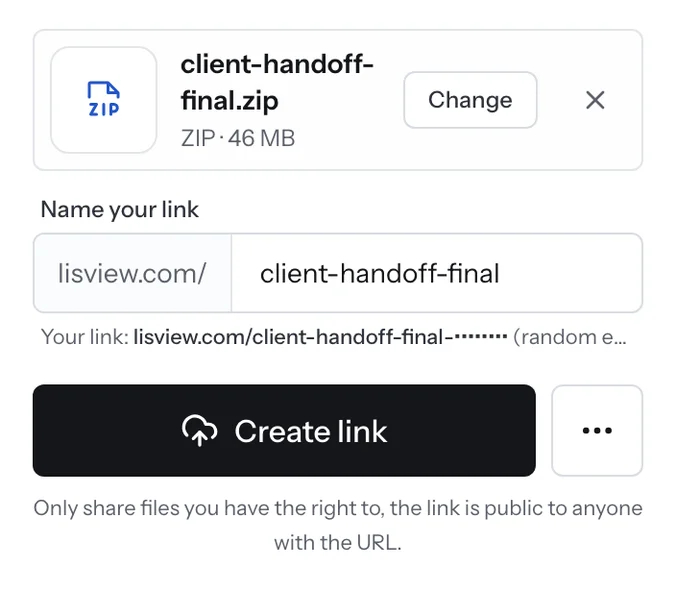
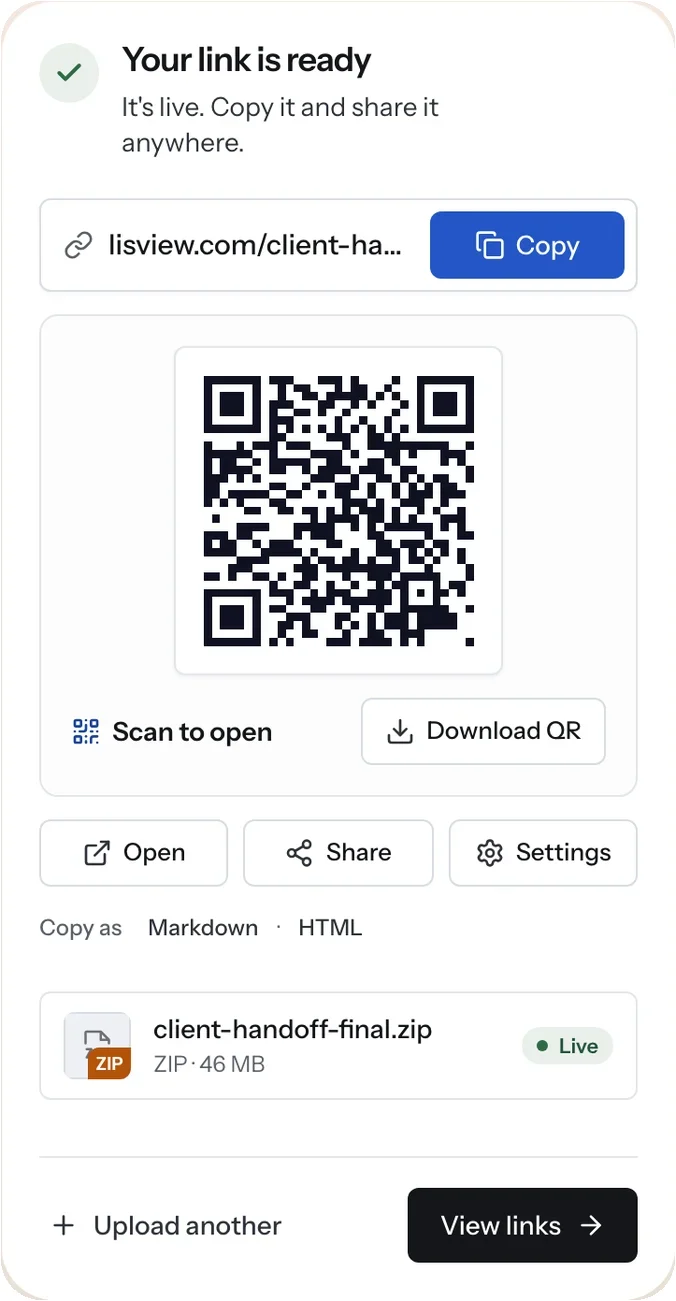
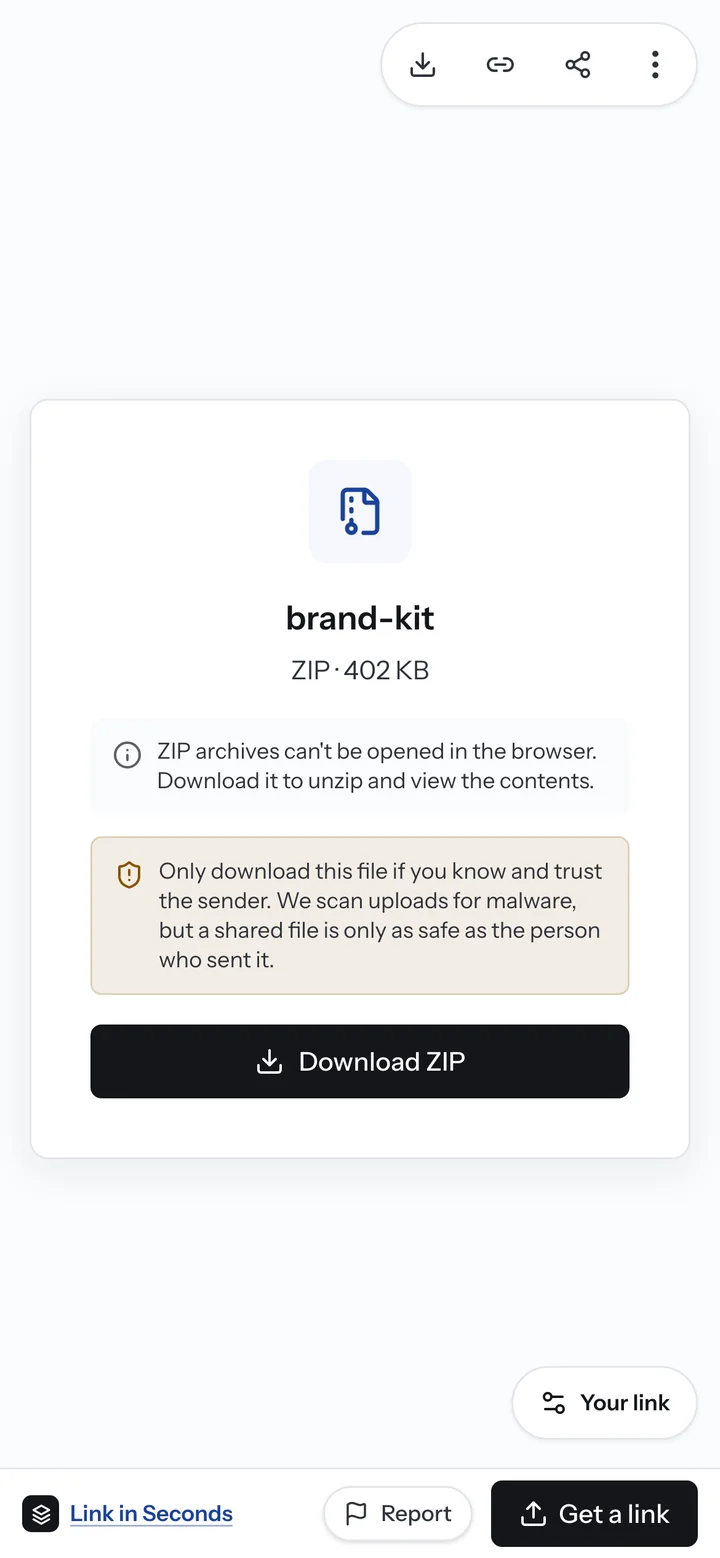
Share a large file on Messenger in 3 steps
Unggah file
Drop the file into the box above, or pick several photos to make one album link.
Salin link-nya
You get a short link and a QR code. Add a password if it is private.
Paste it in Messenger
Paste the link into the chat. It opens in any browser, with or without Facebook.
Seperti apa tampilannya
Why send a link instead of the file?
No 100 MB wall
Long videos, big PDFs and ZIP files go past Messenger's limit fast. A link is just text, so it always sends.
Videos play in full quality
The link opens the exact file you uploaded and plays it in the browser, instead of a compressed copy.
It opens without Facebook
Anyone you forward the link to can open it in a browser, by text, email or another app, with no Facebook account.
Kamu tahu kapan dibuka
Each open shows the day, device and country, so you know the file reached the group.
A link dibandingkan dengan sending in Messenger

Link dari Link in Seconds
- File terbesar
- 10 GB
- Video keeps full quality
- Ya
- Opens without Facebook
- Ya
- Opens without asking for access
- Ya
- Lihat kapan dibuka
- Ya
- Kata sandi atau tanggal berakhir
- Ya
Messenger
- File terbesar
- 100 MB
- Video keeps full quality
- Tidak
- Opens without Facebook
- Tidak
- Opens without asking for access
- Ya
- Lihat kapan dibuka
- Seen in chat
- Kata sandi atau tanggal berakhir
- Tidak
Link Google Drive
- File terbesar
- Penyimpanan 15 GB gratis
- Video keeps full quality
- Ya
- Opens without Facebook
- Ya
- Opens without asking for access
- If shared to anyone
- Lihat kapan dibuka
- Tidak
- Kata sandi atau tanggal berakhir
- Tidak
Kata mereka
“Tampilan admin-nya sangat intuitif dan disusun persis seperti cara pengguna berpikir. Semua murid saya bilang mudah dipakai dan berjalan sempurna.”
“Aplikasinya benar-benar enak dan mudah dipakai. Semua link aplikasi saya ada di satu tempat, termasuk screenshot App Store dan Play Store, dan gambar serta PDF saya atur ke album dengan tag. Penyimpanannya besar, jadi semuanya cukup disimpan di sini.”
“Saya mengurus kontrak, invoice dan dokumen hukum untuk beberapa organisasi, jadi hampir semua yang saya kirim dilindungi kata sandi. Link in Seconds membuatnya simpel, dan portofolio saya jalan di domain sendiri. Mudah dipakai dan harganya benar-benar terjangkau.”
Setiap fitur link di setiap paket
Paket berbeda di kapasitas: jumlah link, penyimpanan, dan ukuran file, plus halaman HTML dan hosting situs web.
Pro Bulanan
$9/bulan
ditagih tiap bulan, bisa dibatalkan kapan saja
- Link tanpa batas
- Penyimpanan 100 GB
- 10 GB per file
- Semua fitur link sudah termasuk
- Halaman HTML dan hosting situs web
Lifetime
$149$99sekali
sekali bayar, tanpa perpanjangan
- Link tanpa batas
- Penyimpanan 200 GB
- 10 GB per file
- Semua fitur link sudah termasuk
- Halaman HTML dan hosting situs web
Pro Tahunan
$4,08/bulan
ditagih $49 per tahun
- Hemat 55% dibanding bayar bulanan
- Link tanpa batas
- Penyimpanan 100 GB
- 10 GB per file
- Semua fitur link sudah termasuk
Uji coba gratis 7 hari, lalu $9/bulan + pajak. $0 hari ini, batalkan kapan saja.Atau bagikan file hingga 5 MB gratis, tanpa kartu.
Pindahan dari WeTransfer, DocSend, atau tiiny.host? Lihat perbandingannya
Questions about sharing large files on Messenger
Detailnya
Apa saja batasnya?
- Messenger takes files up to 100 MB per file, according to Meta. Photos are sent compressed unless you switch on HD, and videos are compressed.
- Di sini kamu bisa mengunggah file hingga 10 GB per file. File hingga 5 MB gratis tanpa kartu. Small menerima file hingga 3 GB ($3/bulan) dan Pro hingga 10 GB ($9/bulan), keduanya setelah uji coba gratis 7 hari.
- Link tidak punya tanggal kedaluwarsa kecuali kamu mengaturnya. Kalau paket berakhir dan filemu melebihi batas gratis 5 MB, link dijeda sampai kamu berlangganan atau menghapus file; tidak ada yang dihapus.
What is the Messenger file size limit?
100 MB per file in the Messenger app, according to Meta. Some sites still say 25 MB, but that is the limit for business bots that send files through Meta's API, not for people chatting.
File size limits for other appsWhy does my video look worse on Messenger?
Messenger compresses videos to send them quickly. Photos also go out smaller unless you switch on HD before sending. A link plays the original file, so the video looks the way you recorded it.
Kirim video tanpa mengurangi kualitasHow do I share a lot of photos in a group chat?
Messenger has shared albums for group chats. If you want the photos in full resolution, or want people outside the group to see them too, upload them here as one album link and post that instead.
Bagikan foto ke keluargaCan I change the file after I sent the link?
Yes. Upload a new version to the same link, and everyone who opens it gets the new file. You don't need to send another message.
Can I keep the file private?
Add a password, an end date or a view limit, or turn off downloads. Links aren't listed anywhere or shown in search engines, and you can turn one off at any time.
Who shares big files on Messenger this way?
- Keluarga. Post the holiday video once for everyone, in full quality, on any phone.
- Sellers. Send a buyer a product video or catalogue PDF that's too big for a chat.
- Clubs and teams. Share match footage or a season schedule with the whole group chat.
- Freelancer. Deliver work to a client who prefers Messenger, and see when they opened it.
Semua yang bisa dilakukan sebuah link
- Nama link kustom: Link yang benar-benar mudah diingat. Beri nama link sendiri, bukan kode acak. lisview.com/nama-kamu terlihat rapi di email, di slide, atau di bawah kode QR. Kata yang dicadangkan diblokir, jadi link selalu berfungsi. Nama tetap, file di baliknya bisa diganti nanti.
- Lindungi dengan kata sandi: Kunci hanya untuk orang yang tepat. Tambahkan kata sandi dan file tetap terkunci sampai seseorang mengetiknya. Link bisa diteruskan ke mana saja dan tetap hanya terbuka untuk orang yang tahu kata sandinya. Di-hash, tidak pernah disimpan sebagai teks biasa. Berlaku pada file-nya, bukan hanya halamannya.
- Kedaluwarsa & batas tayangan: Link yang menutup sendiri. Atur tanggal berakhir atau batas tayangan, dan link berhenti dengan sendirinya. Kirim penawaran harga yang berakhir hari Jumat, atau pratinjau yang tertutup setelah lima kali dibuka, tanpa perlu ingat untuk menghapusnya. Berdasarkan tanggal, setelah N tayangan, atau keduanya. Buka lagi kapan saja dengan mematikan batasnya.
- kode QR: Kode siap cetak untuk setiap link. Setiap link dapat kode QR yang tajam, termasuk di semua paket. Pasang di menu, brosur, label dinding, atau kemasan produk, dan kode itu membuka link yang sama seperti saat diketuk. Unduh sebagai SVG atau PNG, ukuran apa pun. Ganti file nanti, kode yang sudah dicetak tetap berfungsi.
- Pelacakan tayangan: Tahu saat link dibuka. Lihat berapa orang yang membuka link dan kapan, plus gambaran lengkapnya: sumber rujukan, perangkat, negara, dan dibuka lewat QR atau langsung. Termasuk di semua paket. Hitungan langsung di setiap link, tanpa pengaturan. Dapat email saat link pertama kali dibuka.
Share your file on Messenger as a link
Upload the file, copy the link and paste it into any chat.
Gratis hingga 5 MB, tanpa kartu. File lebih besar: 7 hari gratis, lalu mulai $3/bln. Batalkan kapan saja. Lihat paket