Kirim video tanpa mengurangi kualitas
Share the original file as a link, so it plays exactly as you recorded it.
Lepas file kamu di sini
Lepas beberapa sekaligus, semuanya jadi satu link album
atau tempel gambar Ctrl+V
Gratis hingga 5 MB, tanpa kartu. File lebih besar: 7 hari gratis, lalu mulai $3/bln. Batalkan kapan saja. Lihat paket
“Semua murid saya bilang mudah dipakai dan berjalan sempurna.”
How do I send a video without losing quality?
Send the original file as a link instead of attaching it in a chat app. WhatsApp, Messenger and iMessage shrink videos to send them faster. Upload the video here and paste the link: the other person streams the exact file you recorded, in any browser, and can download it in full quality if you allow it.
- orang berbagi file
- 5.500+
- link dibagikan
- 11.400+
- kali dibuka
- 39.900+
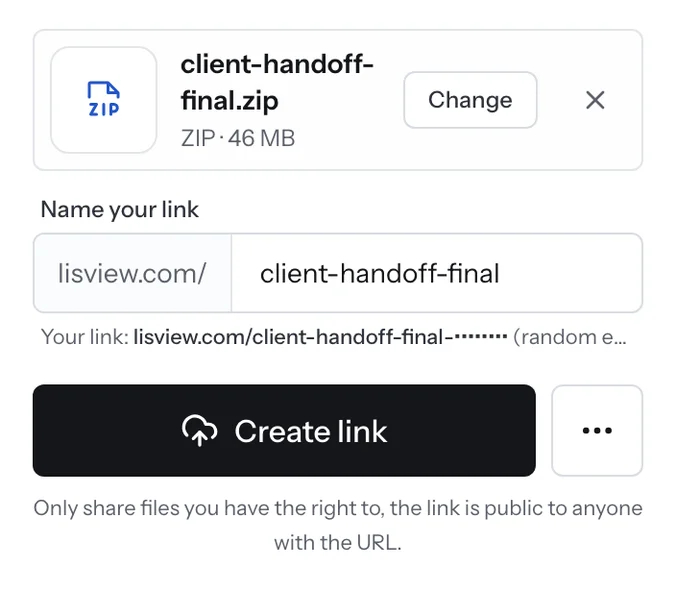
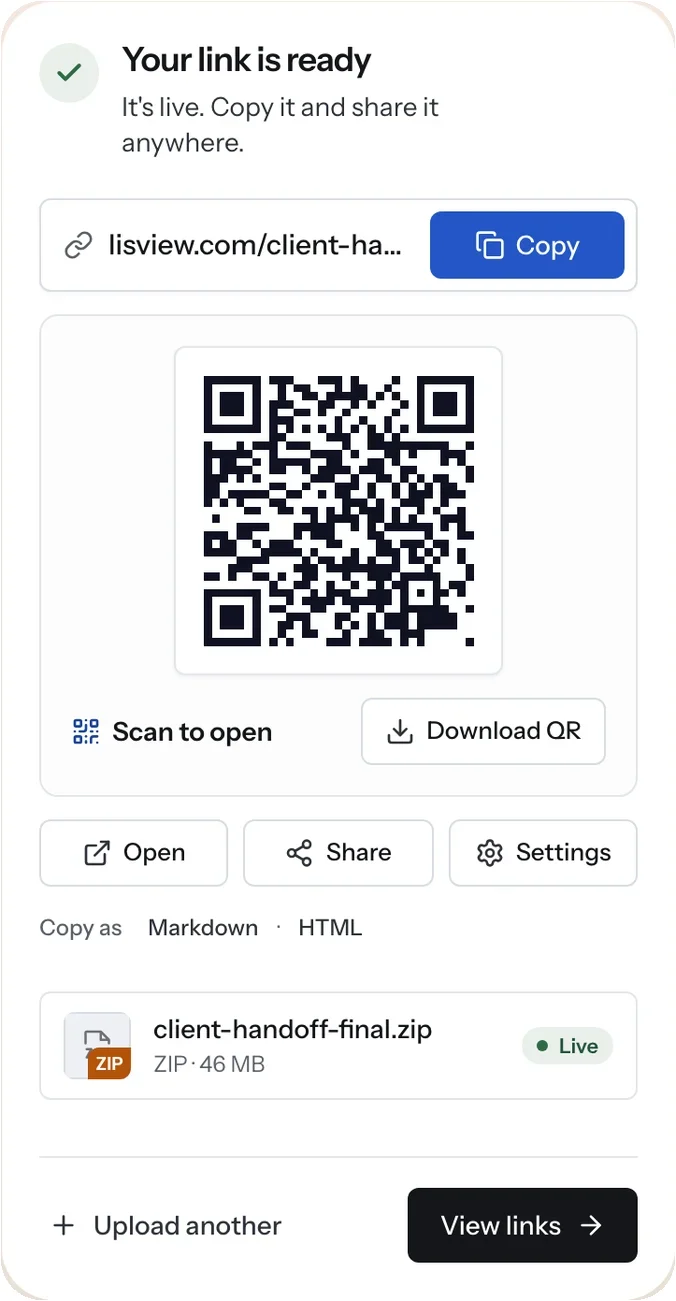
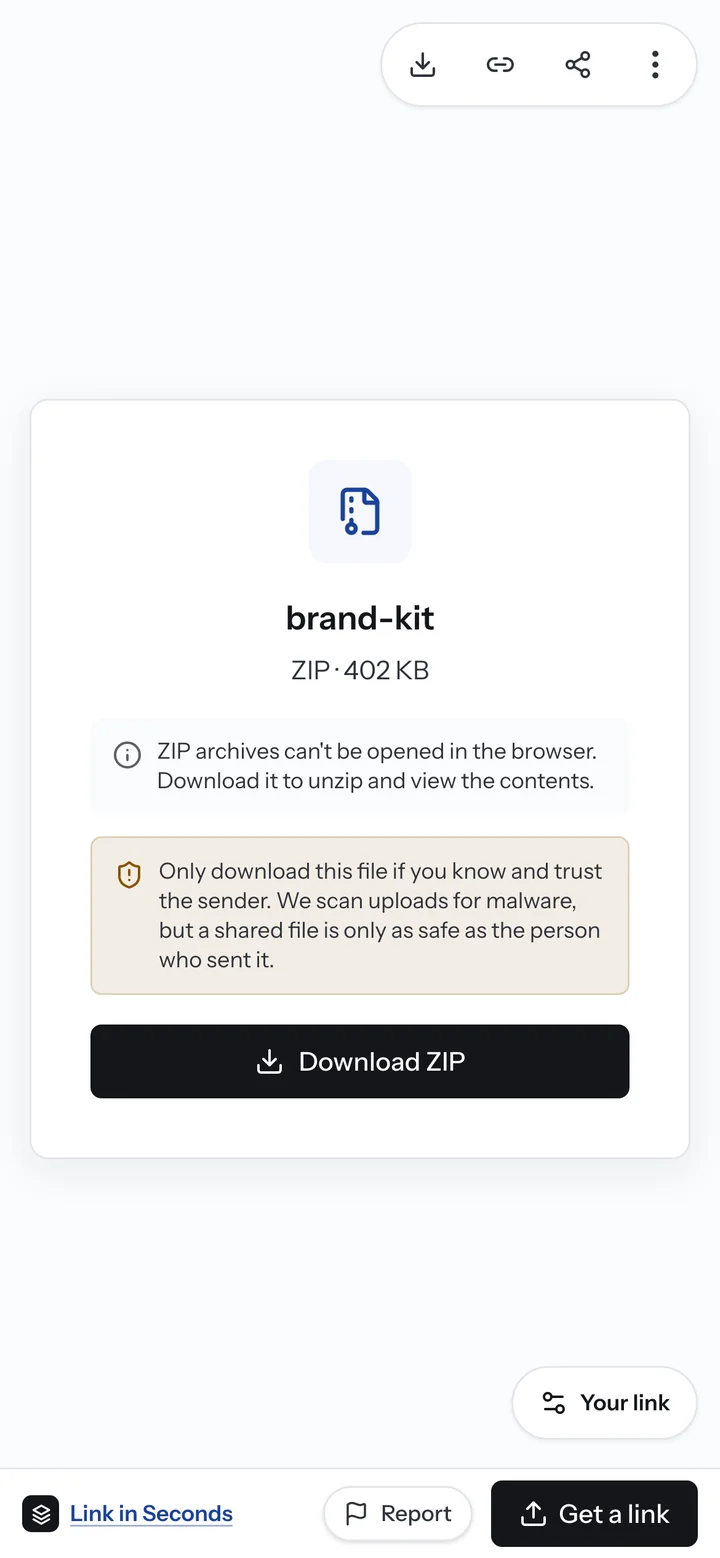
Send a video in full quality in 3 steps
Upload the original
Pick the video from your camera roll or computer. Don't trim or export it from a chat app first.
Salin link-nya
You get a short link and a QR code. Add a password if it is private.
Kirim link-nya
Paste it into any chat or email. It plays the original file in the browser.
Seperti apa tampilannya
Why does a link keep the quality?
Nothing is re-encoded
The link serves the file you uploaded, byte for byte. Resolution, frame rate and sound stay as they were.
It plays in the browser
People press play on their phone or computer. They don't need an app, and they can skip ahead without downloading the whole file.
It works in every app
Paste the same link into WhatsApp, Messages, Messenger, email or Slack. Every app just sends a short piece of text.
You see when it was watched
Each open shows the day, device and country, and you can get an email the first time someone opens it.
How each way of sending treats your video
Link dari Link in Seconds
- Keeps original quality
- Ya
- Video terbesar
- 10 GB
- Plays without downloading
- Ya
- Opens outside the app
- Ya
- See when it was watched
- Ya
Galeri WhatsApp
- Keeps original quality
- Tidak
- Video terbesar
- Compressed to fit
- Plays without downloading
- Ya
- Opens outside the app
- Tidak
- See when it was watched
- Centang biru
Dokumen WhatsApp
- Keeps original quality
- Ya
- Video terbesar
- 2 GB
- Plays without downloading
- Tidak
- Opens outside the app
- Tidak
- See when it was watched
- Centang biru
Lampiran email
- Keeps original quality
- Ya
- Video terbesar
- 25 MB in Gmail or Outlook.com
- Plays without downloading
- Tidak
- Opens outside the app
- Ya
- See when it was watched
- Tidak
Kata mereka
“Tampilan admin-nya sangat intuitif dan disusun persis seperti cara pengguna berpikir. Semua murid saya bilang mudah dipakai dan berjalan sempurna.”
“Aplikasinya benar-benar enak dan mudah dipakai. Semua link aplikasi saya ada di satu tempat, termasuk screenshot App Store dan Play Store, dan gambar serta PDF saya atur ke album dengan tag. Penyimpanannya besar, jadi semuanya cukup disimpan di sini.”
“Saya mengurus kontrak, invoice dan dokumen hukum untuk beberapa organisasi, jadi hampir semua yang saya kirim dilindungi kata sandi. Link in Seconds membuatnya simpel, dan portofolio saya jalan di domain sendiri. Mudah dipakai dan harganya benar-benar terjangkau.”
Setiap fitur link di setiap paket
Paket berbeda di kapasitas: jumlah link, penyimpanan, dan ukuran file, plus halaman HTML dan hosting situs web.
Pro Bulanan
$9/bulan
ditagih tiap bulan, bisa dibatalkan kapan saja
- Link tanpa batas
- Penyimpanan 100 GB
- 10 GB per file
- Semua fitur link sudah termasuk
- Halaman HTML dan hosting situs web
Lifetime
$149$99sekali
sekali bayar, tanpa perpanjangan
- Link tanpa batas
- Penyimpanan 200 GB
- 10 GB per file
- Semua fitur link sudah termasuk
- Halaman HTML dan hosting situs web
Pro Tahunan
$4,08/bulan
ditagih $49 per tahun
- Hemat 55% dibanding bayar bulanan
- Link tanpa batas
- Penyimpanan 100 GB
- 10 GB per file
- Semua fitur link sudah termasuk
Uji coba gratis 7 hari, lalu $9/bulan + pajak. $0 hari ini, batalkan kapan saja.Atau bagikan file hingga 5 MB gratis, tanpa kartu.
Pindahan dari WeTransfer, DocSend, atau tiiny.host? Lihat perbandingannya
Questions about sending video in full quality
Detailnya
Apa saja batasnya?
- You can upload videos up to 10 GB each. Files up to 5 MB are free with no card. Small takes files up to 3 GB ($3/month) and Pro up to 10 GB ($9/month), both after a 7-day free trial.
- iPhone videos in HEVC play in browsers that support HEVC. If someone can't play one, export it as MP4 (H.264) and upload that.
- Link tidak punya tanggal kedaluwarsa kecuali kamu mengaturnya. Kalau paket berakhir dan filemu melebihi batas gratis 5 MB, link dijeda sampai kamu berlangganan atau menghapus file; tidak ada yang dihapus.
Why do videos lose quality when I send them?
Chat apps compress videos so they send quickly over mobile data. WhatsApp does it to videos picked from the gallery, Messenger to videos in chats, and iMessage can send big videos at lower quality. The receiver gets a smaller, softer copy.
How do I send a full-quality video on WhatsApp?
Send it as a Document instead of picking it from the gallery. WhatsApp then keeps the original, up to 2 GB, but the person must download it before watching. A link plays straight away and works past 2 GB.
Kirim video besar lewat WhatsAppHow do I send a full-quality video from an iPhone?
Upload it from Photos to this page in Safari, then paste the link into Messages, WhatsApp or email. It plays on iPhone and Android. Apple's Mail Drop also keeps quality, up to 5 GB, but the download lasts 30 days.
Kirim file besar di iMessageCan I email a video without compressing it?
Only a short one. Gmail and Outlook.com take 25 MB per email, which is only a few seconds of 4K video from a phone. Put the video behind a link and paste the link in the email instead.
Kirim file besar lewat emailWhich video format plays best?
MP4 with H.264 video plays in every modern browser. iPhones record in HEVC by default, which plays in Safari and most up-to-date browsers. If someone can't play your clip, export it as MP4 (H.264).
MP4 viewerCan I keep a full-quality video private?
Yes. Add a password, an end date or a view limit, or turn off downloads so people can only watch. Links aren't listed anywhere or shown in search engines.
Bagikan video dengan kata sandiWho sends videos this way?
- Video creators. Send a client the master file, not a blurry chat copy, and see when they watched it.
- Keluarga. Share a wedding or birthday video in full quality with every relative.
- Coaches. Send match footage sharp enough to study, on any phone.
- Desainer. Share motion work and screen recordings at the size they were made.
Semua yang bisa dilakukan sebuah link
- Nama link kustom: Link yang benar-benar mudah diingat. Beri nama link sendiri, bukan kode acak. lisview.com/nama-kamu terlihat rapi di email, di slide, atau di bawah kode QR. Kata yang dicadangkan diblokir, jadi link selalu berfungsi. Nama tetap, file di baliknya bisa diganti nanti.
- Lindungi dengan kata sandi: Kunci hanya untuk orang yang tepat. Tambahkan kata sandi dan file tetap terkunci sampai seseorang mengetiknya. Link bisa diteruskan ke mana saja dan tetap hanya terbuka untuk orang yang tahu kata sandinya. Di-hash, tidak pernah disimpan sebagai teks biasa. Berlaku pada file-nya, bukan hanya halamannya.
- Kedaluwarsa & batas tayangan: Link yang menutup sendiri. Atur tanggal berakhir atau batas tayangan, dan link berhenti dengan sendirinya. Kirim penawaran harga yang berakhir hari Jumat, atau pratinjau yang tertutup setelah lima kali dibuka, tanpa perlu ingat untuk menghapusnya. Berdasarkan tanggal, setelah N tayangan, atau keduanya. Buka lagi kapan saja dengan mematikan batasnya.
- kode QR: Kode siap cetak untuk setiap link. Setiap link dapat kode QR yang tajam, termasuk di semua paket. Pasang di menu, brosur, label dinding, atau kemasan produk, dan kode itu membuka link yang sama seperti saat diketuk. Unduh sebagai SVG atau PNG, ukuran apa pun. Ganti file nanti, kode yang sudah dicetak tetap berfungsi.
- Pelacakan tayangan: Tahu saat link dibuka. Lihat berapa orang yang membuka link dan kapan, plus gambaran lengkapnya: sumber rujukan, perangkat, negara, dan dibuka lewat QR atau langsung. Termasuk di semua paket. Hitungan langsung di setiap link, tanpa pengaturan. Dapat email saat link pertama kali dibuka.
Send your video in full quality
Upload the original, copy the link and send it anywhere.
Gratis hingga 5 MB, tanpa kartu. File lebih besar: 7 hari gratis, lalu mulai $3/bln. Batalkan kapan saja. Lihat paket