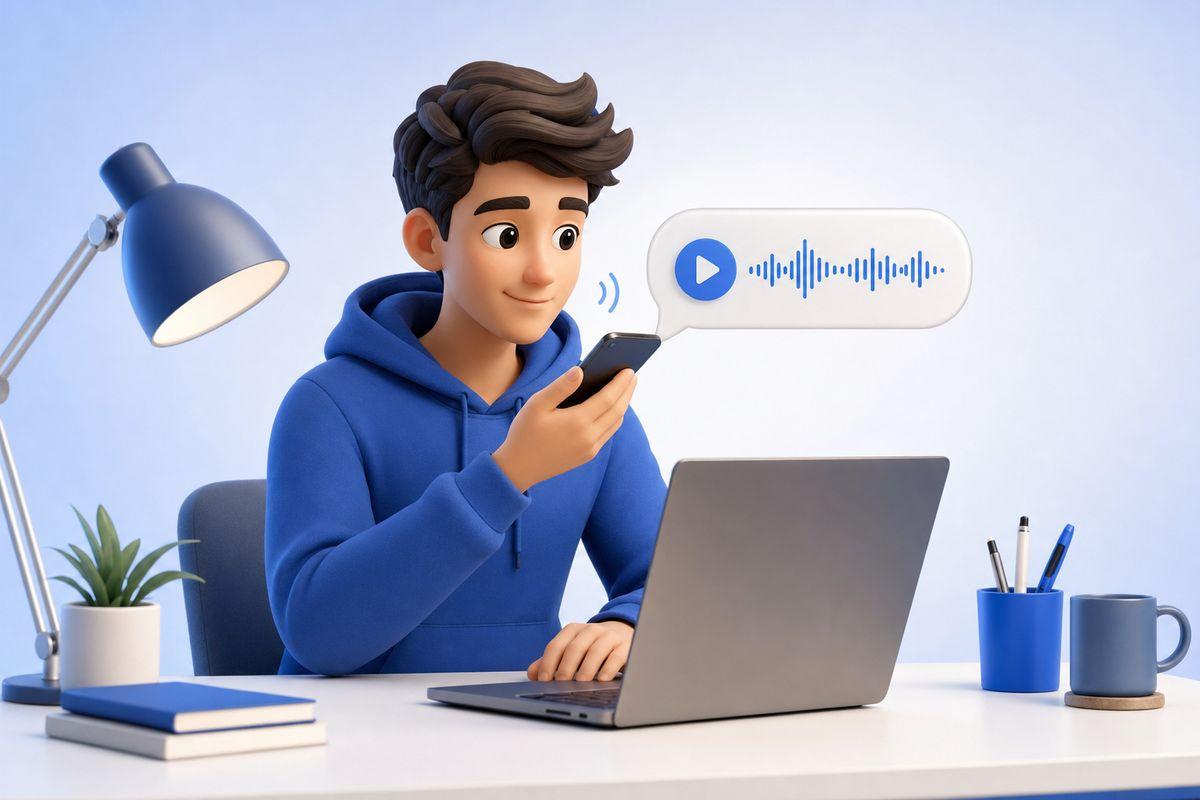
Ubah voice memo into a link

Upload the M4A or MP3 from your phone, or record a voice message right here, and send one link. It works in email, Slack or any chat, and the listener needs no app or account. Add a password if it is private.

Lepas file kamu di sini

Lepas beberapa sekaligus, semuanya jadi satu link album

atau tempel gambar Ctrl+V

Coba gratis
Dipakai 5,500+ orang di 140 negara
“Semua murid saya bilang mudah dipakai dan berjalan sempurna.”
Jason, Guru · membagikan materi kelas
Tanpa daftar untuk melihatJalan di browser, tidak perlu instal apa pun
GambarPDFVideoAudioSlideKodeSitus

How do I make a link for a voice memo?

Upload the voice memo as an M4A or MP3, or switch the uploader to Record and speak for up to 30 minutes. Listen back, trim if you like, sign in and publish, then copy the short link. The person opening it gets a browser player and needs no account or app. Passwords and expiry dates are free.

Upload it or record it here

Use the recording you already have, or press Record and speak. Clear speech settings are applied, and nothing uploads until you have listened back and chosen to publish.

Easy to listen to

The recipient opens a browser player with the length, a seek bar, 10-second skips and playback speed, so a long memo can be heard at 1.5x. There is no app to install.

Protect a personal recording

Add a password or expiry before sharing. Anyone with an unlocked link may still record what they hear.

Before sending a voice memo

An iPhone voice memo exported as M4A usually uploads directly. MP3, WAV, OGG, AAC and FLAC are also supported. A .opus file is not currently accepted; convert it to MP3 or M4A first.

A recording made here can run up to 30 minutes. For a longer talk, record it on your phone and upload the file.

Ask permission before sharing a recording of other people. The link is unlisted, but anyone who receives it may forward it unless you add access controls.

It is a player, not a transcript. There is no transcription; the recording plays exactly as you made it.

Is it free to share a voice memo as a link?

Ya, gratis untuk file hingga total 5 MB, tanpa kartu. File yang lebih besar butuh uji coba gratis 7 hari atau Pro.

FiturGratisTanpa kartuUji coba 7 hariPro
PenyimpananTotal 5 MB100 GB100 GB
File terbesar5 MB10 GB10 GB
Perlu kartuTidakYa, gratis 7 hariYa
Link kedaluwarsaTidak pernahTidak pernahTidak pernah
Kata sandi, kedaluwarsa, statistik tayangan
Halaman HTML dan situs web

Jika uji coba atau paket berakhir, akun yang masih di bawah 5 MB tetap aktif di paket Gratis. Akun yang lebih besar dijeda, dan tidak ada yang dihapus. Harga dalam mata uangmu ada di paket di bawah.

How to make a voice memo link

  1. 1

    Pick or record

    Pick the M4A or MP3 from your phone, or choose Record and speak for up to 30 minutes.

  2. 2

    Listen and publish

    Listen back, trim if you need to, then sign in to publish.

  3. 3

    Send the link

    Copy the short URL and paste it in an email, chat or document. Add a password for a personal recording.

Langkah demi langkah

Ubah memo suara jadi link di iPhone atau Android

Empat ketukan dari aplikasi perekam ke link yang bisa diputar siapa saja. Tanpa memasang apa pun.

  1. 1

    Temukan memonya

    Buka Memo Suara dan ketuk rekaman yang ingin kamu kirim.

  2. 2

    Simpan ke File

    Ketuk tombol ⋯ (Lainnya) dan pilih Simpan ke File dari opsi bagikan. Rekaman tersimpan sebagai M4A.

  3. 3

    Unggah di sini

    Buka linkinseconds.com di Safari, ketuk kotak unggah dan pilih memo dari File.

  4. 4

    Salin link-nya

    Masuk, terbitkan dan salin link pendeknya. Bisa diputar di browser apa pun, tanpa aplikasi.

Belum punya rekaman? Tidak perlu aplikasi di ponsel. Pilih Rekam di pengunggah di bagian atas halaman ini, bicara hingga 30 menit, dengarkan ulang lalu terbitkan.

Where is the voice memo file on my phone?

On an iPhone, Voice Memos keeps recordings inside the app, so make a file first: tap the recording, tap the three dots (More) and choose Save to Files. Open this page in Safari, tap the upload box and pick the file from Files. It is an M4A, which uploads as it is. On Android, the recorder app saves an M4A or MP3 that you can pick the same way. Once it is published, copy the short link and paste it anywhere.
When is a voice memo link better than a WhatsApp voice note?

A voice note lives inside one app and one chat. A link works wherever text works: an email to a client, a Slack thread, a LinkedIn message, a project ticket, or a friend who is not on WhatsApp. It also lets you do things a chat cannot: lock it with a password, make it expire, replace it with a better take while keeping the link, and see whether it was played to the end. If the person is already in your WhatsApp chat and the memo is a quick reply, a normal voice note is simpler.

Can I record a voice message in the browser and trim it?

Yes. Choose Record above the upload box, allow the microphone, and speak. You can pause where the browser supports it, stop, and listen back. Cut a slow start or a long pause with the trim tool, then publish. Depending on the browser the recording is saved as M4A, WebM or OGG, and all three play on phones and computers. For recording online with nothing else, see the Vocaroo alternative page.

Will I know if they listened?

Yes, on every plan. The link counts opens and shows how far each visit played and whether it reached the end. Turn on notify-on-view to get an email the first time someone opens it. You see the device and country of each visit, not the person's name, unless you turn on the email gate.

Episode podcast dibagikan sebagai link
episode-12-final.mp3MP3
Rekaman wawancara dibagikan sebagai link
client-interview.m4aM4A
Rekaman kuliah dibagikan sebagai link
lecture-week-3.mp3MP3
episode-12-final.mp3MP3
client-interview.m4aM4A
lecture-week-3.mp3MP3
episode-12-final.mp3MP3
client-interview.m4aM4A
lecture-week-3.mp3MP3
episode-12-final.mp3MP3
client-interview.m4aM4A
lecture-week-3.mp3MP3
Rekaman voiceover dibagikan sebagai link
voiceover-take-4.wavWAV
Memo suara dibagikan sebagai link
voice-memo-tuesday.m4aM4A
Mix demo dibagikan sebagai link
demo-mix-v2.flacFLAC
voiceover-take-4.wavWAV
voice-memo-tuesday.m4aM4A
demo-mix-v2.flacFLAC
voiceover-take-4.wavWAV
voice-memo-tuesday.m4aM4A
demo-mix-v2.flacFLAC
voiceover-take-4.wavWAV
voice-memo-tuesday.m4aM4A
demo-mix-v2.flacFLAC
5.500+
orang berbagi file
11.300+
link dibagikan
39.700+
kali dibuka

Baca selanjutnya

Who sends voice memos as links

Freelancer recording a spoken update

Freelancers and teams

A two-minute spoken update or feedback in a client email or a Slack thread.

Teacher recording spoken feedback

Teachers and coaches

Spoken feedback on homework, or a pronunciation example for one student.

Grandparent listening to a voice message on a phone

Families far apart

A message for a relative who does not use the same chat app.

Journalist sharing an interview recording

Jurnalis dan peneliti

An interview recorded on a phone, sent to an editor with a password.

Kata mereka

Dengan kata-kata mereka

  • “Tampilan admin-nya sangat intuitif dan disusun persis seperti cara pengguna berpikir. Semua murid saya bilang mudah dipakai dan berjalan sempurna.”
    JJasonGuru · membagikan materi kelas
  • “Aplikasinya benar-benar enak dan mudah dipakai. Semua link aplikasi saya ada di satu tempat, termasuk screenshot App Store dan Play Store, dan gambar serta PDF saya atur ke album dengan tag. Penyimpanannya besar, jadi semuanya cukup disimpan di sini.”
    EEvelynDeveloper aplikasi
  • “Saya mengurus kontrak, invoice dan dokumen hukum untuk beberapa organisasi, jadi hampir semua yang saya kirim dilindungi kata sandi. Link in Seconds membuatnya simpel, dan portofolio saya jalan di domain sendiri. Mudah dipakai dan harganya benar-benar terjangkau.”
    GGuy HenryFreelancer · kontrak dan invoice

Gratis hingga 5 MB, tanpa kartu. Coba semuanya gratis selama 7 hari; Pro menambah ruang, halaman HTML, dan hosting website.

Bandingkan semua paket →
Pro · Bulanan
$9/bulan

ditagih $9 setiap bulan

Link tanpa batas · 100 GB · 10 GB per file

  • Semua fitur link sudah termasuk
  • Hosting hingga 10 website dari .zip
  • Batal kapan saja: file tetap aman, link aktif lagi saat kamu berlangganan lagi
  • Batal kapan saja
Pakai Pro
Paling populer
Lifetime
$99 sekali bayar

sekali bayar, tanpa perpanjangan

Link tanpa batas · 200 GB · bayar sekali, milikmu selamanya

  • Halaman HTML dan hosting website, dengan penyimpanan dan jumlah situs terbanyak
  • Sekali bayar, tanpa langganan
  • Paling hemat untuk kerja klien yang rutin
  • Penyimpanan 200 GB, 10 GB per file
Beli Lifetime
Pro · Tahunan
$4.08/bulan

ditagih $49/tahun

Link tanpa batas · 100 GB · ditagih setahun sekali

  • Hemat 55% dibanding bayar bulanan
  • Semua fitur link sudah termasuk
  • Hosting hingga 10 website dari .zip
  • Batal kapan saja: file tetap aman, link aktif lagi saat kamu berlangganan lagi
  • Batal kapan saja
Pakai Pro
Gratis
$0

tanpa kartu

Total 5 MB · semua fitur link · tanpa HTML atau website

  • Kata sandi, kedaluwarsa & batas tayangan
  • Analitik lanjutan + notifikasi saat dibuka
  • Nama sendiri, domainmu, tanpa branding
  • Link tetap aktif selama kamu di paket Gratis
Mulai gratis

Pindahan dari WeTransfer, DocSend, atau tiiny.host? Lihat perbandingannya →

Voice memo link questions

In Voice Memos, share the recording and choose Save to Files. Upload that M4A here, sign in to publish, and copy the short link.

Send your voice memo as a link

Paket Gratis mencakup file hingga 5 MB tanpa kartu, dan link gratis tidak pernah kedaluwarsa; uji coba gratis 7 hari (lalu $9/bulan, bisa dibatalkan kapan saja) dan Pro menerima file hingga 10 GB per file, dengan penyimpanan 100 GB. Pendengar cukup butuh browser.

Cookie opsional untuk analitik, iklan, dan rekaman sesi.