Best tools to share a file as a link in 2026: 8 options compared
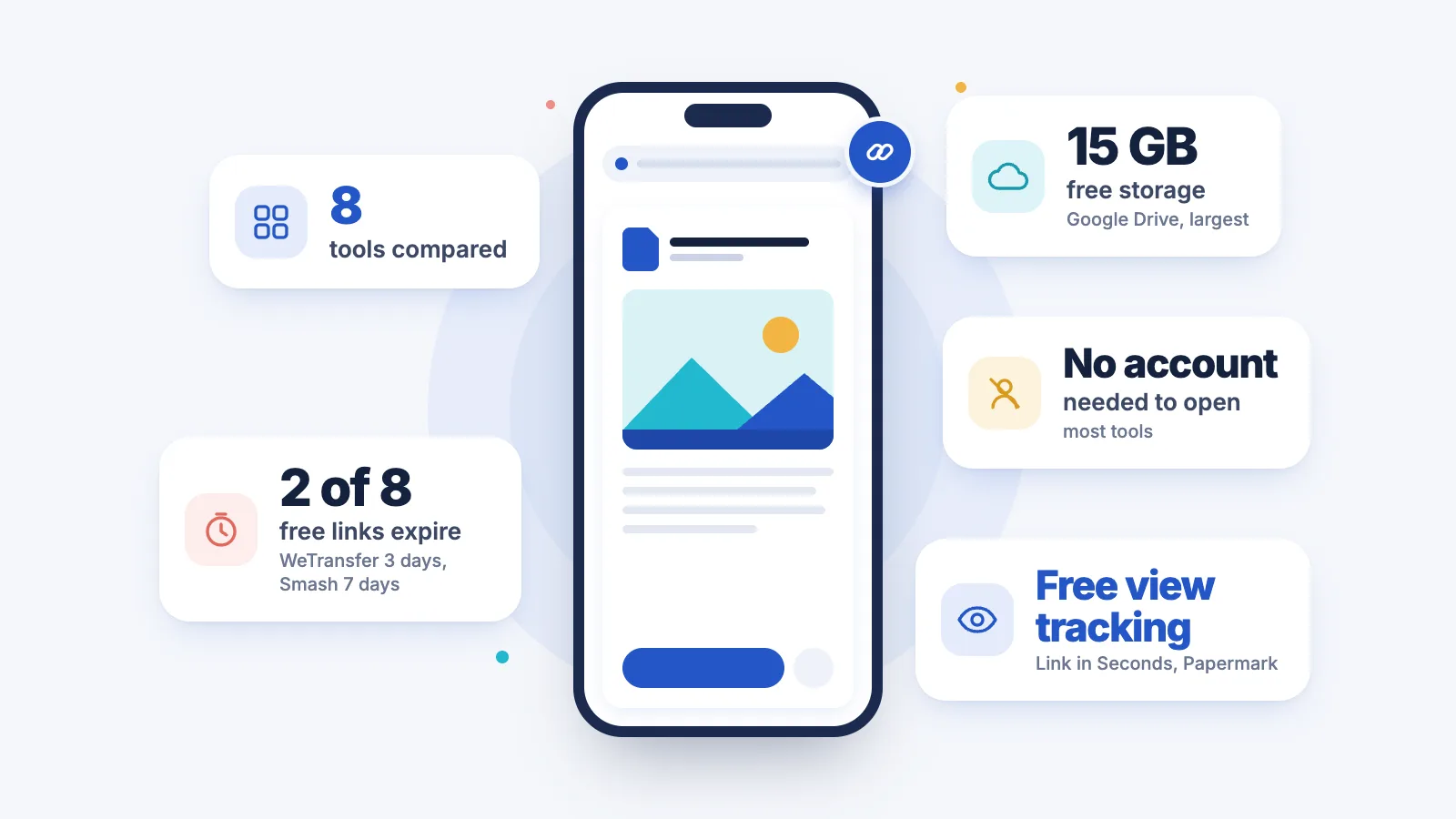
8 toolsFacts from each service's own pages
To share a file as a link, upload it somewhere that gives it a public address. For one file anyone can open in the browser, with no sign-in and no expiry date, use Link in Seconds. For team editing, Google Drive; for one huge file sent once, Smash or WeTransfer.
- No dateexpiry on a Link in Seconds link, unless you set one
- 3 daysuntil a WeTransfer Free transfer expires
- 7 daysuntil a Smash Free transfer expires
- 7 of 8tools let viewers open a link with no account
The short answer
- One file as a lasting link: Link in Seconds, no expiry date, view tracking on every plan.
- Collaboration: Google Drive (15 GB free, shared with Gmail and Photos).
- Huge one-off sends: Smash or WeTransfer; files are deleted after 7 or 3 days on free.
- Sales analytics: DocSend (paid), or Papermark for a free option.
The 8 tools compared
| Tool | Free limit | Link lasts | Viewer needs an account | Password on free | See who opened it, free |
|---|---|---|---|---|---|
| Link in SecondsUsAny file, one link | 5 MB free¹ | Yes on free: No expiry date² | Yes on free: No | Yes on free: Yes | Yes on free: Yes³ |
| Google DriveCloud storage | 15 GB⁴ | Yes on free: No timer⁵ | Yes on free: No⁶ | Not on free: Not offered | Varies |
| Dropbox BasicCloud storage | 2 GB | Yes on free: No timer⁷ | Yes on free: No | Not on free: Professional and up | Varies |
| WeTransfer FreeTransfer | 3 GB per 30 days⁸ | Not on free: 3 days | Yes on free: No | Not on free: Top paid plan | With conditions: Download emails⁹ |
| Smash FreeTransfer | 2 GB fast¹⁰ | Not on free: 7 days | Yes on free: No | Yes on free: Yes | Not on free: Paid plan |
| Tiiny Host FreeHTML and PDF host | 3 MB, 1 project¹¹ | With conditions: While you log in¹² | Varies | Not on free: Paid plans | Not on free: Paid plans |
| DocSendSales and fundraising docs | Paid¹³ | Varies | Yes on free: No¹⁴ | Varies | With conditions: Paid¹⁵ |
| Papermark FreeDocument tracking | 50 documents | With conditions: You choose¹⁶ | Yes on free: No¹⁴ | Yes on free: Yes | Yes on free: Page by page |
Link in SecondsUsAny file, one link
Google DriveCloud storage
Dropbox BasicCloud storage
- Free limit
- 2 GB
- Link lasts
- Yes on free: No timer⁷
- Viewer needs an account
- Yes on free: No
- Password on free
- Not on free: Professional and up
- See who opened it, free
- Varies
WeTransfer FreeTransfer
Smash FreeTransfer
- Free limit
- 2 GB fast¹⁰
- Link lasts
- Not on free: 7 days
- Viewer needs an account
- Yes on free: No
- Password on free
- Yes on free: Yes
- See who opened it, free
- Not on free: Paid plan
Tiiny Host FreeHTML and PDF host
DocSendSales and fundraising docs
- ¹7-day trial for more: 10 GB per file.
- ²Links have no expiry date unless you set one. If a plan ends and your files are over the free 5 MB, links pause until you subscribe or delete files; nothing is deleted.
- ³Views, time, pages and device.
- ⁴Shared with Gmail and Photos.
- ⁵Expiry dates only on work and school accounts.
- ⁶If sharing is set to Anyone with the link.
- ⁷Expiry dates from the Professional plan up.
- ⁸3 GB in total, or 10 transfers, in any rolling 30 days.
- ⁹Tells you a file was downloaded, not that it was read.
- ¹⁰Bigger sends wait in a queue.
- ¹¹0.5 MB for PDFs.
- ¹²Log in at least every 3 months to keep it active.
- ¹³14-day free trial, then a limited plan.
- ¹⁴Can ask for an email first if you turn that on.
- ¹⁵Page-by-page analytics on the paid product.
- ¹⁶Optional expiry date you set.
Checked 22 November 2026 against each service's own pricing and help pages. "Varies" means we couldn't confirm it on an official page, so we don't guess. Names and logos are trademarks of their owners, shown only to identify each service; none of them endorses this page.
How do you share a file as a link?
Upload it, set who can open it, and copy the link. The steps are the same on every service; what differs is the default access and which controls the free plan includes.
- 1
Upload the file
Put it in a service that gives files a public link: a cloud drive, a transfer service or a file host. - 2
Set who can open it
On Google Drive, change General access to Anyone with the link, or viewers get a request-access screen. On a file host the link is open by default. - 3
Add controls if you need them
A password, an expiry date or view-only. Check your plan: Drive has no link password, and Dropbox keeps passwords for Professional and up. - 4
Copy the link and send it
Paste it into an email, a chat or a QR code. Open it once in a private window to see what the viewer sees.
How long does a free link last?
The biggest difference between these tools is what happens to the link next week. Transfer services delete the file after a few days; storage services and hosted links keep it working.
Free limits at a glance
What each free plan gives you, in the service's own terms. Storage you keep and allowances per transfer are different things, so each bar says which it is.
Storage, shared with Gmail and Photos
Per 30 days, or 10 transfers
Storage
Per transfer at full speed; bigger sends wait in a queue
Free storage; a 7-day trial for more
1 project (0.5 MB for PDFs)
Each tool in short
Each tool gets the same block: verdict, best for, strengths, trade-offs, price and the date we checked it. They are listed by job, not scored.
Link in Seconds
A hosted link for any file (our product)
- Verdict
- The pick when one file needs a link anyone can open, that keeps working, and that tells you who looked. PDFs page through, video streams and images show full size in the browser.
- Best for
- One file, a link that keeps working/Seeing who opened it
Strengths
- Viewers never sign up
- No expiry date unless you set one
- Password, view-only, QR code and view tracking on every plan
Trade-offs
- No live co-editing
- Files over 10 GB don't fit on any plan
- You sign in to publish
- Price
- Free up to 5 MB, 7-day trial for more. Pro $9 a month.
Checked 22 November 2026 on the vendor's own pages.

Google Drive
Cloud storage
- Verdict
- The default for most people and the best when others edit with you. Set General access to Anyone with the link, or viewers hit a request-access screen.
- Best for
- Teams/Live editing in Docs and Sheets
Strengths
- 15 GB free
- Real-time editing and comments
- No account needed with Anyone with the link
Trade-offs
- No password on links
- Expiry dates only on work and school accounts
- Free storage shared with Gmail and Photos
- Price
- 15 GB free. Paid Google One plans add storage.
Checked 22 November 2026 on the vendor's own pages.

Dropbox
Cloud storage
- Verdict
- Strong desktop sync, and people without Dropbox can open shared links. Link controls start on paid plans.
- Best for
- Folder sync across computers
Strengths
- Strong desktop sync
- Viewers need no account
Trade-offs
- 2 GB on the free Basic plan
- Passwords and expiry dates from Professional up
- Basic links pause after 20 GB of traffic a day
- Price
- Basic is free. Plus is listed at $9.99 a month.
Checked 22 November 2026 on the vendor's own pages.

WeTransfer
Transfer
- Verdict
- The best-known transfer service: simple for one send, but the file is gone after 3 days on Free.
- Best for
- A one-off handover
Strengths
- Recipient doesn't sign up
- Emails you when the file is downloaded
Trade-offs
- Transfers expire after 3 days
- 3 GB or 10 transfers per 30 days
- Passwords on its top paid plan
- Price
- Free plan; we left the paid price out because we could not confirm it.
Checked 22 November 2026 on the vendor's own pages.

Smash
Transfer
- Verdict
- Good for big files when you can wait: above 2 GB, free transfers join a queue behind paid ones.
- Best for
- Very large files, sent once
Strengths
- No hard size cap on free
- Password on free transfers
Trade-offs
- Over 2 GB waits in a queue
- Free transfers last 7 days
- View and download tracking is paid
- Price
- Free. Pro $10 a month, or $72 a year, before VAT.
Checked 22 November 2026 on the vendor's own pages.

Tiiny Host
HTML and PDF host
- Verdict
- Built for putting a small HTML page, PDF or zipped site online, but the free plan fits one 3 MB project.
- Best for
- A small static web page
Strengths
- Built for HTML pages, PDFs and zipped sites
- Its own subdomain
Trade-offs
- 1 project of 3 MB on free (0.5 MB for PDFs)
- Passwords and analytics on paid plans
- Price
- Free plan; paid plans start at Solo (price not confirmed).
Checked 22 November 2026 on the vendor's own pages.

DocSend
Sales and fundraising docs
- Verdict
- A Dropbox product for teams who live in deck analytics and can pay for it.
- Best for
- Sales decks/Fundraising
Strengths
- Page-by-page time and visitor details
- Data rooms and team features
Trade-offs
- A 14-day trial, then a limited plan with premium features off
- Price
- Paid after the trial; its pricing page didn't load for us.
Checked 22 November 2026 on the vendor's own pages.

Papermark
Document tracking
- Verdict
- An open-source DocSend alternative with page-by-page analytics, passwords and expiry dates on its free plan.
- Best for
- Free page analytics/Self-hosting
Strengths
- Page-by-page analytics on Free
- Password and expiry date on Free
- Open source
Trade-offs
- Free up to 5 MB, any number of links
- Price
- Free plan; paid price not checked.
Checked 22 November 2026 on the vendor's own pages.
Which tool is best for which job?
One file, a link that keeps working
Link in SecondsRecommended
No sign-in for viewers, no expiry date, and passwords, view tracking and QR codes on every plan. 5 MB free, 10 GB per file on the trial and Pro.
Working on files with a team
Google Drive
Real-time editing in Docs and Sheets, comments and folder sharing.
Syncing a whole folder across devices
Dropbox
Desktop sync is what it was built for. Link passwords and expiry dates start on Professional.
One huge file, sent once
Smash or WeTransfer
Smash takes big sends on free (over 2 GB they queue), WeTransfer is the simple one. Both delete the file within days.
Sales decks and fundraising
DocSend
Page-by-page analytics, data rooms and team features, if a paid plan is worth it to you.
Free document tracking, open source
Papermark
Page-by-page analytics, passwords and expiry dates on its free plan, with a self-host option.
Key facts to quote
Link in Seconds: Free up to 5 MB, 7-day trial for more. Links have no expiry date unless you set one. If a plan ends and your files are over the free 5 MB, links pause until you subscribe or delete files; nothing is deleted.
WeTransfer Free transfers expire after 3 days; Smash Free transfers last 7 days.
Google Drive's free 15 GB is shared with Gmail and Photos, and personal accounts can't set a password or an expiry date on a link.
Dropbox Basic has 2 GB free; link passwords and expiry dates start on the Professional plan.
Papermark's free plan includes 50 documents and unlimited links with page-by-page analytics.
Tiiny Host Free allows one project of up to 3 MB (0.5 MB for PDFs).
How we chose these tools
- People use them for this job: each one turns a file into a link you can send.
- Only what the vendor says: every fact comes from the service's own pricing or help pages, checked 22 November 2026.
- Five things that matter to the person you send it to: free limit, how long the link lasts, whether they need an account, password, and whether you can see they opened it.
- No scores or rankings: the tools do different jobs, so we say what each is best for.
Best file-to-link tools: quick answers
How do I share a file as a link?
Upload the file to a service that gives it a public link, set access so anyone with the link can open it, and copy the link. On Google Drive that means General access set to Anyone with the link. On a file host like Link in Seconds the link opens in any browser with no account.
What is the best way to turn a file into a shareable link?
It depends on the job. For a link with no expiry date, no sign-in to view and a record of who opened it, use Link in Seconds (5 MB free, 10 GB per file on the trial and Pro). For team editing use Google Drive; for one huge file sent once, Smash or WeTransfer.
Which free tool gives a file link that stays live while your plan is active?
Google Drive and Dropbox links have no timer while the file and its sharing stay as they are. Link in Seconds links have no expiry date unless you set one. WeTransfer Free links last 3 days and Smash Free links 7.
Can I share a file as a link without the viewer signing up?
Yes. Link in Seconds, Google Drive, Dropbox, WeTransfer, Smash, DocSend and Papermark all let viewers open a link without an account. Google Drive needs the sharing set to Anyone with the link, and DocSend and Papermark can ask for an email first if you turn that on.
Which tools show who opened my file for free?
Papermark and Link in Seconds show opens and time per page without a paid plan. WeTransfer emails you when a file is downloaded, not when it is read. DocSend's page analytics are on paid plans, and Smash and Tiiny Host keep tracking for paid plans.
Which tool is best for very large files?
A transfer service. Smash Free takes more than 2 GB (big sends wait in a queue), and WeTransfer Free allows 3 GB per 30 days. Link in Seconds caps a file at 10 GB, so it isn't the pick for a 20 GB camera dump.
Related comparisons
- Free file sharing limits compared for 14 services: the raw numbers for more services.
- Free file hosting sites compared: which free hosts still work a year later.
- Best WeTransfer alternatives in 2026
- A Google Drive alternative for sharing one file
Turn any file into a link in seconds
Upload a PDF, image, video, or ZIP and get a clean, trackable link with a QR code. Free up to 5 MB, no card. 7-day free trial, then $9/mo + tax. $0 today, cancel anytime.
Start free trial →