Invia un video senza perdere qualità
Share the original file as a link, so it plays exactly as you recorded it.
Rilascia qui il tuo file
Rilasciane più di uno e diventano un unico link album
o incolla un'immagine Ctrl+V
Gratis fino a 5 MB, senza carta. File più grandi: 7 giorni gratis, poi da $3/mese. Disdici quando vuoi. Vedi i piani
“Tutti i miei studenti hanno detto che è facile da usare e ha funzionato perfettamente.”
How do I send a video without losing quality?
Send the original file as a link instead of attaching it in a chat app. WhatsApp, Messenger and iMessage shrink videos to send them faster. Upload the video here and paste the link: the other person streams the exact file you recorded, in any browser, and can download it in full quality if you allow it.
- persone che condividono file
- 5.500+
- link condivisi
- 11.400+
- aperture
- 39.900+
Send a video in full quality in 3 steps
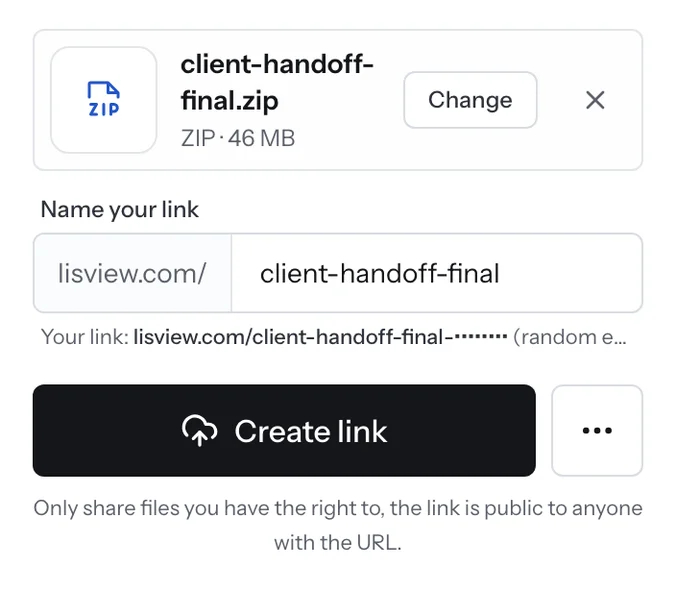
Upload the original
Pick the video from your camera roll or computer. Don't trim or export it from a chat app first.
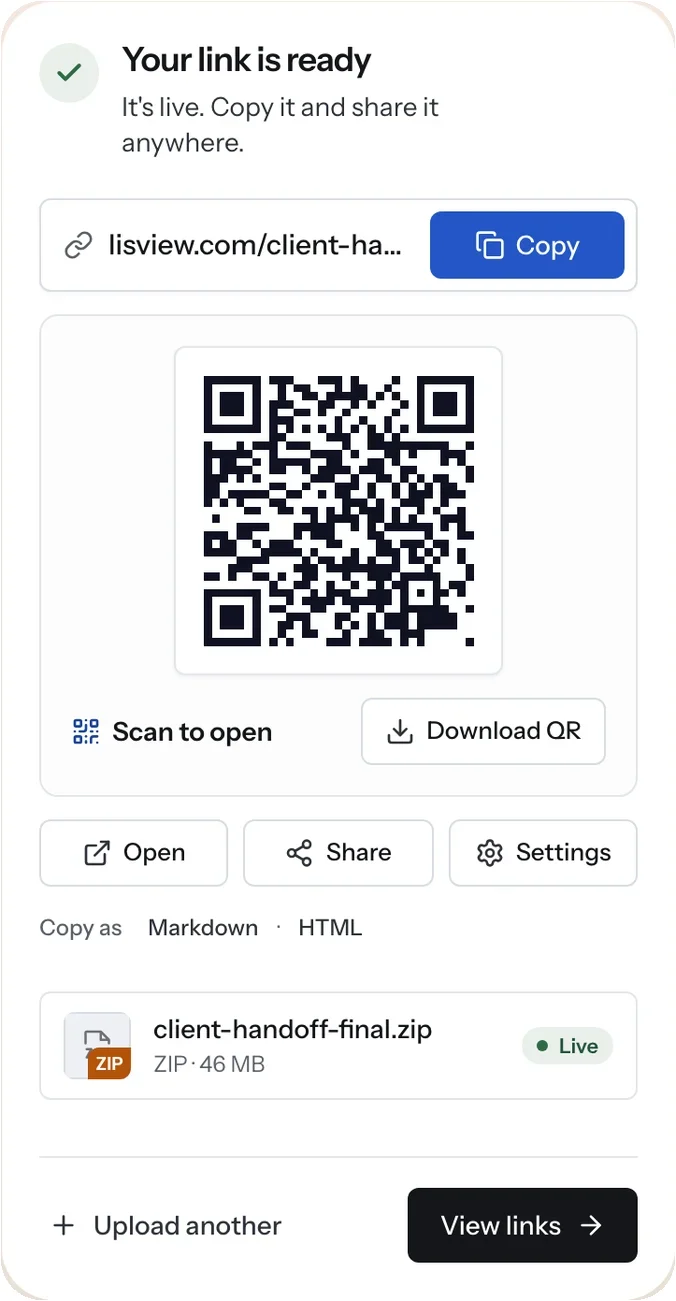
Copia il link
You get a short link and a QR code. Add a password if it is private.
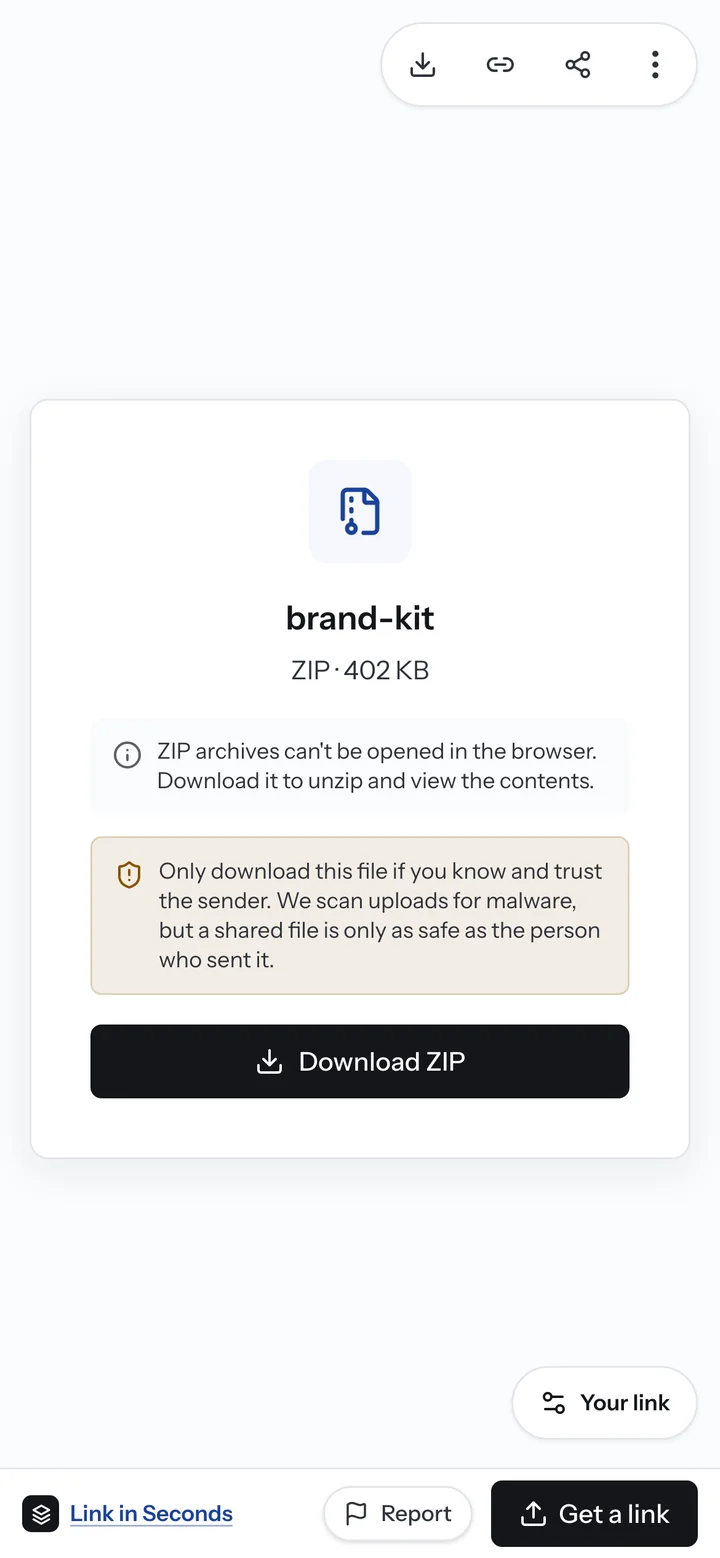
Invia il link
Paste it into any chat or email. It plays the original file in the browser.
Come appare
Why does a link keep the quality?
Nothing is re-encoded
The link serves the file you uploaded, byte for byte. Resolution, frame rate and sound stay as they were.
It plays in the browser
People press play on their phone or computer. They don't need an app, and they can skip ahead without downloading the whole file.
It works in every app
Paste the same link into WhatsApp, Messages, Messenger, email or Slack. Every app just sends a short piece of text.
You see when it was watched
Each open shows the day, device and country, and you can get an email the first time someone opens it.
How each way of sending treats your video
Link di Link in Seconds
- Keeps original quality
- Sì
- Video più grande
- 10 GB
- Plays without downloading
- Sì
- Opens outside the app
- Sì
- See when it was watched
- Sì
Galleria di WhatsApp
- Keeps original quality
- No
- Video più grande
- Compressed to fit
- Plays without downloading
- Sì
- Opens outside the app
- No
- See when it was watched
- Conferme di lettura
Documento WhatsApp
- Keeps original quality
- Sì
- Video più grande
- 2 GB
- Plays without downloading
- No
- Opens outside the app
- No
- See when it was watched
- Conferme di lettura
Allegato email
- Keeps original quality
- Sì
- Video più grande
- 25 MB in Gmail or Outlook.com
- Plays without downloading
- No
- Opens outside the app
- Sì
- See when it was watched
- No
Cosa dicono gli utenti
“L'interfaccia di gestione è incredibilmente intuitiva e organizzata proprio come ragiona un utente. Tutti i miei studenti hanno detto che è facile da usare e ha funzionato perfettamente.”
“L'app è davvero bella e facile da usare. Tengo tutti i link delle mie app in un unico posto, insieme agli screenshot di App Store e Play Store, e organizzo immagini e PDF in album con i tag. Con tanto spazio, tutto vive semplicemente qui.”
“Gestisco contratti, fatture e documenti legali per diverse organizzazioni, quindi quasi tutto quello che invio è protetto da password. Link in Seconds lo rende semplice, e il mio portfolio gira su un dominio personalizzato. È facile da usare e davvero conveniente.”
Ogni funzione dei link su ogni piano
I piani cambiano per spazio: link, archiviazione e dimensione dei file, più pagine HTML e hosting di siti web.
Pro mensile
$9/mese
addebito mensile, disdici quando vuoi
- Link illimitati
- 100 GB di spazio
- 10 GB per file
- Tutte le funzioni dei link incluse
- Pagine HTML e hosting di siti web
Lifetime
$149$99una tantum
un solo pagamento, nessun rinnovo
- Link illimitati
- 200 GB di spazio
- 10 GB per file
- Tutte le funzioni dei link incluse
- Pagine HTML e hosting di siti web
Pro annuale
$4,08/mese
$49 addebitati una volta all'anno
- Risparmi il 55% rispetto al mensile
- Link illimitati
- 100 GB di spazio
- 10 GB per file
- Tutte le funzioni dei link incluse
Prova gratuita di 7 giorni, poi $9/mese + tasse. $0 oggi, disdici quando vuoi.Oppure condividi file fino a 5 MB gratis, senza carta.
Arrivi da WeTransfer, DocSend o tiiny.host? Vedi i confronti
Questions about sending video in full quality
I dettagli
Quali sono i limiti?
- You can upload videos up to 10 GB each. Files up to 5 MB are free with no card. Small takes files up to 3 GB ($3/month) and Pro up to 10 GB ($9/month), both after a 7-day free trial.
- iPhone videos in HEVC play in browsers that support HEVC. If someone can't play one, export it as MP4 (H.264) and upload that.
- I link non hanno una data di scadenza a meno che non la imposti tu. Se un piano finisce e i tuoi file superano i 5 MB gratuiti, i link vanno in pausa finché non ti abboni o elimini dei file; non viene eliminato nulla.
Why do videos lose quality when I send them?
Chat apps compress videos so they send quickly over mobile data. WhatsApp does it to videos picked from the gallery, Messenger to videos in chats, and iMessage can send big videos at lower quality. The receiver gets a smaller, softer copy.
How do I send a full-quality video on WhatsApp?
Send it as a Document instead of picking it from the gallery. WhatsApp then keeps the original, up to 2 GB, but the person must download it before watching. A link plays straight away and works past 2 GB.
Inviare un video grande su WhatsAppHow do I send a full-quality video from an iPhone?
Upload it from Photos to this page in Safari, then paste the link into Messages, WhatsApp or email. It plays on iPhone and Android. Apple's Mail Drop also keeps quality, up to 5 GB, but the download lasts 30 days.
Invia file grandi su iMessageCan I email a video without compressing it?
Only a short one. Gmail and Outlook.com take 25 MB per email, which is only a few seconds of 4K video from a phone. Put the video behind a link and paste the link in the email instead.
Inviare file grandi via emailWhich video format plays best?
MP4 with H.264 video plays in every modern browser. iPhones record in HEVC by default, which plays in Safari and most up-to-date browsers. If someone can't play your clip, export it as MP4 (H.264).
MP4 viewerCan I keep a full-quality video private?
Yes. Add a password, an end date or a view limit, or turn off downloads so people can only watch. Links aren't listed anywhere or shown in search engines.
Condividi un video con passwordWho sends videos this way?
- Video creators. Send a client the master file, not a blurry chat copy, and see when they watched it.
- Famiglie. Share a wedding or birthday video in full quality with every relative.
- Coaches. Send match footage sharp enough to study, on any phone.
- Designer. Share motion work and screen recordings at the size they were made.
Tutto quello che un link può fare
- Nome del link personalizzato: Un link che le persone ricordano davvero. Dai tu il nome al link invece di un codice casuale. lisview.com/tuo-nome è pulito in un'email, su una slide o sotto un codice QR. Parole riservate bloccate, così il link funziona sempre. Tieni il nome e cambia il file in seguito.
- Proteggi con password: Solo per le persone giuste. Aggiungi una password e il file resta chiuso finché qualcuno non la digita. Il link può essere inoltrato ovunque e si apre comunque solo per chi conosce la password. Salvata solo come hash, mai in chiaro. Applicata al file stesso, non solo alla pagina.
- Scadenza e limite di visualizzazioni: Link che si chiudono da soli. Imposta una data di fine o un limite di visualizzazioni e il link si ferma da solo. Invia un preventivo che scade venerdì, o un'anteprima che si chiude dopo cinque aperture, senza doverti ricordare di eliminarlo. Per data, dopo N visualizzazioni, o entrambe. Riaprilo quando vuoi disattivando il limite.
- codice QR: Un codice pronto da stampare per ogni link. Ogni link ha un codice QR nitido, incluso in ogni piano. Mettilo su un menu, un volantino, un'etichetta da parete o una confezione, e apre lo stesso link di un tocco. Scaricalo in SVG o PNG, di qualsiasi dimensione. Cambia il file in seguito, il codice stampato funziona ancora.
- Tracciamento delle visualizzazioni: Scopri subito quando viene aperto. Vedi quante persone hanno aperto il link e quando, più il quadro completo: provenienza, dispositivi, paesi e aperture da QR o dirette. Incluso in ogni piano. Un contatore in tempo reale su ogni link, senza configurazione. Ricevi un'email appena viene aperto la prima volta.
Send your video in full quality
Upload the original, copy the link and send it anywhere.
Gratis fino a 5 MB, senza carta. File più grandi: 7 giorni gratis, poi da $3/mese. Disdici quando vuoi. Vedi i piani