Inviare un video grande su WhatsApp
Keep the full quality by sending a link that plays in any browser.
Rilascia qui il tuo file
Rilasciane più di uno e diventano un unico link album
o incolla un'immagine Ctrl+V
Free up to 5 MB, no card. Bigger files: 7 giorni gratis, poi da $3/mese. Disdici quando vuoi. Vedi i piani
“Tutti i miei studenti hanno detto che è facile da usare e ha funzionato perfettamente.”
How do I send a large video on WhatsApp?
Attach the video as a Document instead of choosing it from your gallery. WhatsApp then sends the original file, up to 2 GB, without lowering the quality. If the video is bigger than 2 GB, or you want people to watch it without downloading it first, upload it here and paste the link into the chat.
- persone che condividono file
- 5.500+
- link condivisi
- 11.300+
- aperture
- 39.700+
Send a large video on WhatsApp as a link in 3 steps
Upload the video
Drop the video into the box above, or pick it from your phone's gallery.
Copia il link
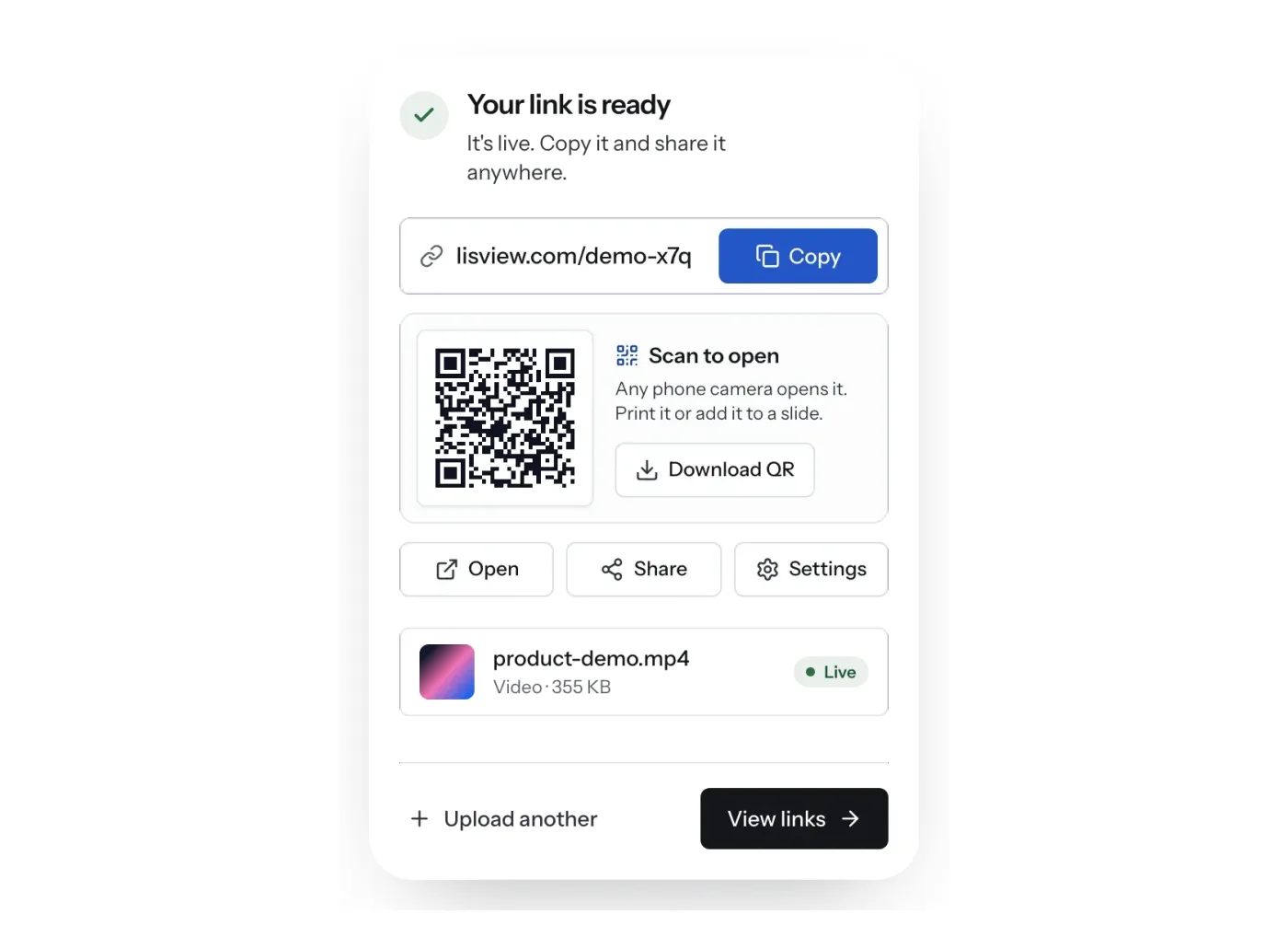
You get a short link and a QR code as soon as the upload is done.
Paste it in WhatsApp
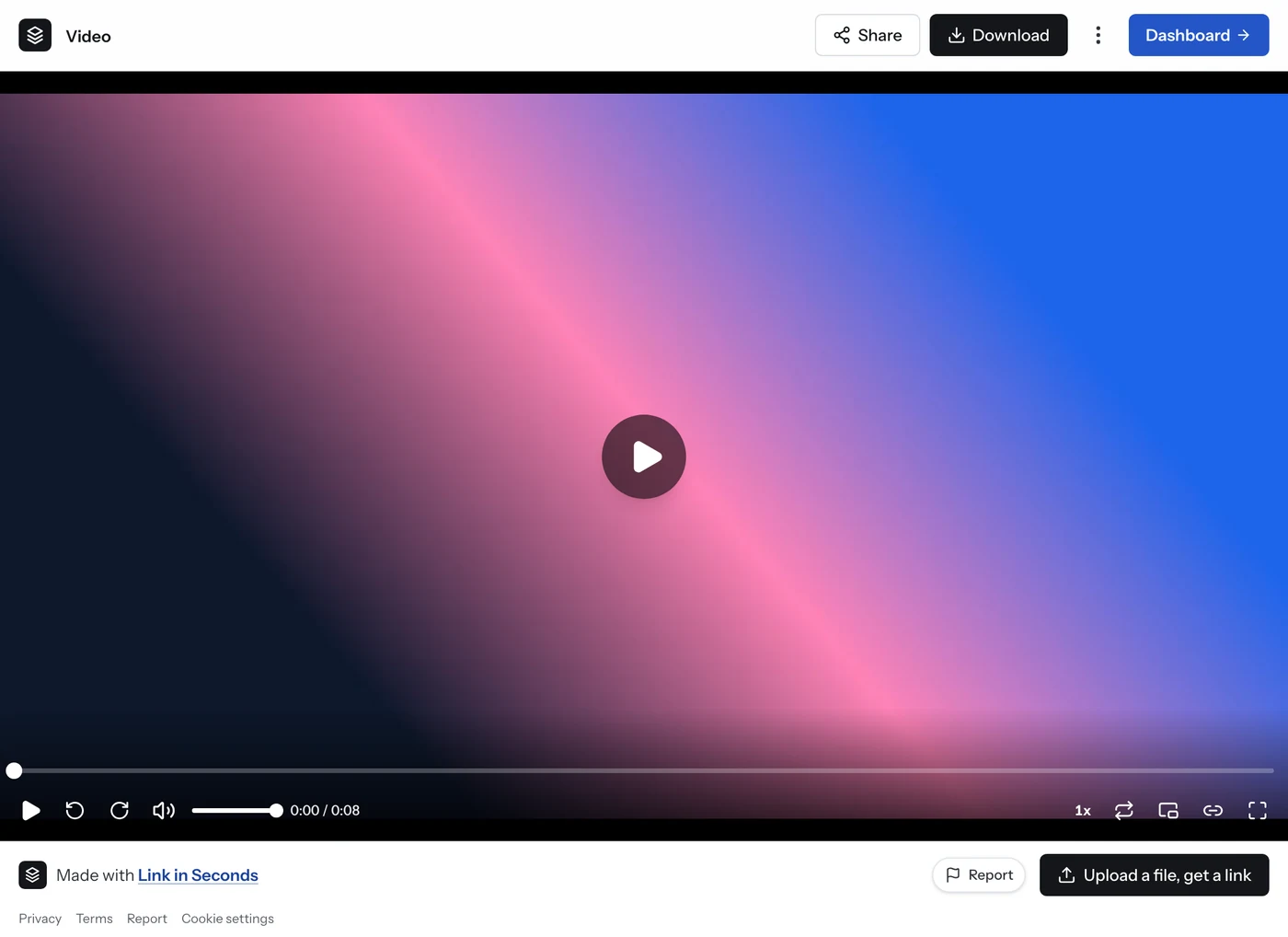
Paste it into any chat or group, and the video plays in the browser.
Come appare
Why send a link instead of the video file?
The video keeps its full quality
WhatsApp shrinks videos you pick from the gallery. A link plays the exact file you uploaded, so a 4K video still looks like 4K.
It starts playing right away
People tap the link and the video plays in their browser. They can skip ahead without waiting for the whole file to download.
It doesn't fill up anyone's phone
A video sent in the chat is saved on every phone in the group. A link takes up almost no space at all.
Share it once with the whole group
Post the link in a group or a broadcast list, then see how many times it was opened and from which countries.
Four ways to send a long video on WhatsApp

Link in Seconds link
- Largest video
- 10 GB per file
- Video quality
- Originale
- Plays before the full download
- Sì
- Takes space on the viewer's phone
- No
- See when it was opened
- Sì
WhatsApp gallery
- Largest video
- 2 GB
- Video quality
- Lower
- Plays before the full download
- No
- Takes space on the viewer's phone
- Sì
- See when it was opened
- Read receipts
WhatsApp Document
- Largest video
- 2 GB
- Video quality
- Originale
- Plays before the full download
- No
- Takes space on the viewer's phone
- Sì
- See when it was opened
- Read receipts
Google Drive link
- Largest video
- 15 GB free
- Video quality
- Originale
- Plays before the full download
- Sì
- Takes space on the viewer's phone
- No
- See when it was opened
- No
Cosa dicono gli utenti
“L'interfaccia di gestione è incredibilmente intuitiva e organizzata proprio come ragiona un utente. Tutti i miei studenti hanno detto che è facile da usare e ha funzionato perfettamente.”
“L'app è davvero bella e facile da usare. Tengo tutti i link delle mie app in un unico posto, insieme agli screenshot di App Store e Play Store, e organizzo immagini e PDF in album con i tag. Con tanto spazio, tutto vive semplicemente qui.”
“Gestisco contratti, fatture e documenti legali per diverse organizzazioni, quindi quasi tutto quello che invio è protetto da password. Link in Seconds lo rende semplice, e il mio portfolio gira su un dominio personalizzato. È facile da usare e davvero conveniente.”
Every link feature on every plan
Plans differ in room: links, storage and file size, plus HTML pages and website hosting.
Pro Monthly
$9/mese
billed every month, cancel anytime
- Link illimitati
- 100 GB of di spazio
- 10 GB per file
- Tutte le funzioni dei link incluse
- Pagine HTML e hosting di siti web
Lifetime
$149$99una tantum
un solo pagamento, nessun rinnovo
- Link illimitati
- 200 GB of di spazio
- 10 GB per file
- Tutte le funzioni dei link incluse
- Pagine HTML e hosting di siti web
Pro Yearly
$4.08/mese
billed $49 a year
- Risparmi il 55% rispetto al mensile
- Link illimitati
- 100 GB of di spazio
- 10 GB per file
- Tutte le funzioni dei link incluse
Prova gratuita di 7 giorni, poi $9/mese + tasse. $0 oggi, annulli quando vuoi.Oppure condividi file fino a 5 MB gratis, senza carta.
Arrivi da WeTransfer, DocSend o tiiny.host? See the comparisons
Questions about sending large videos on WhatsApp
The details
Quali sono i limiti?
- WhatsApp allows files up to 2 GB. You only get the original quality when you send the video as a Document.
- Here you can upload videos up to 10 GB each. Files up to 5 MB are free with no card. Small takes files up to 3 GB ($3/month) and Pro up to 10 GB ($9/month), both after a 7-day free trial.
- Links have no expiry date unless you set one. If a plan ends and your files are over the free 5 MB, links pause until you subscribe or delete files; nothing is deleted.
Why does WhatsApp make my videos blurry?
When you pick a video from your gallery, WhatsApp makes the file smaller before it sends it, to save mobile data. Even the HD option sends a smaller copy. If you send the same video as a Document, WhatsApp skips this step and the other person gets the original file.
What is the largest video I can send on WhatsApp?
2 GB per file, according to the WhatsApp Help Center. At 1080p that is roughly 30 to 60 minutes of video, depending on how it was recorded. For anything bigger, you need to send a link instead of the file.
How do I send a video as a Document on iPhone and Android?
On Android, tap the paperclip, choose Document and pick the video from your files. On iPhone, first open the video in Photos, tap Share and choose Save to Files. Then in WhatsApp, tap the plus button, choose Document and pick the video from Files.
- The other person sees a file, not a video preview, and taps it to download it.
- The whole file downloads to their phone before it starts playing.
How do I send a video bigger than 2 GB?
Upload the video here (up to 10 GB), copy the link and paste it into the chat. WhatsApp shows a preview with the video's title. When someone taps it, the video plays in their phone's browser. They don't need an app or an account.
Other files that are too big for WhatsAppShould I send a link or a Document?
Send a link when people mostly want to watch. It plays straight away, works even when their phone is full, and you can swap in a new version later. Send a Document when the person needs their own copy to keep, for example a client receiving the final files.
Who sends videos on WhatsApp this way?
- Families. Share a wedding film or a school play with the family group in full quality, without filling up everyone's phone.
- Video editors. Send a client the edit as a link they can watch on their phone, then put the next version on the same link.
- Teachers and coaches. Post a lesson or a match recording in the class or team group, and see how many people opened it.
- Small businesses. Send product demos and how-to videos to customers who ask on WhatsApp, in full resolution.
Tutto quello che un link può fare
- Nome del link personalizzato: Un link che le persone ricordano davvero. Dai tu il nome al link invece di un codice casuale. lisview.com/tuo-nome è pulito in un'email, su una slide o sotto un codice QR. Parole riservate bloccate, così il link funziona sempre. Tieni il nome e cambia il file in seguito.
- Proteggi con password: Solo per le persone giuste. Aggiungi una password e il file resta chiuso finché qualcuno non la digita. Il link può essere inoltrato ovunque e si apre comunque solo per chi conosce la password. Salvata solo come hash, mai in chiaro. Applicata al file stesso, non solo alla pagina.
- Scadenza e limite di visualizzazioni: Link che si chiudono da soli. Imposta una data di fine o un limite di visualizzazioni e il link si ferma da solo. Invia un preventivo che scade venerdì, o un'anteprima che si chiude dopo cinque aperture, senza doverti ricordare di eliminarlo. Per data, dopo N visualizzazioni, o entrambe. Riaprilo quando vuoi disattivando il limite.
- codice QR: Un codice pronto da stampare per ogni link. Ogni link ha un codice QR nitido, incluso in ogni piano. Mettilo su un menu, un volantino, un'etichetta da parete o una confezione, e apre lo stesso link di un tocco. Scaricalo in SVG o PNG, di qualsiasi dimensione. Cambia il file in seguito, il codice stampato funziona ancora.
- Tracciamento delle visualizzazioni: Scopri subito quando viene aperto. Vedi quante persone hanno aperto il link e quando, più il quadro completo: provenienza, dispositivi, paesi e aperture da QR o dirette. Incluso in ogni piano. Un contatore in tempo reale su ogni link, senza configurazione. Ricevi un'email appena viene aperto la prima volta.
Send your video as a link
Upload the video, copy the link and paste it into WhatsApp.
Free up to 5 MB, no card. Bigger files: 7 giorni gratis, poi da $3/mese. Disdici quando vuoi. Vedi i piani