Controlla la dimensione di un file
See which apps will accept your file. Nothing gets uploaded.
Check a file on your device
Only the size is read, in your browser. Nothing is uploaded.
45 MB fits 4 of 8 apps
Limits checked November 2026
Discord Nitro1 GB
FitsPaid Discord plan; the file must fit before compression.
Slack1 GB
FitsFree workspaces show only the last 90 days of files.
WhatsApp2 GB
FitsVideos from the gallery are compressed; send as a Document to keep quality.
Telegram2 GB
FitsTelegram Premium raises it to 4 GB.
Gmail25 MB
Too bigAbout 18 MB of real file after encoding. Over the limit, Gmail swaps the file for a Google Drive link.
Outlook.com25 MB
Too bigAbout 18 MB of real file after encoding. Over the limit, Outlook offers a OneDrive link instead.
iCloud Mail20 MB
Too bigAbout 15 MB of real file after encoding. Over the limit, Mail Drop sends a link that expires in 30 days.
Discord (no Nitro)20 MB
Too bigNitro Basic takes 50 MB, Nitro 1 GB.
Email limits count Base64 encoding, so the real file limit is lower.
Too big for some apps? Send a link instead.
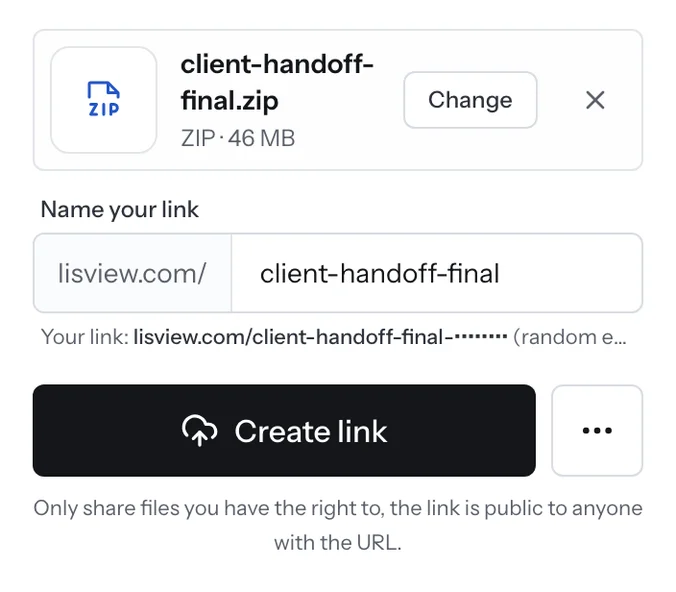
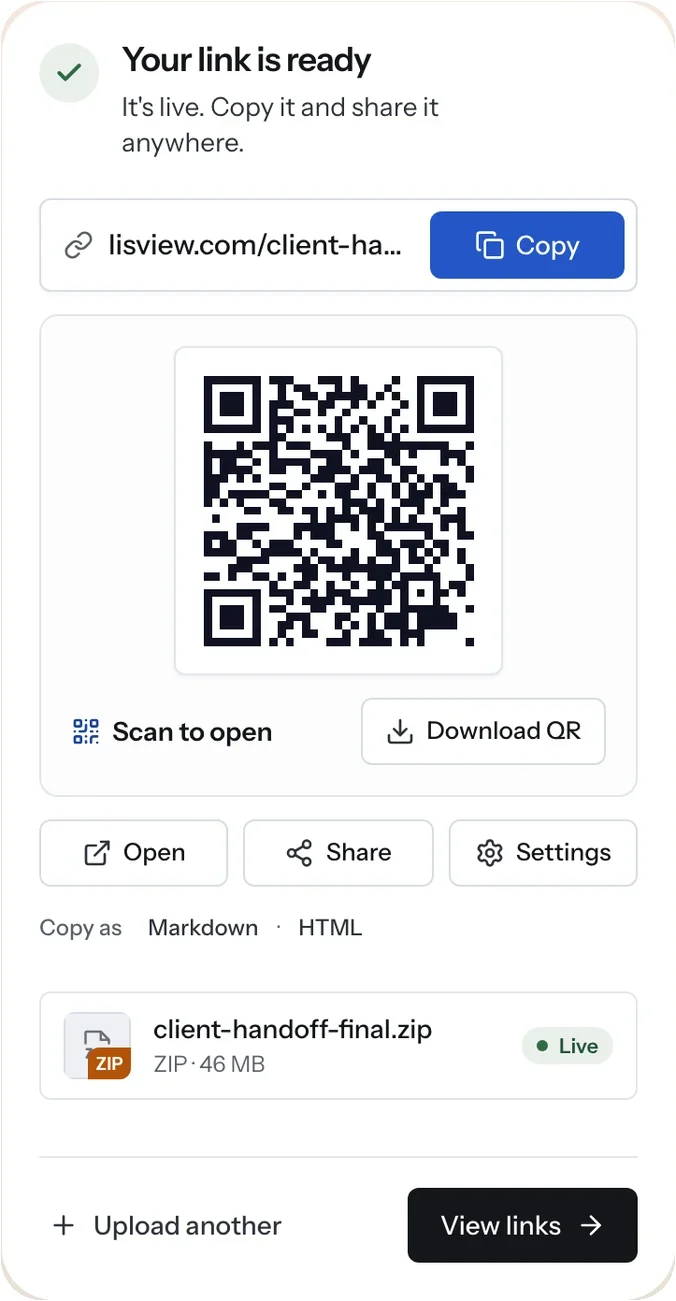
A Link in Seconds link works in every app on this list. Files up to 5 MB are free with no card; bigger files, up to 10 GB, start with a 7-day free trial. How sending a large file by link works.
Get a link for your fileFree up to 5 MB, no card. Bigger files: 7 giorni gratis, poi da $3/mese. Disdici quando vuoi. Vedi i piani
“Tutti i miei studenti hanno detto che è facile da usare e ha funzionato perfettamente.”
What file size can each app send?
Gmail and Outlook.com accept 25 MB per email, which is about 18 MB of real file, and iCloud Mail accepts 20 MB. Discord accepts 20 MB without Nitro and 1 GB with Nitro. Slack accepts 1 GB, and WhatsApp and Telegram accept 2 GB per file. For anything bigger, send a link instead.
- persone che condividono file
- 5.500+
- link condivisi
- 11.300+
- aperture
- 39.700+
How to check if a file will send
Pick a file or type a size
Choose a file or type its size in KB, MB or GB. Only the size is read.
Read the result for each app
Every app shows Fits or Too big, with its limit and what happens over it.
Too big? Send a link
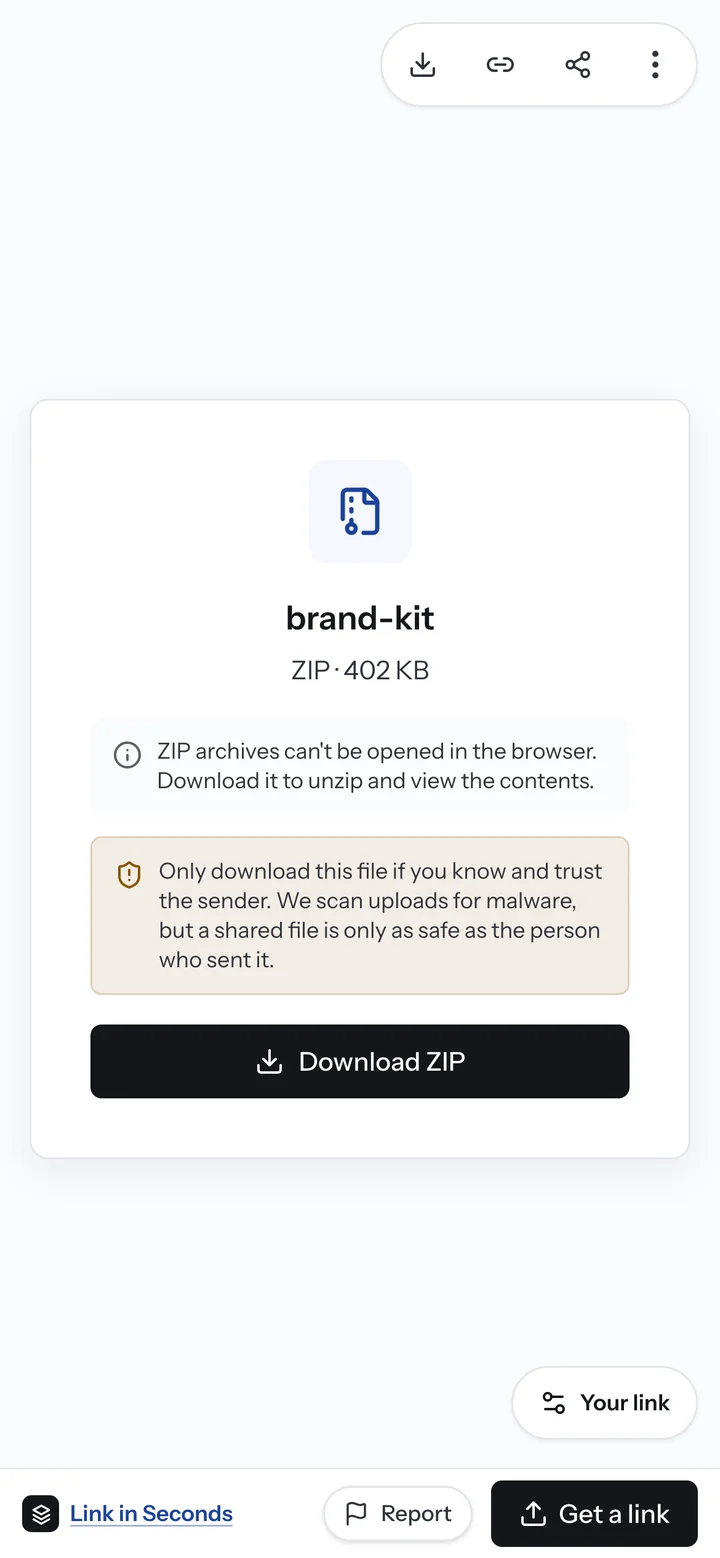
Upload the file once and paste the link into any app instead.
What sending a file as a link looks like
What does the checker do?
It checks eight limits at once
Email, chat and team apps are checked side by side, so you know which ones will refuse the file before you try to send it.
It counts email the right way
Email makes files about a third bigger on the way. The checker compares that bigger size with each limit, not the size on your computer.
Your file stays on your device
Your browser only tells the page how big the file is. The file itself is never opened, uploaded or saved.
It shows what to do if it's too big
If the file is too big for the app you need, the result shows how to send it as a link, which works in every app.
Sending inside the app a confronto con sending a link
Link in Seconds link
- File più grande
- 10 GB per file
- What the other person needs
- A web browser
- See when it was opened
- Sì
- Password or end date
- Sì
Gmail
- File più grande
- 25 MB per email
- What the other person needs
- An email inbox
- See when it was opened
- No
- Password or end date
- No
- File più grande
- 2 GB
- What the other person needs
- See when it was opened
- Read receipts
- Password or end date
- No
Discord (no Nitro)
- File più grande
- 20 MB
- What the other person needs
- Discord
- See when it was opened
- No
- Password or end date
- No
Cosa dicono gli utenti
“L'interfaccia di gestione è incredibilmente intuitiva e organizzata proprio come ragiona un utente. Tutti i miei studenti hanno detto che è facile da usare e ha funzionato perfettamente.”
“L'app è davvero bella e facile da usare. Tengo tutti i link delle mie app in un unico posto, insieme agli screenshot di App Store e Play Store, e organizzo immagini e PDF in album con i tag. Con tanto spazio, tutto vive semplicemente qui.”
“Gestisco contratti, fatture e documenti legali per diverse organizzazioni, quindi quasi tutto quello che invio è protetto da password. Link in Seconds lo rende semplice, e il mio portfolio gira su un dominio personalizzato. È facile da usare e davvero conveniente.”
Every link feature on every plan
Plans differ in room: links, storage and file size, plus HTML pages and website hosting.
Pro Monthly
$9/mese
billed every month, cancel anytime
- Link illimitati
- 100 GB of di spazio
- 10 GB per file
- Tutte le funzioni dei link incluse
- Pagine HTML e hosting di siti web
Lifetime
$149$99una tantum
un solo pagamento, nessun rinnovo
- Link illimitati
- 200 GB of di spazio
- 10 GB per file
- Tutte le funzioni dei link incluse
- Pagine HTML e hosting di siti web
Pro Yearly
$4.08/mese
billed $49 a year
- Risparmi il 55% rispetto al mensile
- Link illimitati
- 100 GB of di spazio
- 10 GB per file
- Tutte le funzioni dei link incluse
Prova gratuita di 7 giorni, poi $9/mese + tasse. $0 oggi, annulli quando vuoi.Oppure condividi file fino a 5 MB gratis, senza carta.
Arrivi da WeTransfer, DocSend o tiiny.host? See the comparisons
Questions about file size limits
The details
Quali sono i limiti?
- The checker only reads the size. Your browser reports how big the file is, and what's inside stays on your device.
- It uses the published limits. We checked each app's own help pages in November 2026, and apps can change them without warning.
- The other side can be stricter. A work email server or a group's settings can set a lower limit than the app itself.
Why does a 22 MB file fail in Gmail?
Because email sends attachments as text, which makes them about 37% bigger. A 22 MB file becomes about 30 MB on the way, which is over Gmail's 25 MB limit. The largest file that fits is about 18 MB.
Gmail's attachment size limit, explainedWhy does WhatsApp make my video smaller when it fits?
Because WhatsApp shrinks every video you pick from the gallery, whatever its size. The 2 GB limit only keeps the original quality when you send the video as a Document instead.
Inviare un video grande su WhatsAppWhat is the file size limit on Discord and Slack?
Discord accepts 20 MB per file without Nitro, 50 MB with Nitro Basic and 1 GB with Nitro. Slack accepts files up to 1 GB, but free Slack workspaces only show the last 90 days of messages and files.
Condividere file grandi su DiscordHow do I find a file's size on my phone?
On iPhone, open the Files app, press and hold the file and tap Get Info. On Android, open Files, tap the three-dot menu next to the file and choose File info or Details. Or just pick the file in the checker above.
How is this different from the email attachment checker?
This checker looks at chat and team apps as well as email, all at once. The email attachment checker covers six email services, including Yahoo, Proton and work servers, and explains the email size maths in more detail.
Email attachment size checkerWho checks file sizes before sending?
- Video editors. Check whether an export fits the client's chat app, or whether it needs a link.
- Fotografi. See which email services will take a set of full-resolution photos before the email bounces.
- Designer. Find out if a ZIP of source files fits in Slack or Discord, or needs a link.
- Insegnanti. Check a lesson recording against the class group's app before posting it.
Tutto quello che un link può fare
- Nome del link personalizzato: Un link che le persone ricordano davvero. Dai tu il nome al link invece di un codice casuale. lisview.com/tuo-nome è pulito in un'email, su una slide o sotto un codice QR. Parole riservate bloccate, così il link funziona sempre. Tieni il nome e cambia il file in seguito.
- Proteggi con password: Solo per le persone giuste. Aggiungi una password e il file resta chiuso finché qualcuno non la digita. Il link può essere inoltrato ovunque e si apre comunque solo per chi conosce la password. Salvata solo come hash, mai in chiaro. Applicata al file stesso, non solo alla pagina.
- Scadenza e limite di visualizzazioni: Link che si chiudono da soli. Imposta una data di fine o un limite di visualizzazioni e il link si ferma da solo. Invia un preventivo che scade venerdì, o un'anteprima che si chiude dopo cinque aperture, senza doverti ricordare di eliminarlo. Per data, dopo N visualizzazioni, o entrambe. Riaprilo quando vuoi disattivando il limite.
- codice QR: Un codice pronto da stampare per ogni link. Ogni link ha un codice QR nitido, incluso in ogni piano. Mettilo su un menu, un volantino, un'etichetta da parete o una confezione, e apre lo stesso link di un tocco. Scaricalo in SVG o PNG, di qualsiasi dimensione. Cambia il file in seguito, il codice stampato funziona ancora.
- Tracciamento delle visualizzazioni: Scopri subito quando viene aperto. Vedi quante persone hanno aperto il link e quando, più il quadro completo: provenienza, dispositivi, paesi e aperture da QR o dirette. Incluso in ogni piano. Un contatore in tempo reale su ogni link, senza configurazione. Ricevi un'email appena viene aperto la prima volta.
Too big to send? Make it a link
Upload the file once and paste the link into any app.
Free up to 5 MB, no card. Bigger files: 7 giorni gratis, poi da $3/mese. Disdici quando vuoi. Vedi i piani