How to turn an image into a link (3 ways, 2026 guide)
Turn an image into a link
You have a picture on your phone or computer, and you need a URL, something you can paste into a form, a marketplace listing, a WhatsApp chat, a document, or a bio. Here are the three real ways to turn an image into a link, with the trade-offs of each.
Option 1: A trackable link tool (the clean way) Recommended
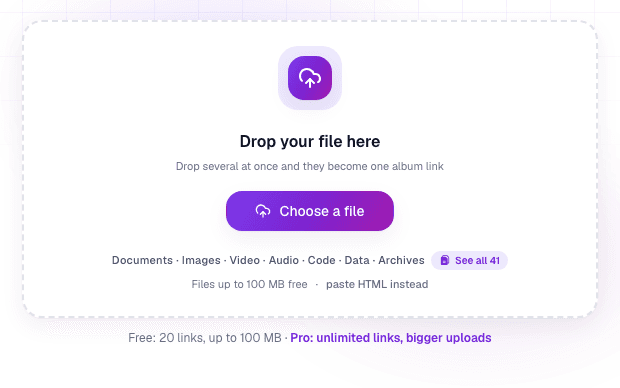
Upload the picture to a link tool like Link in Seconds and get one short URL that opens the image full-size in any browser:
- Go to the image to link page and drag your picture in (PNG, JPG, WebP, or GIF).
- Name your link if you want (e.g. /p/product-photo), or keep the default.
- Copy the URL and paste it anywhere. Done, that link is your image.
- ✅ No ads around your picture, no watermark, original quality kept
- ✅ View tracking, see if anyone actually opened it
- ✅ Free QR code for every image link
- ✅ Replace the image later and the same URL shows the new one
- ✅ Free links never expire
Option 2: An image host (Imgur, Postimages…)
Classic image hosts also give you a URL after upload. They work, with caveats: most wrap your image in a page of ads and "related" content you don't control, some compress your picture, and once the URL is out there you usually can't take it back, track it, or swap the file. Fine for throwaway forum images; weak for anything professional, where sharing files online with real controls matters more.
Option 3: A cloud drive (Google Drive, Dropbox)
You can right-click a picture in Drive and copy a share link. It's workable if the recipient is also in that ecosystem, but the link opens a viewer UI rather than the image itself, permission settings trip people up constantly ("request access" emails), and the URLs are long and ugly. Drives are built for storage, not sharing a single picture cleanly, which is why many people reach for a Google Drive alternative for links.
Which one should you use?
Common questions
Can I turn a picture into a QR code?
Yes. With Link in Seconds every image link includes a downloadable QR code, so a scan opens your picture. That's how a photo ends up on a poster, package, or business card.
Does the person I send it to need an account?
No. The link opens the image directly in their browser, with nothing to install and no sign-in.
Does the same work for a video or a PDF?
Yes, the steps are the same for any file. See how to turn a video into a link (it plays in the browser, no download) and how to turn a PDF into a link.
Is it free?
Turning an image up to 250 MB into a link is free. Passwords, expiry dates and advanced analytics are free on every plan; Pro raises the limit to 500 MB per file. See pricing for the full breakdown.
Turn any file into a link in seconds
Upload a PDF, image, video, or ZIP and get a clean, trackable link with a QR code, free.
Try Link in Seconds →