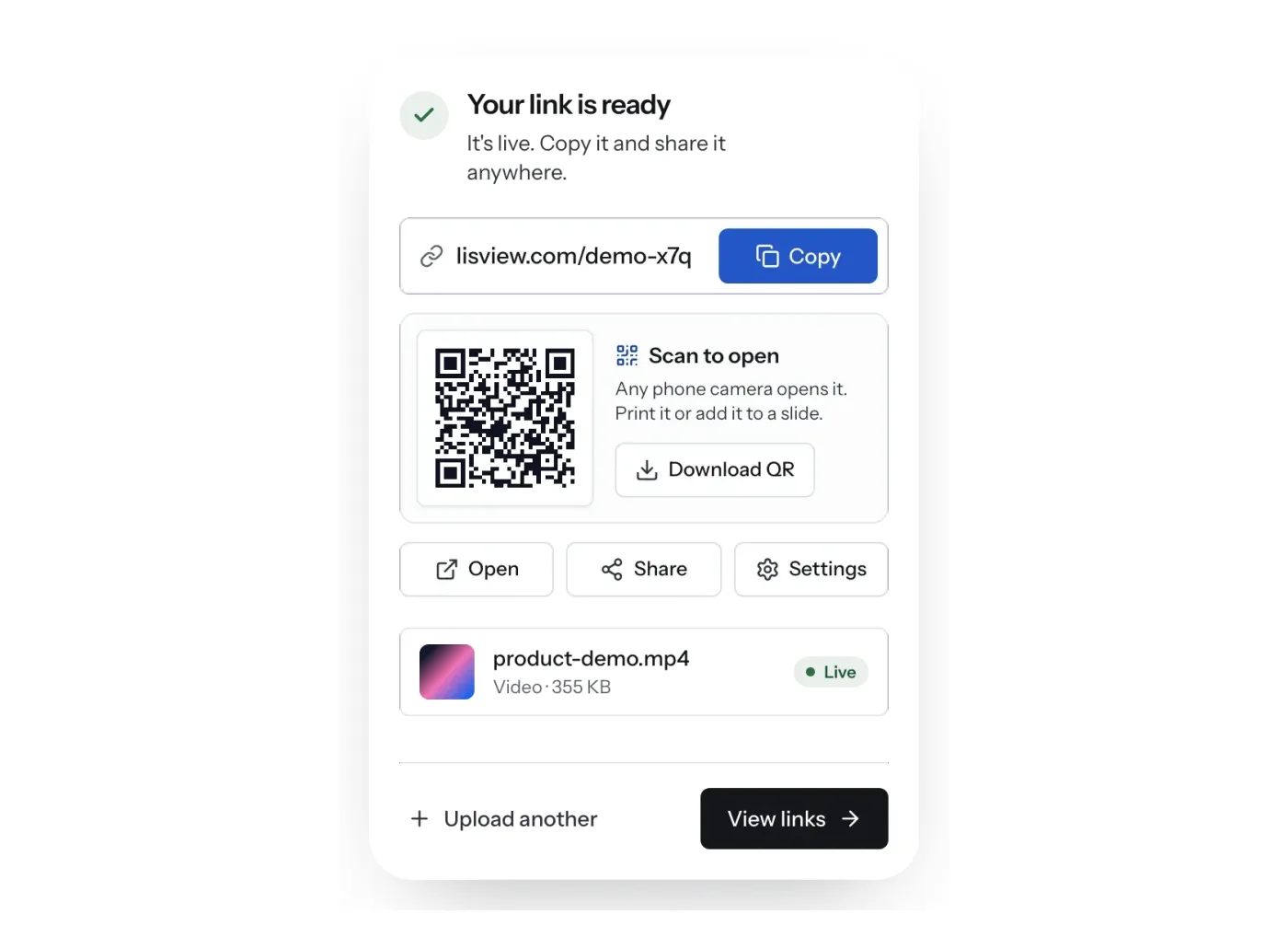
Upload the file, download the link's QR code and print it. The code keeps opening the file until you delete the link, and you can swap the file behind it without reprinting.
Scopri chi l'ha aperto, e quandoProteggilo con una passwordStampalo o condividilo come codice QR
Rilascia qui il tuo file
Rilasciane più di uno e diventano un unico link album
“Tutti i miei studenti hanno detto che è facile da usare e ha funzionato perfettamente.”
Jason, Insegnante · condivide materiali per la classe
Nessuna registrazione per vederloFunziona nel browser, niente da installare
ImmaginiPDFVideoAudioSlideCodiceSiti
Do QR codes expire?
A printed QR code never expires: the address is stored in the pattern itself. What stops working is the page or file it points to, or a dynamic QR service when its plan ends. Point the code at a link you control, like a Link in Seconds file link, and it opens until you delete the link.
The code points at a link you own
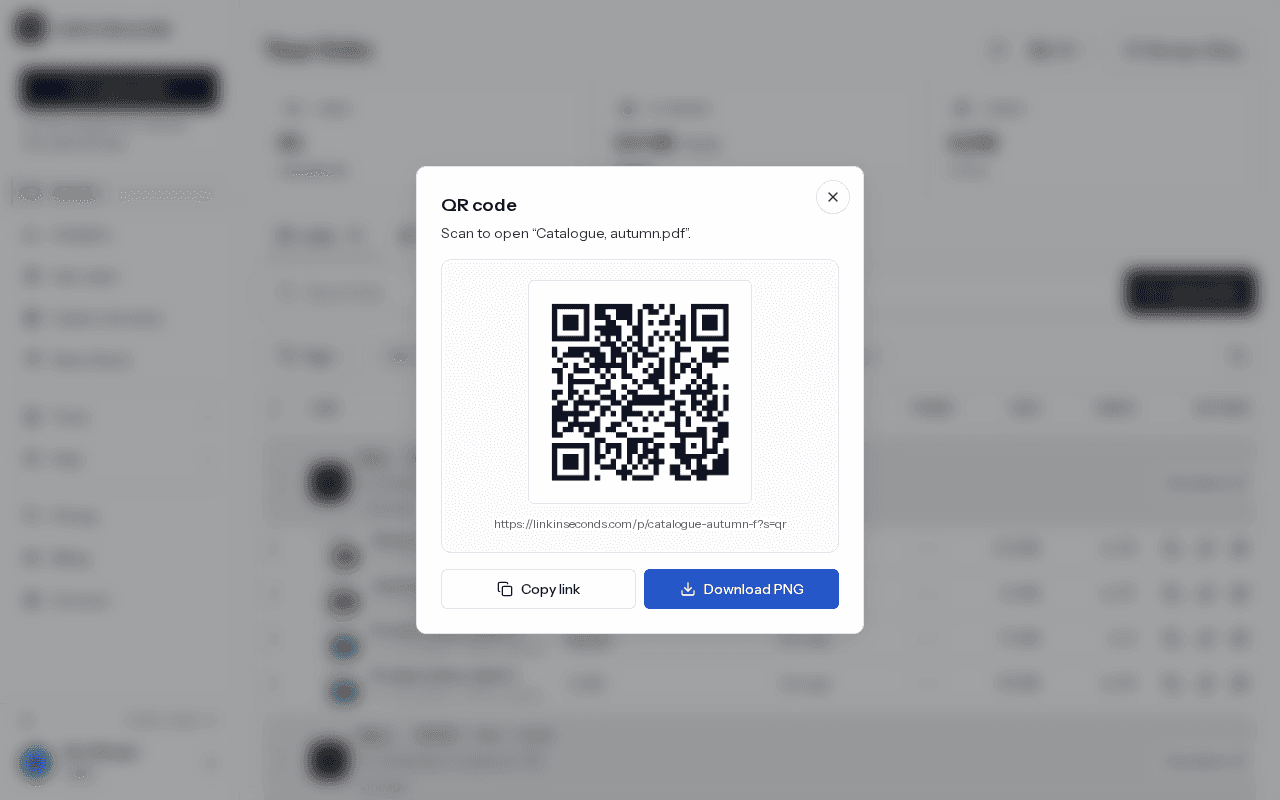
Every upload gets a link and a QR code for it (a PNG you download from the link). Nothing counts down on the link, so the code stays good until you delete it.
Swap the file, keep the print
New menu, corrected manual, updated video: replace the file in the link's settings and the same printed code opens the new version. Earlier versions are kept so you can restore them.
Scans counted apart from clicks
The address inside the QR ends in ?s=qr, so the link's analytics show scans separately from people who clicked the link. From 4 to 24 October 2026, 30% of video views on Link in Seconds came from a QR scan.
If you delete the link or switch it off. The code then opens a plain 'not available' page, never someone else's file.
If your plan ends and your files are over the free limit. Links pause, nothing is deleted, and they come back when you subscribe or delete files.
If you set an expiry date or a view limit on purpose, for a one-night event for example.
Which kind of QR code keeps working?
Scorri la tabella per vedere tutto
Which kind of QR code keeps working?
Funzione
File link QR (Link in Seconds)
Static QR to a file URL
Dynamic QR service
Expires on its own
No, only if you set a date
No, but the file URL can break
Depends on the plan; check what happens when it ends
Change the file, same printed code
File link QR (Link in Seconds), Change the file, same printed code: sì
Static QR to a file URL, Change the file, same printed code: no
Dynamic QR service, Change the file, same printed code: sì
Counts scans
File link QR (Link in Seconds), Counts scans: sì
Static QR to a file URL, Counts scans: no
Usually, on paid plans
Opens the file in the phone browser
Yes: PDF pages, video playback
Depends where the file is hosted
Depends on the service
A static code stores the final address; a dynamic code stores the service's short address, which redirects for as long as the service keeps it on. Our column is from our own product as of 22 November 2026. A dynamic QR service is a fine choice when you already pay for one and need its design tools.
How to make a never-expiring QR code
1
Carica il file
Drop the video or PDF into the uploader and you get a link for it.
2
Download the QR code
Open the link's QR code and save the PNG. Scans are counted separately from clicks.
3
Print it, update the file later
Print the code. When the file changes, replace it on the same link and the printed code opens the new one.
What you get
Every upload comes with its QR code, ready to download.
From the dashboard: the same code for any link, as a PNG.
Every scan lands in the link's analytics, next to views and downloads.
Why do some QR codes stop working?
There are two reasons. A dynamic code stores a short address on the QR service's domain, which forwards to your file; when the service's trial or plan ends, the forwarding can stop. A static code stores the file's own address, so it breaks when that address changes: the file is moved, renamed, deleted, or its sharing setting goes back to private.
How to print a QR code for a video or PDF that lasts
Upload the video or PDF and give the link a readable name. Open the link's QR code and download the PNG; print it at least 2 cm wide with a white border so phone cameras read it. Test it with two phones before a print run. Il piano Free copre file fino a 5 MB senza carta, e i suoi link non scadono mai; la prova gratuita di 7 giorni (poi $9/mese, disdici quando vuoi) e Pro accettano file fino a 10 GB ciascuno, con 100 GB di spazio.
Video or PDF: what the scanner sees
A PDF opens page by page in the phone browser, with nothing to download first. A video plays in the browser with seeking, which matters for MP4 files over a few megabytes. Neither needs an app or an account, and a password or view-only mode can sit in front of either.
Aggiungi una password e il file resta chiuso finché qualcuno non la digita. Il link può essere inoltrato ovunque e si apre comunque solo per chi conosce la password.
Imposta una data di fine o un limite di visualizzazioni e il link si ferma da solo. Invia un preventivo che scade venerdì, o un'anteprima che si chiude dopo cinque aperture, senza doverti ricordare di eliminarlo.
Ogni link ha un codice QR nitido, incluso in ogni piano. Mettilo su un menu, un volantino, un'etichetta da parete o una confezione, e apre lo stesso link di un tocco.
Scaricalo in SVG o PNG, di qualsiasi dimensione
Cambia il file in seguito, il codice stampato funziona ancora
Vedi quante persone hanno aperto il link e quando, più il quadro completo: provenienza, dispositivi, paesi e aperture da QR o dirette. Incluso in ogni piano.
Un contatore in tempo reale su ogni link, senza configurazione
Ricevi un'email appena viene aperto la prima volta
The box ships for years. Point the code at a setup video and update it when the product changes.
Restaurants and menus
Print the table card once. Swap the menu PDF each season and the same code opens it.
Signs, posters and listings
A property sign or event poster outlives most free QR trials. A file link has no trial to run out.
Cosa dicono gli utenti
Con le loro parole
“L'interfaccia di gestione è incredibilmente intuitiva e organizzata proprio come ragiona un utente. Tutti i miei studenti hanno detto che è facile da usare e ha funzionato perfettamente.”
JJasonInsegnante · condivide materiali per la classe
“L'app è davvero bella e facile da usare. Tengo tutti i link delle mie app in un unico posto, insieme agli screenshot di App Store e Play Store, e organizzo immagini e PDF in album con i tag. Con tanto spazio, tutto vive semplicemente qui.”
EEvelynSviluppatrice di app
“Gestisco contratti, fatture e documenti legali per diverse organizzazioni, quindi quasi tutto quello che invio è protetto da password. Link in Seconds lo rende semplice, e il mio portfolio gira su un dominio personalizzato. È facile da usare e davvero conveniente.”
GGuy HenryFreelance · contratti e fatture
Gratis fino a 5 MB, senza carta. Prova tutto gratis per 7 giorni; Pro aggiunge spazio, pagine HTML e hosting di siti web.
The printed code never expires, because the address is stored in its pattern. It stops working when the page or file behind that address goes away, or when a dynamic QR service stops forwarding after its plan ends.
No. Links have no countdown, so the code keeps opening the file until you delete the link, switch it off or set an expiry date yourself. If a plan ends and your files are over the free limit, links pause until you subscribe or delete files; nothing is deleted.
The code holds a fixed link address, and you can replace the file behind that address at any time, which is what most people want from a dynamic code. It cannot be pointed at a different website later.
Yes. Replace the file in the link's settings and the same printed code opens the new version. Earlier versions are kept, so you can restore one.
5 MB gratis (senza carta), 10 GB per file con la prova gratuita
Yes, on every plan. The address in the code carries a scan marker, so the link's analytics show QR scans apart from direct clicks, with device and country.
Print a code once, keep it working
Upload the video or PDF, download its QR code, and swap the file later without reprinting.